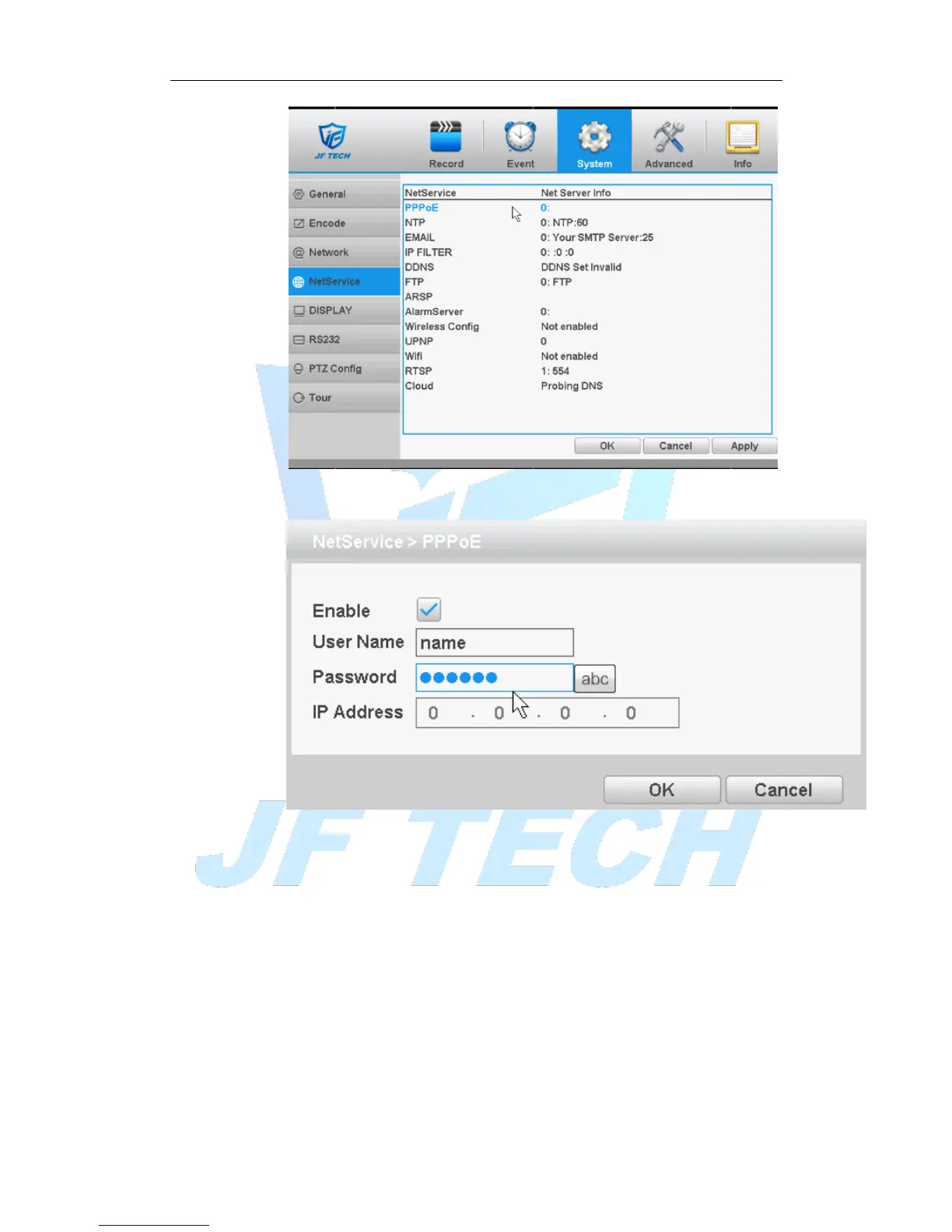
Figure 4.17 network services
[PPPoE settings]:
Figure 4.18 PPPoE
Enable: Anti ■ means enabled.
Enter the ISP (Internet Service Provider) to provide the PPPoE username and
password, restart the system after saving. After starting the DVR will automatically
establish a network connection to the PPPoE mode, after the success, IP [IP
address] will be automatically modify the dynamic WAN IP address obtained.
Operation: After PPPoE dialing successfully, view IP [IP address] on, get the current
IP address, and then uses this IP address to access the device via the client.
[NTP]:



 To Next Page