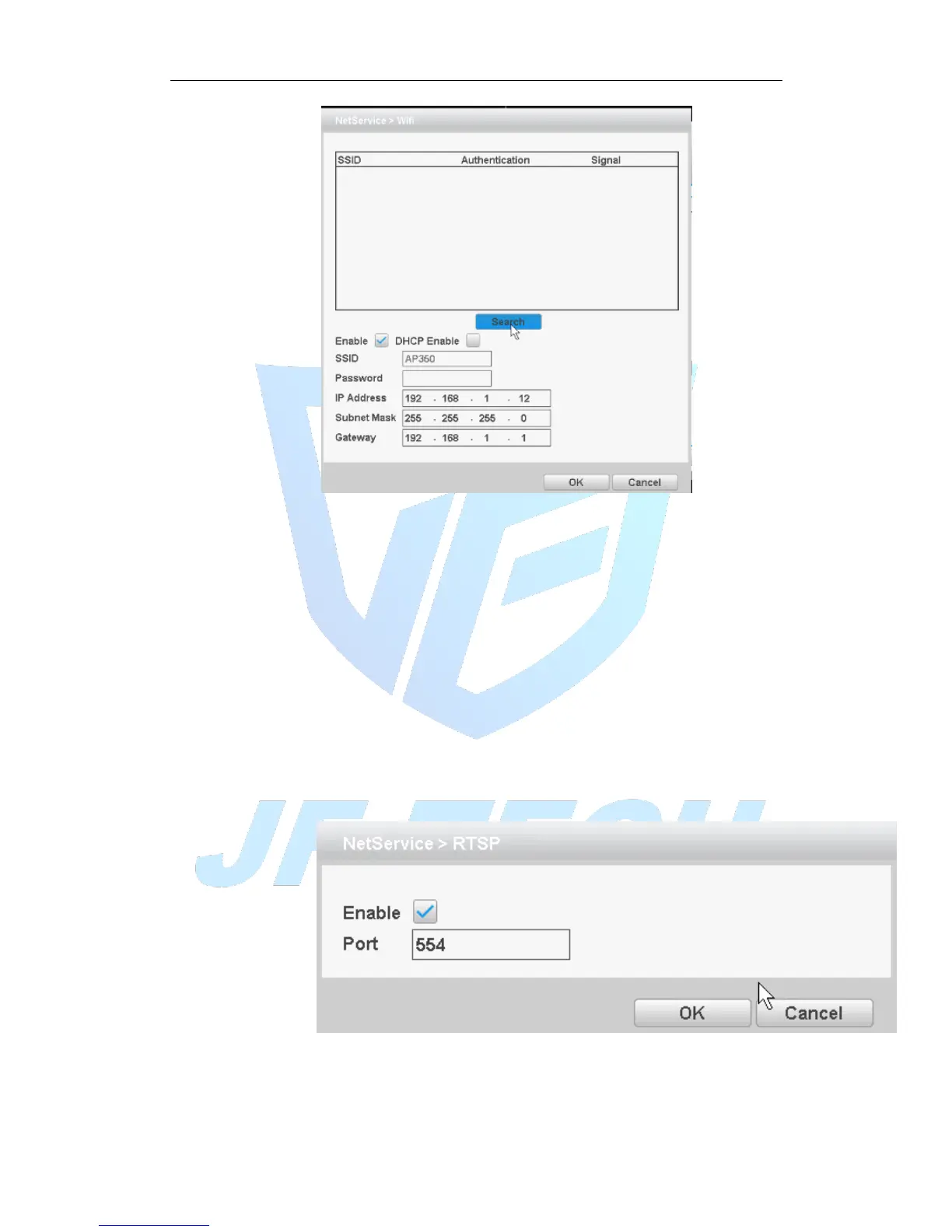
Figure 4.28 WIFI settings
[Search]: Click [Search] button to search out available within the current range of the
wireless device;
[Enable]: Anti ■ means to select the Enable before setting;
[DHCP Enable]: Anti ■ means, select Enable, the device will automatically get WIFI in
the IP;
[SSID]: Wireless LAN name; automatically match your connected wireless devices;
[Password]: Wi-Fi router's password;
[IP address]: Set the device's IP address, default: 192.168.1 9
[Subnet Mask]: Set the device subnet mask, default: 255.255.255.0
[Default Gateway]: Set the device's default gateway, default: 192.168.1.1
[RTSP]
Monitoring via cross-browser (Safari, Firefox, Google chrome), and VLC software. These
functions only for monitor but cannot control the device.
Figure 4.29 RTSP
【Enable】: ■ means enable, tick it firstly before setting.
【Port】: the default port is 554



 To Next Page