AD-1272 Advanced Thermal Dispersion Probe Airflow Measuring System Technical Bulletin
46
Factory Default Reset
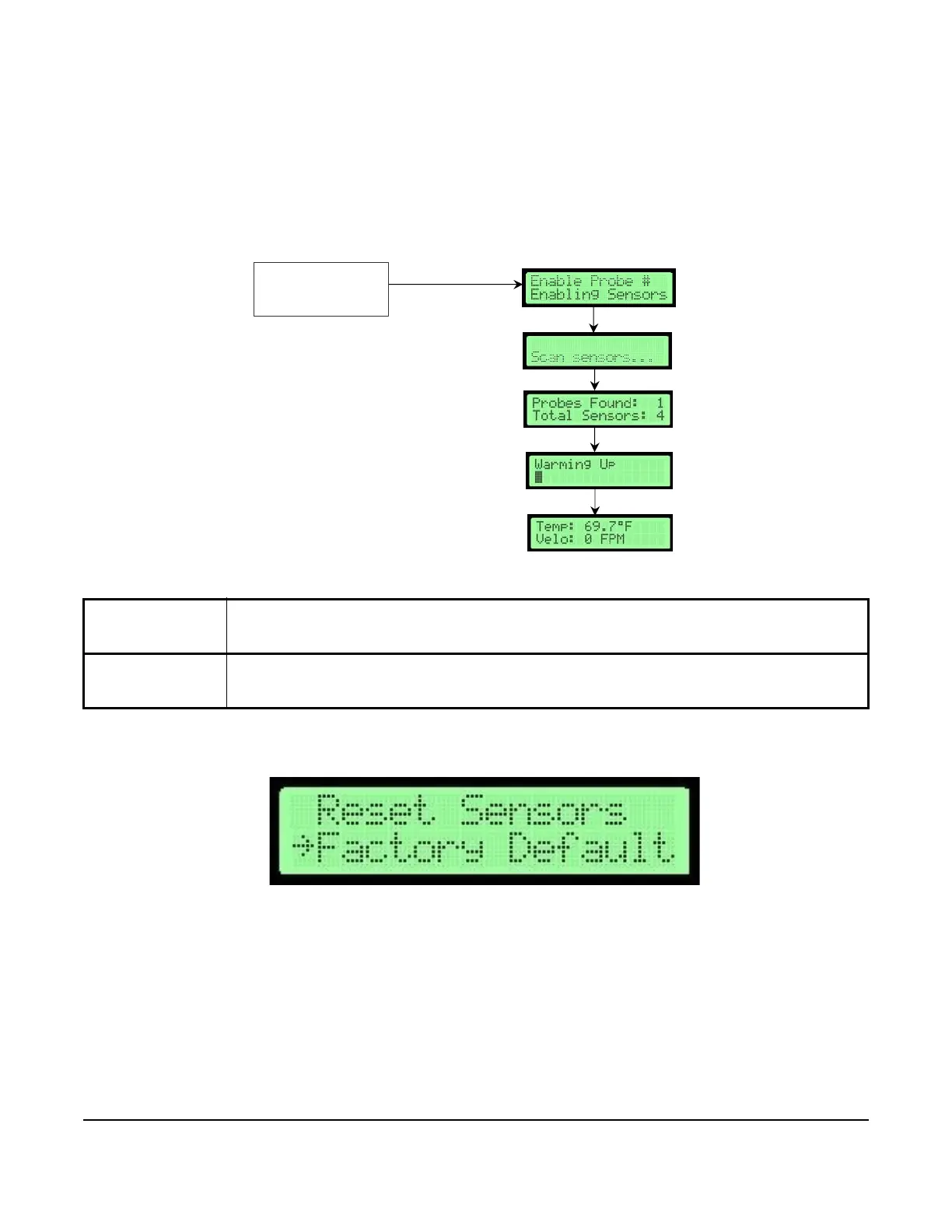
The Factory Default Reset submenu is used to reset all settings to the original factory-default settings.
Note: After a Factory Default Reset, any unique configuration settings must be re-entered if they are different
from the default settings
.
1. In the Supervisor Menu, press UP or DOWN to scroll to the Factory Default submenu.
Table 20: Factory Default Reset Submenu Selection and Display Screens
Factory Default
Reset Submenu
Selection
Actions and Display Screens
Factory Default Cycle power from probe to re-enable all sensors and restart the auxiliary devices.
Perform a local sensor scan and re-enable local sensors to get an inventory from the probe network.
Display returns to normal operation and factory-default settings are restored.
Figure 85: Factory Default Reset Flowchart
Factory Default
*Default values shown
Selected Submenu
Submenu Display
F
I
G
:
f
l
o
w
c
h
a
r
t
_
d
e
f
a
u
l
t
ENTER
Figure 86: Factory Default Selection Screen



 To Next Page