FX-PCG26 General Purpose Programmable
Controller Installation Instructions
Application
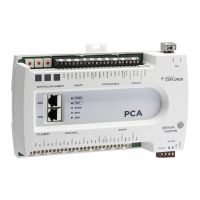
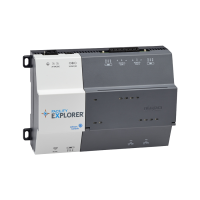
The FX-PCG controller is part of the Facility Explorer
®
Programmable Controller (FX-PC) family.
These controllers run pre-engineered and user-programmed applications and provide the inputs
and outputs required to monitor and control a wide variety of HVAC and other facility equipment.
The FX-PCG controllers operate on an RS-485 BACnet
®
MS/TP Bus as BACnet Application Specific
Controllers (B-ASCs) and integrate into Johnson Controls
®
and third-party BACnet systems.
The FX-PCG controller is available with or without an integral LCD and push button user interface.
Switchable communications protocols
The FX-PC Family Controllers and network sensors communicate using the standard BACnet
protocol, based on the ANSI/ASHRAE 135-2008. The BACnet protocol is a standard for ANSI,
ASHRAE, and the International Standards Organization (ISO) for building controls.
FX-PCG, FX-PCX, and FX-PCV Field controllers are BTL-listed as BACnet Application Specific
Controllers (B-ASCs). FX-PCA field controllers and the PCV1930 Field Controller are BTL-listed as
BACnet Advanced Application Controllers (B-AACs). The NS Series Sensors are BTL-listed as BACnet
Smart Sensors (B-SSs).
Release 10.1 of the Controller Configuration Tool (CCT) 13.0 and later can be used to switch the
Field Bus communications protocol in supported FX-PC Controllers to be either the standard
BACnet MS/TP or the N2 protocol. All new controllers use either BACnet MS/TP as the default
communications protocol, or BACnet/IP. Switchable communications protocols in the MS/TP
models provide a cost-effective upgrade and modernization path for customers with existing N2
controllers.
The Modernization Guide for Legacy N2 Controllers (LIT-12012045) and the controller-specific
documentation provide installation and commissioning support and include tips for efficient
and safe replacement. Refer to the N2 Compatibility Options chapter of the Controller Tool
Help (LIT-12011147) for information about mapping N2 Objects in controllers with switchable
communications protocols.
The N2-capable FX-PC Controllers can be used as functional replacements for legacy N2 controllers.
The N2-capable FX-PC Controllers:
• have the I/O quantities and characteristics of the FX-PC family controllers
• must be programmed with CCT which has programming capabilities that are similar (but not
identical) to HVACPro, GX9100, GPL, and other legacy tools
• support SA Bus devices
• support FX-WRZ wireless sensors from the controller using the FX-WRZ7860 receiver when
configured for BACnet MS/TP communication
The N2-capable FX-PC controllers:
• do not support Zone Bus (for example, TMZ sensors and M100 actuators)
• do not support passthrough in the commissioning mode
• do not support remote downloading or commissioning using BACnet routing
• do not support wireless connection to the N2 bus
Part No. 24-10143-160 Rev G
2019-03-22
(barcode for factory use only)
FX-PCG2611-x, FX-PCG2621-x
*2410143144G*

 Need help?
 General







 To Next Page