– 43 –
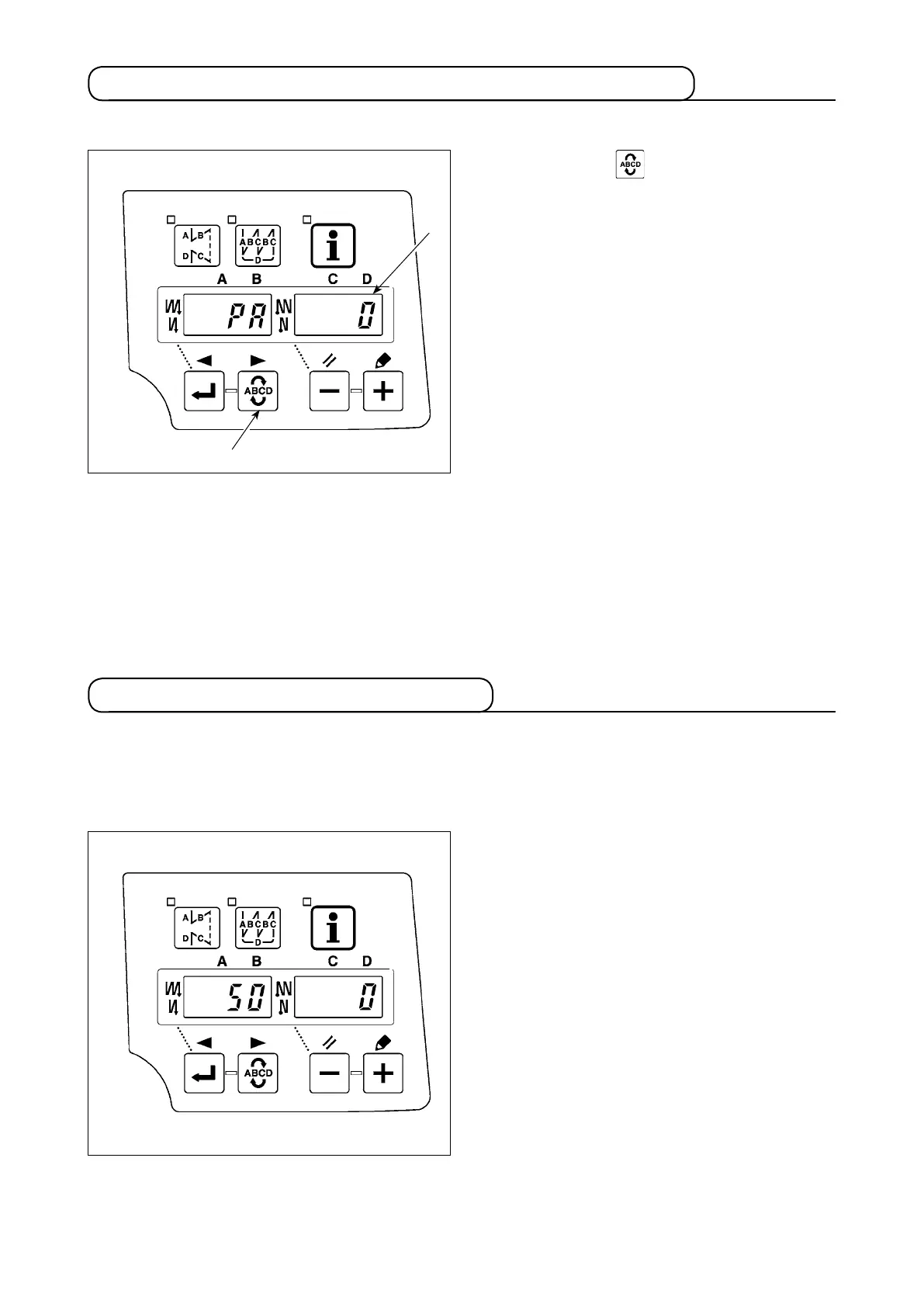
Whenever the pedal sensor, spring, etc. are replaced, be sure to perform following operation :
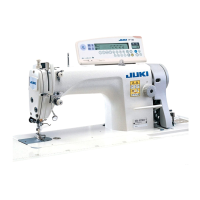
When the pedal sensor has been replaced, change the set value of function setting No. 50 according to the
newly connected pedal specications.
0 : KFL
1 : PFL
1) Pressing switch
4
, turn ON the power
switch.
2) Compensated value is displayed on indicator
B
.
(Caution) 1. At this time, the pedal sensor does
not work properly if the pedal is de-
pressed. Do not place the foot or any
object on the pedal. Warning sound
"blips" and the correct compensa-
tion value is not displayed.
2. If any display ("-0-" or "-8-") other
than a numeric value appears on
indicator
B
, refer to the Engineer's
Manual.
3) Turn OFF the power switch, and turn ON the
power switch again to return to the normal
mode.
(Caution) Be sure to re-turn ON the power switch
when one or more seconds have passed
after turning it OFF. (If the ON-OFF oper-
ation is carried out faster than the above,
the setting may not change normally.)
(Caution) Pedal sensor with two springs located
at the back part of the pedal type is PFL,
and that with one spring type is KFL. Set
the pedal sensor to PFL when lifting the
presser foot by depressing the back part
of the pedal
.
4
B
9. Automatic compensation of neutral point of the pedal sensor
10. Selection of the pedal specications



 To Next Page