MC
31
7. Setting the temperatures
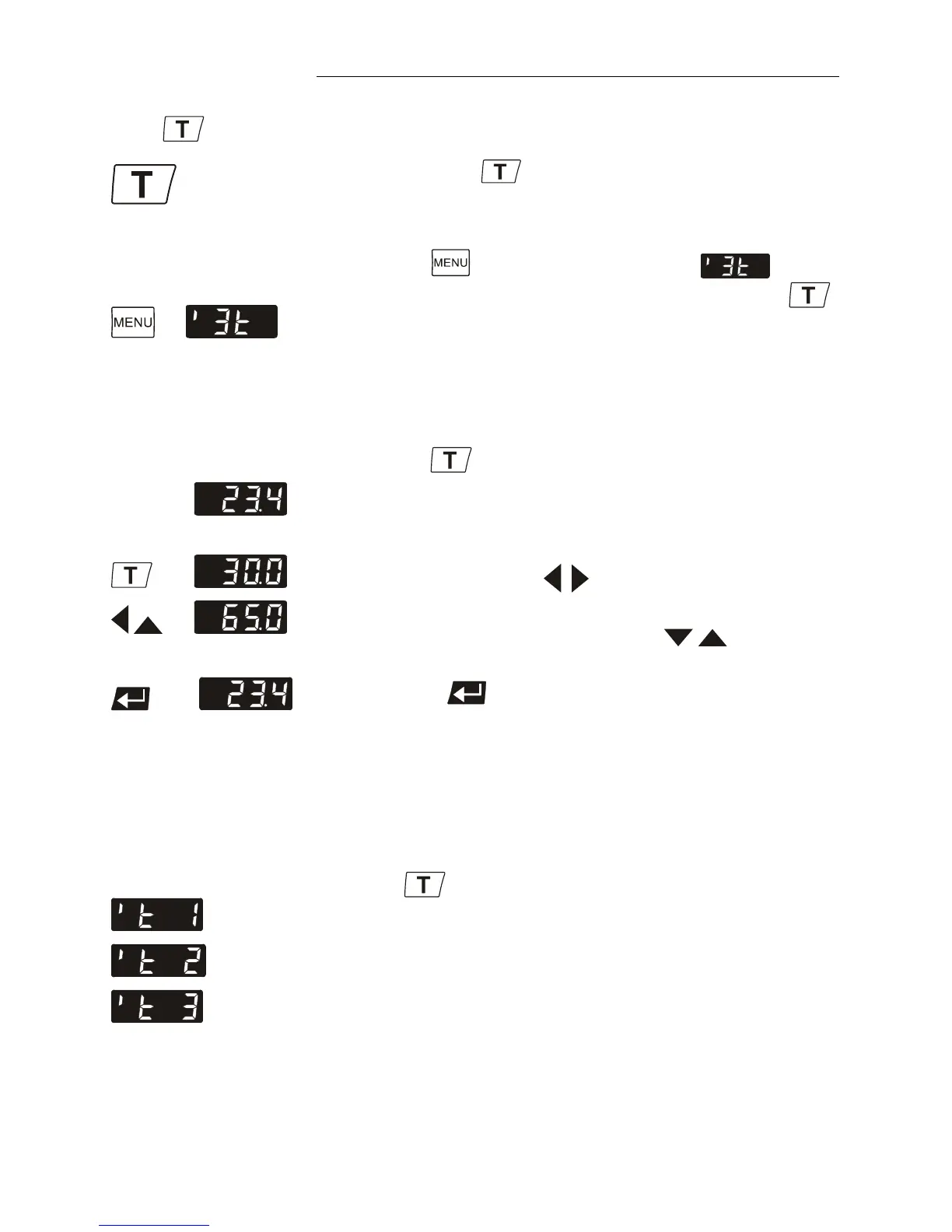
The function of the
key is configurable.
1. If the key is pressed, normally only one adjustable
working temperature is displayed (factory setting).
2. Press the
button to call up the menu , then
assign a menu with 3 pre-adjustable setpoints to the
key. (see page 43)
7.1. 1-setpoint mode
Example: Actual value
Setpoint
Actual value
1. Press the key. The setpoint value instead of the
actual value is indicated on the display. The value can
now be changed.
2. Change the value: (Example: 30.0 °C to 65.0 °C)
• Use the cursor keys
to move left or right on the
display until the numeral you wish to change blinks.
• Use the increase/decrease arrows
to change
the selected numeral (-, 0, 1, 2, 3, ... 9).
3. Press enter to store the value.
L Setting can be carried out in the start/stop condition.
7.2. 3-setpoint mode
Factory settings:
25 °C
37 °C
70 °C
Press the
key to call up the menu for temperature
selection.
3 different working temperatures are adjustable. Their values
are freely selectable within the operating temperature range.
L Setting can be carried out in the start/stop condition.



 To Next Page