JULABO Service – Online remote diagnosis
56
13. JULABO Service – Online remote diagnosis
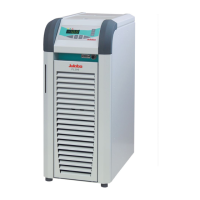
JULABO circulators of the HighTech series are
equipped with a black box. This box is implemented in
the controller and records all significant data for the last
30 minutes.
In case of a failure, this data can be read out from the
unit by using special software. This software is available
as a free download from www.julabo.de
\
EasyBlackBox.
• Installation is easy and is performed step by step.
Please observe the instructions.
• Data read-out is possible in the conditions
“OFF”, “R OFF” or “ALARM”.
• Connect the circulator to the computer using an
interface cable.
• Start the EasyBlackBox program.
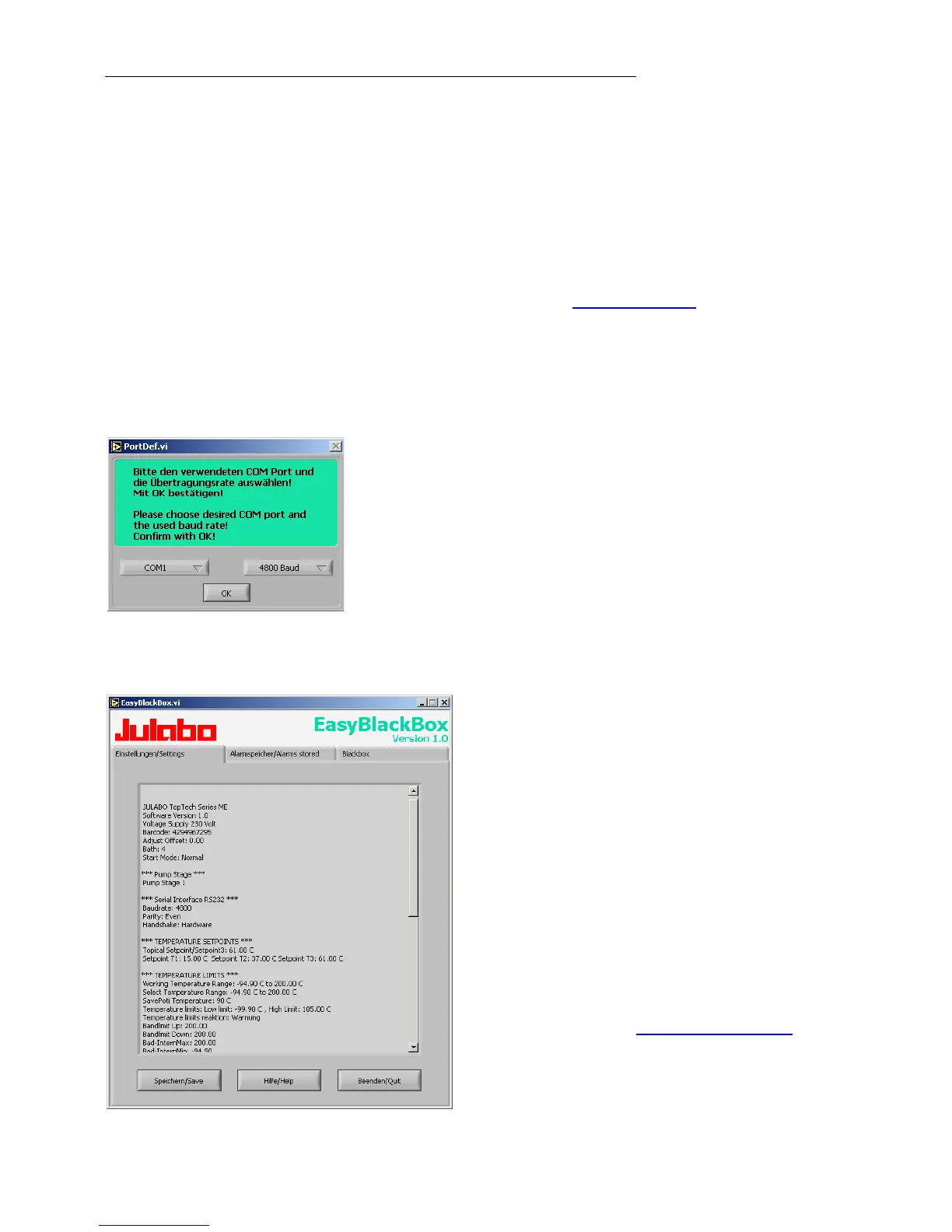
The program asks for the port used (COM1, ......)
and the baud rate of the unit.
You do not have this information on hand? Simply try
it out!
The program continues to send the request until the
correct settings are made.
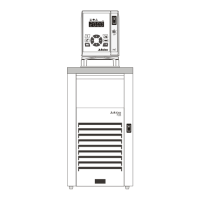
• Data is read out and shown on the
monitor divided into the sections
>Einstellungen/Settings<,
>Alarmspeicher/Alarms stored<,
>Blackbox<
see example
• After pressing >Speichern/Save<, a text
file is created. The program suggests a
filename -
>C:\model description and barcode no.<.
Modifications are possible.
• E-mail this file to service@julabo.de
,
JULABO's service department. JULABO
is thus able to provide rapid support.



 To Next Page