MC
41
Examples:
T
T
= 80.0 °C
T
M
= 79.7 °C
T
T
= 120.0 °C
T
M
= 119.5 °C
T
T
= 160.0 °C
T
M
= 159.3 °C
Example: 3-point calibration
In the temperature range of 80 °C to 160 °C the calibration
curve of the temperature sensor (T
T
) should be assimilated to
the actual temperatures on the measuring point (T
M
).
1. Calibration procedure:
Press
and set the first temperature value under e g.
for example (example 1
st
value = 80 °C).
2. Wait until this temperature is maintained constant in the
bath for about 5 minutes.
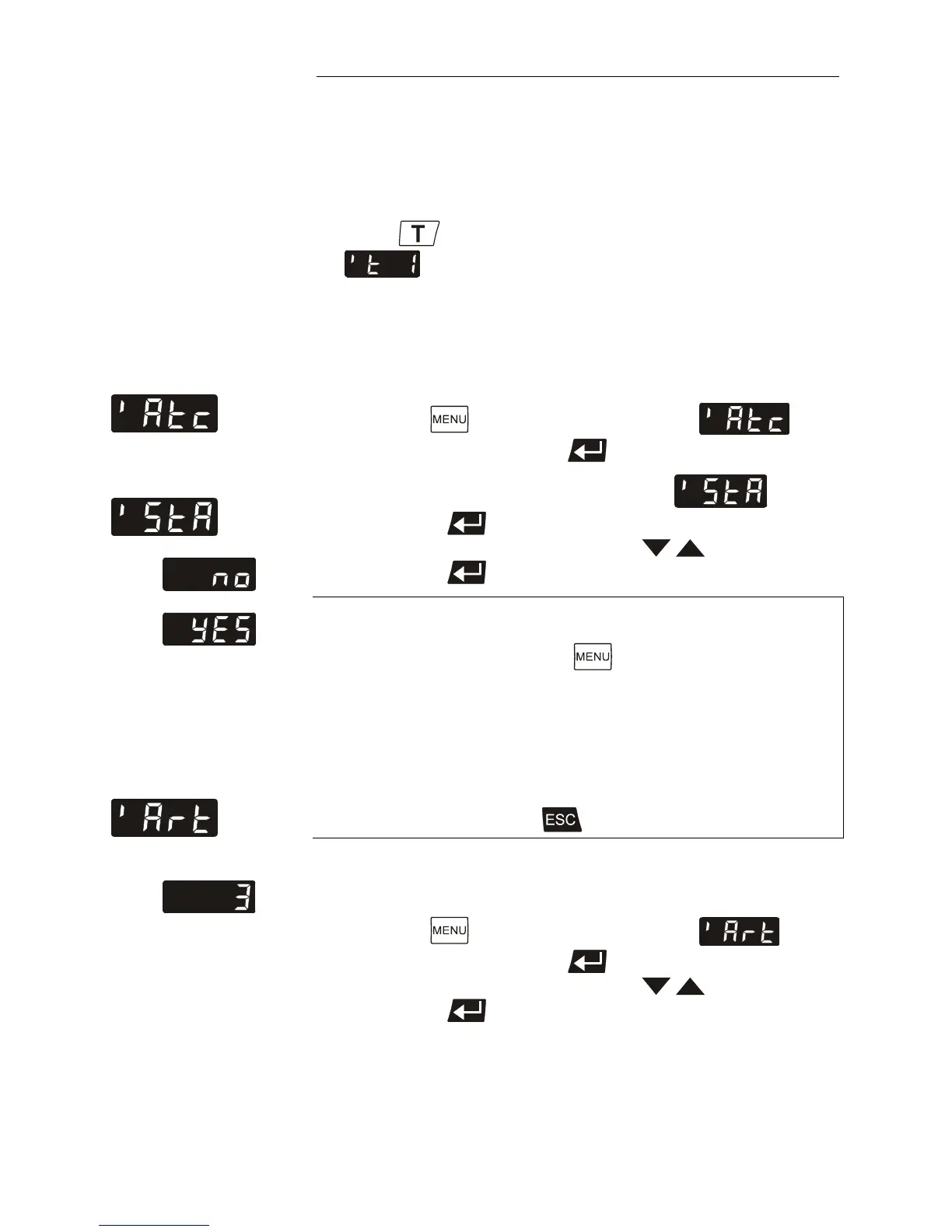
ATC status
Factory setting: YES
Example
3. Call up the >ATC< menu:
Press the
button until the menu item is
displayed and press enter
to switch to menu level 2.
4. Adjusting menu item >ATC Status<: .
Press enter
and indicate the parameter.
Select the parameter with the keys
(no / YES).
Press enter
to store the selected parameter.
>no< During the calibration process >no< needs to be
set.
Continue: Press the button to call up the
menu
item >Art<.
>YES< The controller of the circulator uses the new
calibration curve. Set this parameter after the
calibration process.
Continue: Press to quit the menu.
5. Determine the calibration type:
(1-point, 2-point or 3-point calibration.)
Press the
button until the menu item is
displayed and press enter
to indicate the parameter.
Select the parameter with the keys
(1, 2, 3).
Press enter
to store the selected parameter.



 To Next Page