71
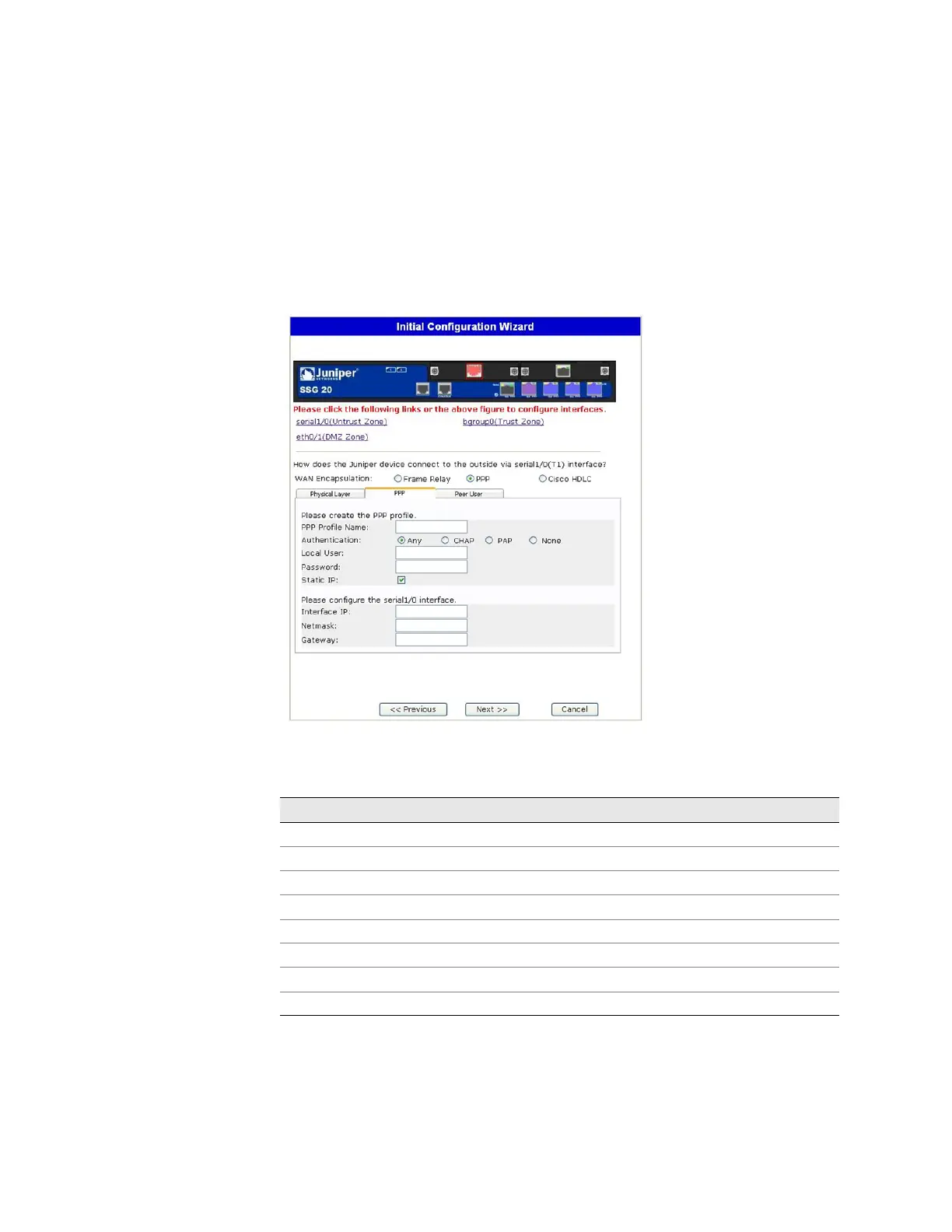
If you have the T1 mini-PIM installed in your device and you selected the PPP
option, the following additional windows are displayed:
PPP Option with PPP Tab Window
PPP Option with Peer User Tab Window
Figure 31: PPP Option with PPP Tab Window
Table 16: Fields in PPP Option with PPP Tab Window
Field Description
PPP Profile Name Sets the name of the PPP profile
Authentication Sets the authentication type
Local User Sets the name of the local user
Password Sets the password for the local user
Static IP checkbox Enables a static IP address
Interface IP Sets the serialx/0 interface IP address
Netmask Sets the serialx/0 netmask
Gateway Sets the serialx/0 gateway address



 To Next Page