SSG 5 Hardware Installation and Configuration Guide
34 Basic Wireless Configuration
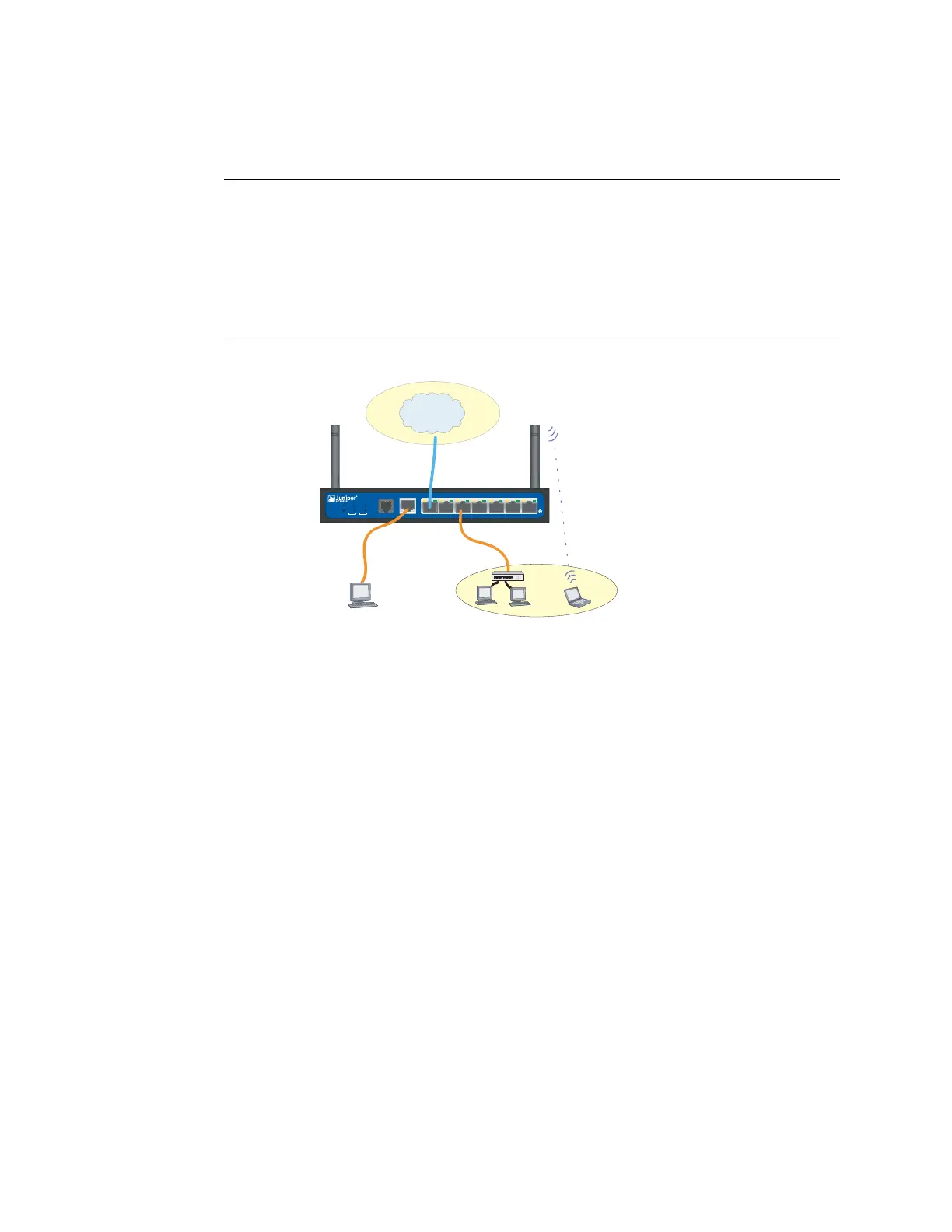
Figure 12: Default SSG 5-WLAN Configuration
By default, the wireless0/0 interface is configured with the IP address
192.168.2.1/24. All wireless clients that need to connect to the Trust zone must
have an IP address in the wireless subnetwork. You can also configure the device to
use DHCP to automatically assign IP addresses in the 192.168.2.1/24 subnetwork to
your devices.
By default, the wireless0/1 – wireless0/3 interfaces are defined as Null and do not
have IP addresses assigned to them. If you want to use any of the other wireless
interfaces, you must configure an IP address for it, assign an SSID to it, and bind it
to a security zone. Table 6 displays the wireless authentication and encryption
methods.
NOTE: If you are operating the SSG 5-WLAN device in a country other than the United
States, Japan, Canada, China, Taiwan, Korea, Israel, or Singapore, then you must
use the set wlan country-code CLI command or set it on the Wireless > General
Settings WebUI page before a WLAN connection can be established. This
command sets the selectable channel range and the transmit power level.
If your regional code is ETSI, you must set the correct country code that meets
your local radio spectrum regulations.
SSG 5
V.92
STATUS
POWER
CONSOLE
TX/RX
CD
01 2 3 45 6TX/RX LINK TX/RX LINK TX/RX LINK TX/ RX LINK TX/RX LINK TX/RX LINK TX/RX L INK
10/100 10/100
10/100 10/100
10/100 10/100
10/100
B/G
WLAN
V.92
802.11A
Callouts
Callouts
Untrust
Zone
Trust
Zone
wireless0/0
Console












 To Next Page