53
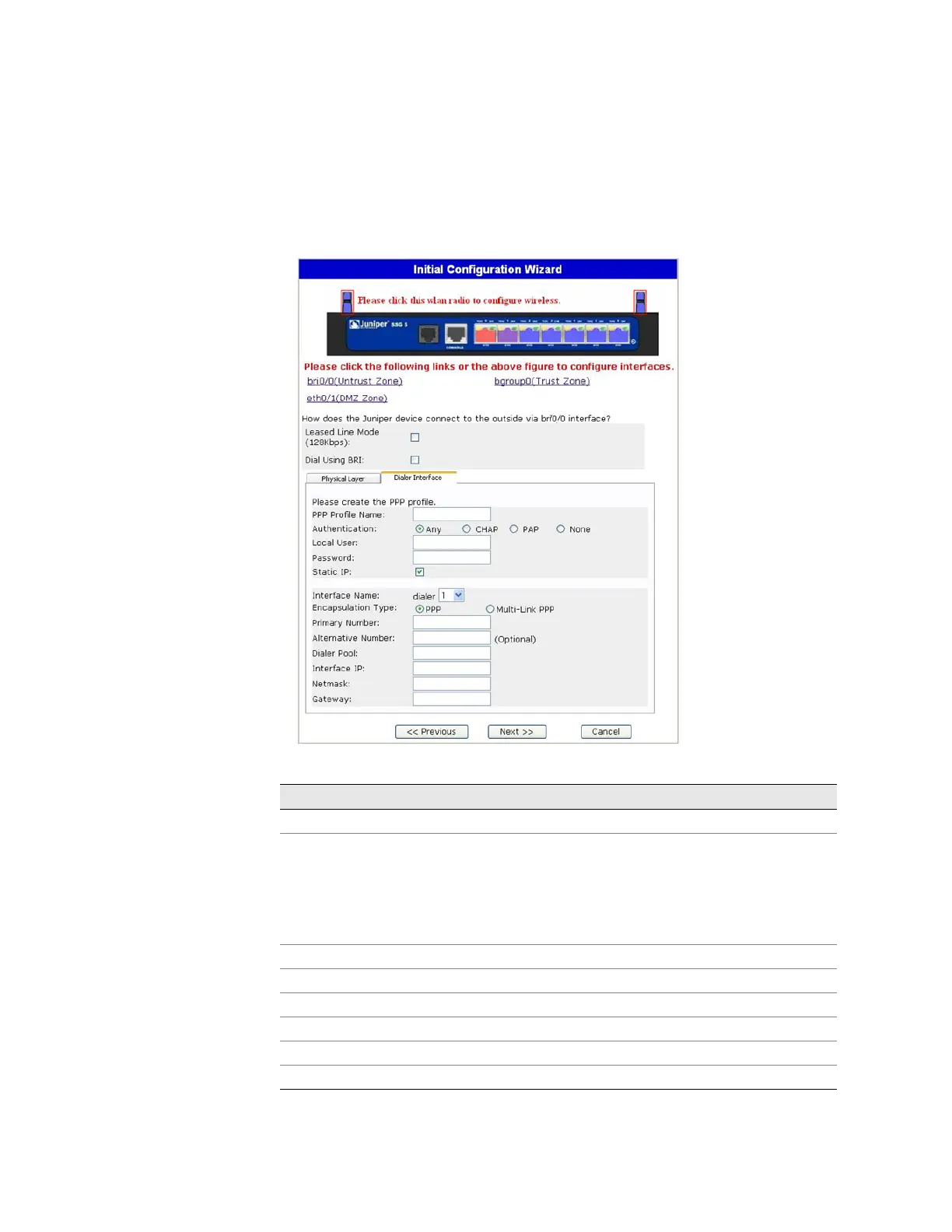
If you have the ISDN device, you will see the Leased Line Mode and Dial Using BRI
checkboxes. Selecting one or both checkbox(es) displays a window similar to the
following:
Figure 24: Leased-Line and Dial Using BRI Tabs Window
Table 13: Fields in Leased-Line and Dial Using BRI Tabs Window
Field Description
PPP Profile Name Sets a PPP profile name to the ISDN interface
Authentication Sets the PPP authentication type:
Any
CHAP: Challenge Handshake Authentication Protocol
PAP: Password Authentication Protocol
None
Local User Sets the local user
Password Sets the password for the local user
Static IP checkbox Enables a static IP address for the interface
Interface IP Sets the interface IP address
Netmask Sets the netmask
Gateway Sets the gateway address












 To Next Page