EasyManua.ls Logo

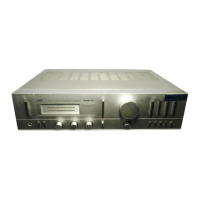
JVC A-X3 - Front Panel Controls; Power Controls and Indicators

JVC A-X3
31 pages
Print Icon
To Next Page IconTo Next Page
To Previous Page IconTo Previous Page
Loading...
FRONT
PANEL
FRONTPLATTE
PANNEAU
AVANT
A-X3
Attention
Each
pushbutton
switch
has
two
positions
to
which
it
can
be
set:
the
“‘in’’
position
and
the
“‘out’’
position.
+=:
Indication
for
the
“in’’
(engaged)
position.
The
switch
can
be
set
to
this
position
by
simply
pressing
it.
4m:
Indication
for
the
“‘out’'
(released)
position.
If
the
switch
is
already
in
the
“in’’
position,
simply
press-
ing
it
again
will
set
it
to
the
“‘out’’
position,
1.
A-X4
POWER
switch
Press
in
to
turn
the
power
on
(
=
).
The
POWER
indicator
will
be
illuminated.
Press
once
again
to
switch
off
(
BL).
POWER
LEVEL
INDICATOR
Twelve
LEDs
glow
light-green
from
left
to
right
according
to
the
output
power
of
each
channel.
The
first
one
of
each
row
remain
lit
as
long
as
the
POWER
switch
is
ON.
The
output
is
indicated
in
wattage
when
a
pair
of
speakers
having
an
impedance
of
8
ohms
is
being
driven.

Related product manuals