EasyManua.ls Logo

JVC HR-D540EE - Page 19

JVC HR-D540EE
90 pages
Print Icon
To Next Page IconTo Next Page
To Previous Page IconTo Previous Page
Loading...
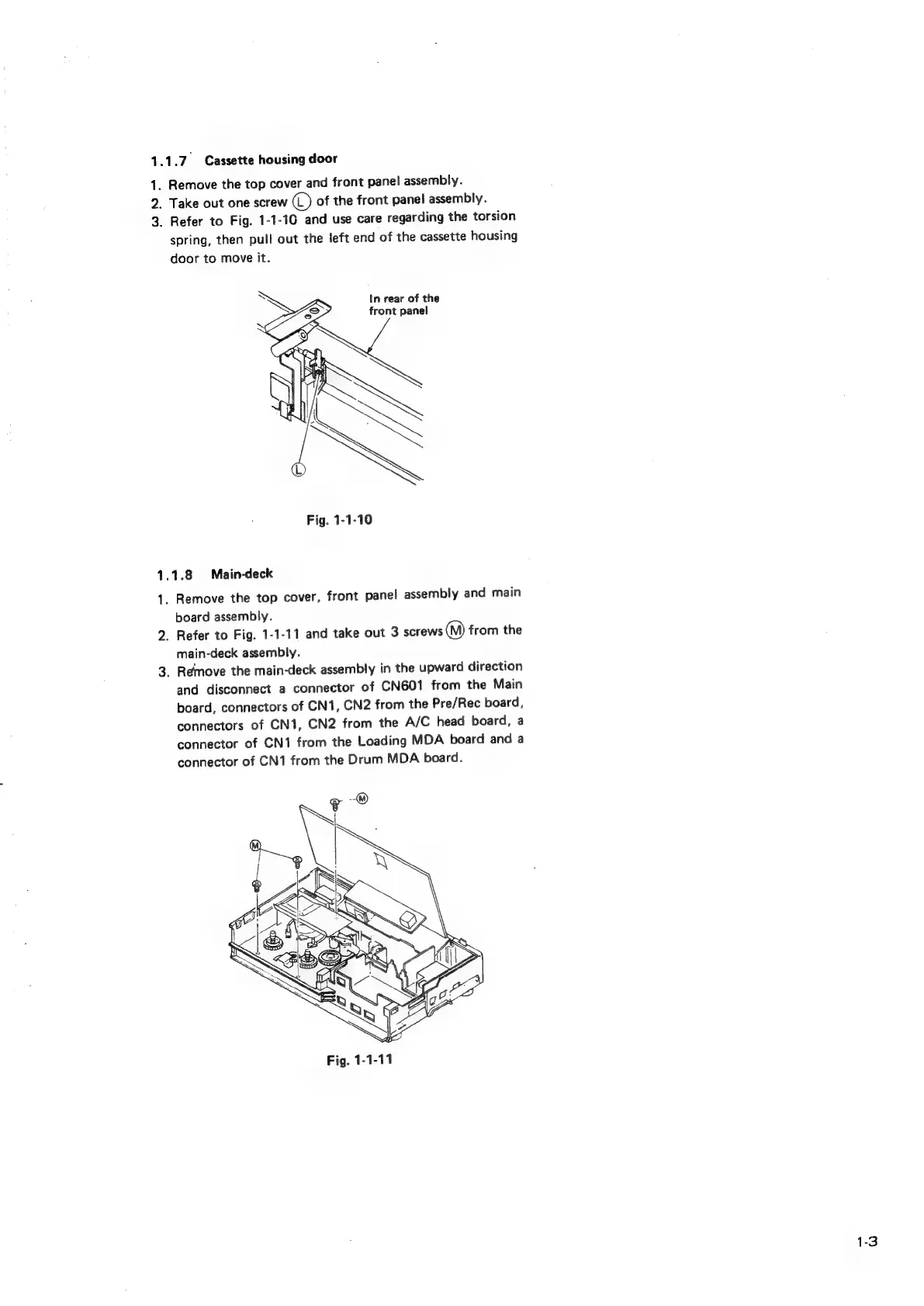
1.1.7
Cassette
housing
door
1.
2.
3.
Remove
the
top
cover
and
front
panel
assembly.
Take
out
one
screw
©
of
the
front
panel
assembly.
Refer
to
Fig.
1-1-16
and
use
care
regarding
the
torsion
spring,
then
pull
out
the
left
end
of
the
cassette
housing
door
to
move
it.
In
rear
of
the
front
panel
1.1.8
Main-deck
1.
2.
3.
Remove
the
top
cover,
front
panel
assembly
and
main
board
assembly.
Refer
to
Fig.
1-1-11
and
take
out
3
screws
(M)
from
the
main-deck
assembly.
Remove
the
main-deck
assembly
in
the
upward
direction
and
disconnect
a
connector
of
CN601
from
the
Main
board,
connectors
of
CN1,
CN2
from
the
Pre/Rec
board,
connectors
of
CN1,
CN2
from
the
A/C
head
board,
a
connector
of
CN1
from
the
Loading
MDA
board
and
a
connector
of
CN1
from
the
Drum
MDA
board.
1-3

Related product manuals