EasyManua.ls Logo

JVC HR-D540EE - Page 27

JVC HR-D540EE
90 pages
Print Icon
To Next Page IconTo Next Page
To Previous Page IconTo Previous Page
Loading...
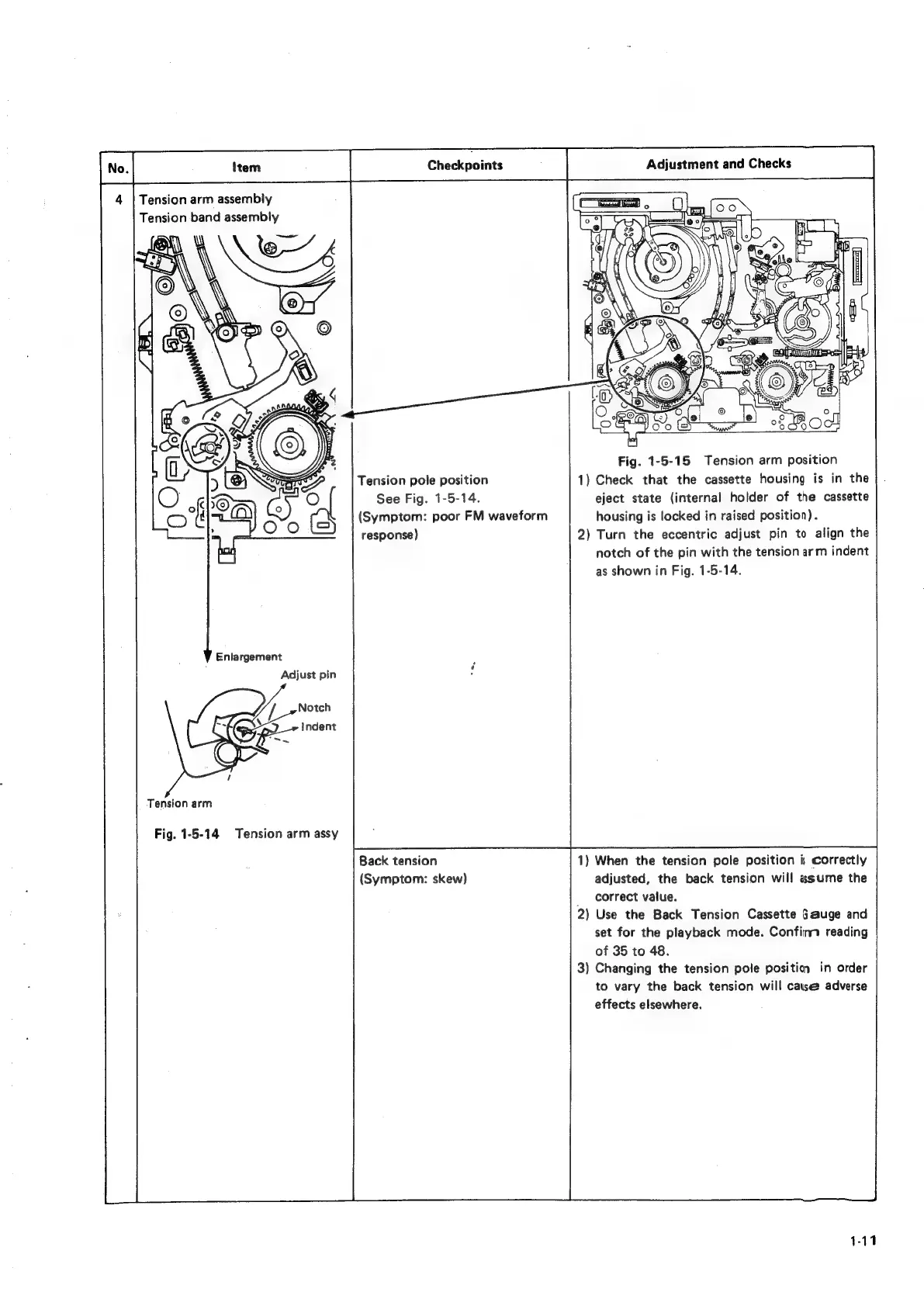
Tension
arm
assembly
Tension
band
assembly
Tension
pole
position
See
Fig.
1-5-14.
(Symptom:
poor
FM
waveform
response)
Enlargement
Adjust
pin
Tension
arm
Fig.
1-5-14
Tension
arm
assy
Back
tension
(Symptom:
skew)
Fig.
1-5-15
Tension
arm
position
1)
Check
that
the
cassette
housing
is
in
the
eject
state
(internal
holder
of
the
cassette
housing
is
locked
in
raised
position).
2)
Turn
the
eccentric
adjust
pin
to
align
the
notch
of
the
pin
with
the
tension
arm
indent
as
shown
in
Fig.
1-5-14.
1)
When
the
tension
pole
position
i;
correctly
adjusted,
the
back
tension
will
assume
the
_
correct
value.
2)
Use
the
Back
Tension
Cassette
Gauge
and
set
for
the
playback
mode.
Confimt
reading
of
35
to
48.
3)
Changing
the
tension
pole
positin
in
order
to
vary
the
back
tension
will
catse
adverse
effects
elsewhere.

Related product manuals