EasyManua.ls Logo

JVC KD-HDR20 - Radio Memory and Presets; Storing Radio Stations; Selecting Preset Stations

JVC KD-HDR20
51 pages
Print Icon
To Next Page IconTo Next Page
To Previous Page IconTo Previous Page
Loading...
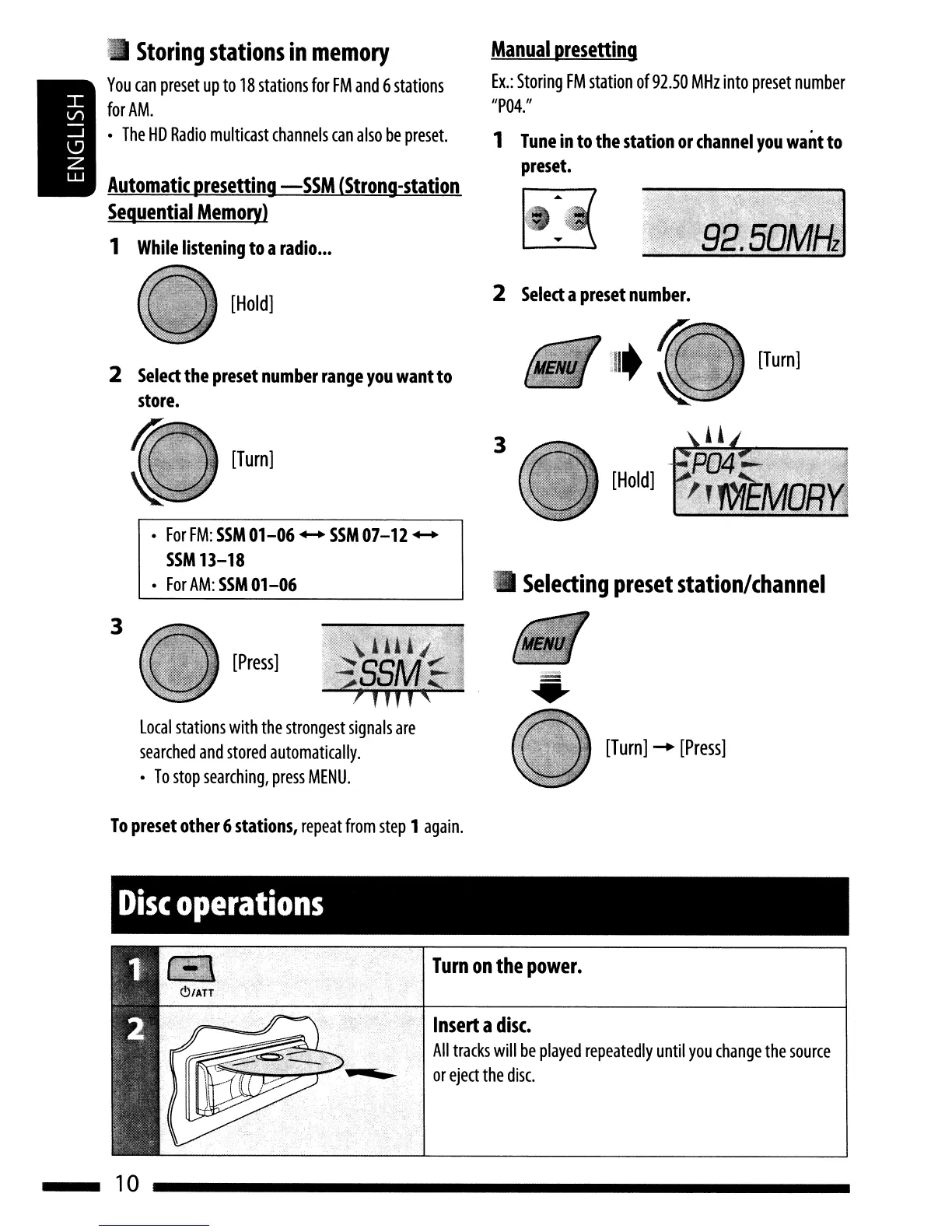
Storing
stations
in
memory
You
can
preset
up
to
18
stations
for
FM
and
6
stations
for
AM
.
The
HD
Radio
multicast
channels
can
also
be
preset.
Automatic
presetting
-SSM
(Strong-station
Sequential
Memory)
1
While
listening
to
a
radio
...
Manual
presetting
Ex.:
Storing
FM
station
of
92.50
MHz
into
preset
number
/IP04./1
1
Tune
in
to
the
station
or
channel
you
want
to
preset.
2
Select
a
preset
number.
[Hold]
2
Select
the
preset
number
range
you
want
to
store.
[Turn]
[Turn]
For
FM:
SSM
01
-06
....
SSM
07-12
....
SSM
13-18
For
AM:
SSM
01-06
3
[Hold]
Selecting
preset
station/channel
3
[Press]
local
stations
with
the
strongest
signals
are
searched
and
stored
automatically
.
To
stop
searching,
press
MENU.
To
preset
other
6
stations,
repeat
from
step
1
again.
Disc
operations
[Turn]
.....
[Press]
Turn
on
the
power.
Insert
a
disc.
All
tracks
will
be
played
repeatedly
until
you
change
the
source
or
eject
the
disc.
10

Table of Contents

Other manuals for JVC KD-HDR20

Related product manuals