SettingsSettings
<Dimmer>
• Auto (Initial): Dims the screen and button
illumination when you turn on the headlights.
– Connection to the car light control switch is
required. (Page 45)
• ON: Activates dimmer.
• OFF: Deactivates dimmer.
<User Customize>
You can change the display design. While playing a
video or picture, you can capture an image and use
the captured image as a background.
• You cannot capture copyrighted content and images
from iPod/iPhone.
• When using a JPEG file as the background, make sure
that the resolution is 800 x 480 pixels.
• The color of the captured image may look different
from that of the actual scene.
For KW-V340BT/KW-V340BTM
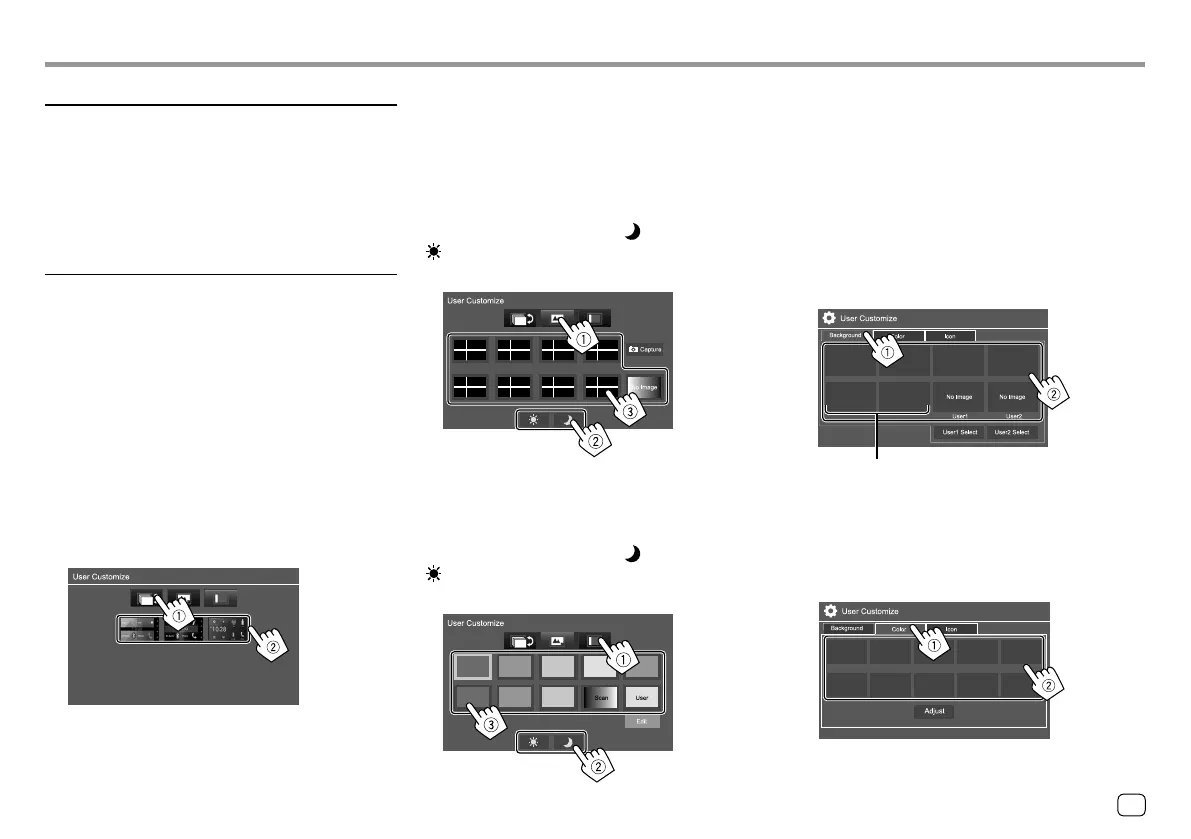
1 Change the Home screen design
Display the Home screen design selection screen (1),
then select the Home screen design (2).
• The selectable background designs differ depending
on the selected Home screen design.
• When the Home screen design is changed, source
icon designs are also changed.
2 Change the background design
Display the background design selection screen (1),
select the dimmer setting (2) ([ ] : dimmer on or
[ ]: dimmer off), then select the background design
(3).
3 Change the illumination color of the buttons on
the monitor panel
Display the illumination color selection screen (1),
select the dimmer setting (2) ([ ] : Dimmer on or
[ ]: Dimmer off), then select the illumination color
(3).
• You can also adjust the color yourself. Touch [Edit] to
display the color adjustment screen, then select the
dimmer setting and adjust the color. The adjustment
is saved in [User].
• Selecting [Scan] changes the illumination color
gradually.
For KW-V440BT/KW-V440BTM
1 Change the background design
Display the background design selection screen (1),
then select the background design (2).
2 Change the illumination color of the
background design
Display the background color selection screen (1),
then select the background color (2).
When the one of these is selected, you can
change the background color.
35ENGLISH
00_KW-V2018ST_M_ENG.indb 3500_KW-V2018ST_M_ENG.indb 35 17/6/2017 7:35:51 AM17/6/2017 7:35:51 AM



 To Next Page