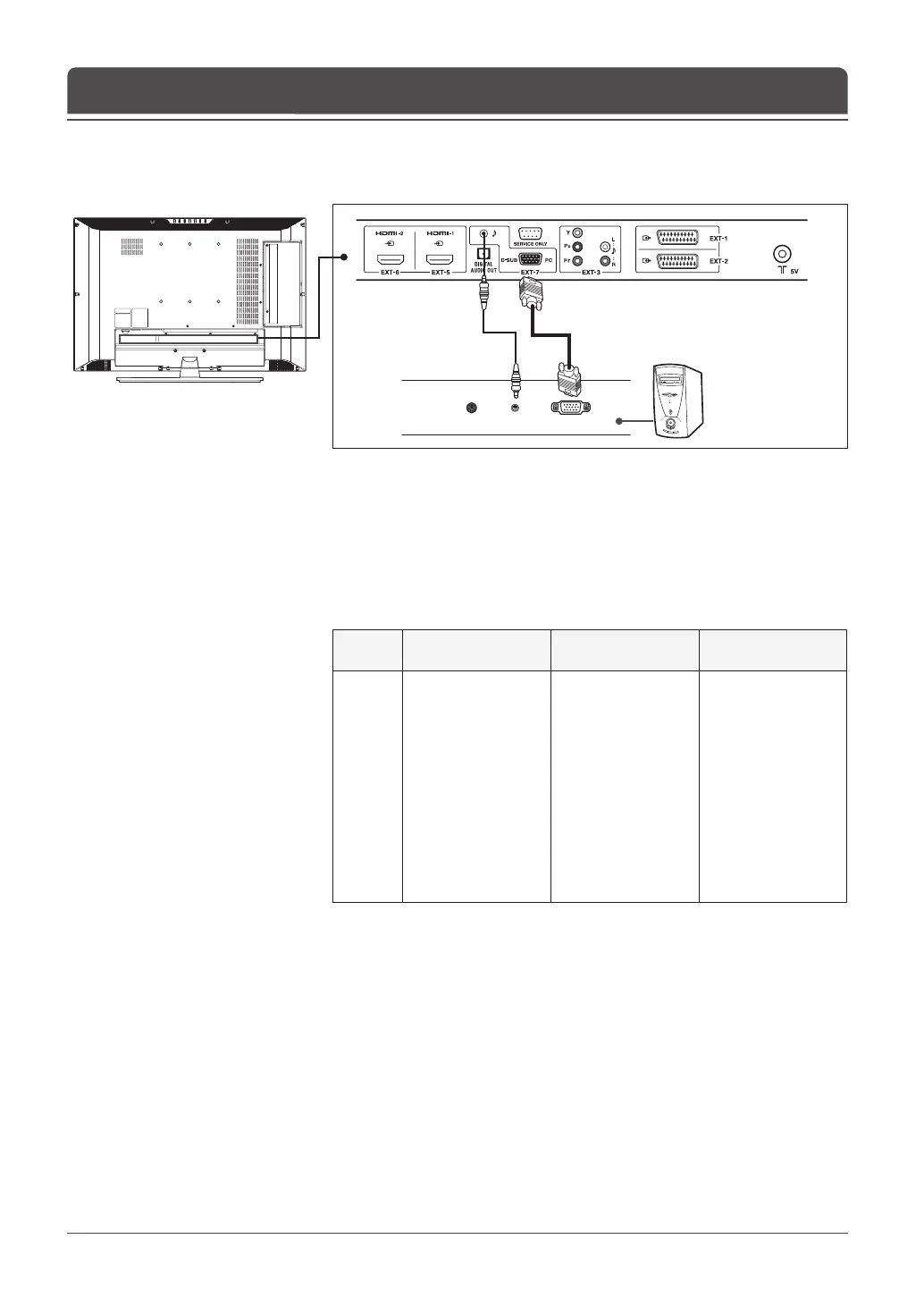
PC
PC cable
Audio cable
English-20
1 Connect the PC cable between the D-SUB (EXT-7) jack on TV and the PC
output jack on your PC.
2 Connect the audio cable between the Audio (EXT-7) jack on TV and the
audio output jack on your PC.
3 Turn on the TV, and then press the AV button to select PC.
Supported Display Resolution (PC)
No
Resolution
PC (Analog)
H-freq (kHz) V-freq (Hz)
1
2
3
4
5
6
7
8
9
10
11
12
640 x 400
640 x 350
640 x 480
640 x 480
640 x 480
800 x 600
800 x 600
848 x 480
848 x 480
1024 x 768
1280 x 768
1360 x 768
31.5
31.5
31.5
37.86
37.5
35.15
37.9
31.02
29.83
48.4
47.8
47.7
70
70
60
72
75
56
60
60
60
60
60
60
Connecting to the PC
Chapter 2 >> Connecting Your TV



 To Next Page
 Loading...









