> R e c o r d i n g
Schedule
Play l i s t
HDD Co n t rol
Move
Enter
English-64
You can check the free space of built-in hard disk and format the disk if
necessary.
1 Press the MENU button.
2 Select Recording using the ▲/▼ button and press the OK or ► button.
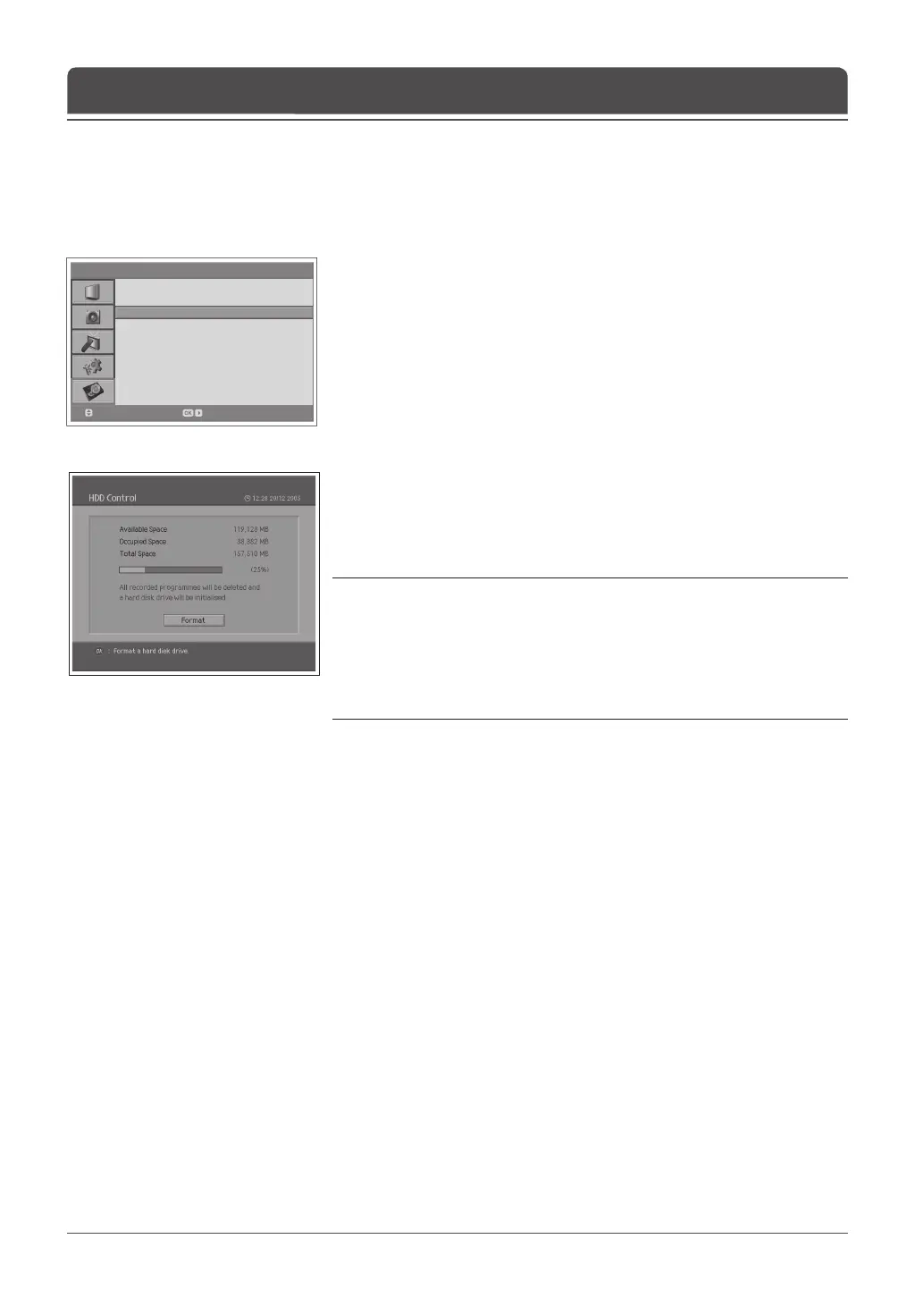
3 Select HDD Control using the ▲/▼ button and press the ► button.
4 You can check the available, occupied, and total space of the HDD.
If you want to format disk
5 Press the OK button to remove all the recorded programmes saved on the
built-in hard disk and initialize the hard disk.
6 Select OK for the format con rm message and enter a password to start
formatting the hard disk.
Notes:
1. Please notice that all the recorded programmes saved on the hard disk are
deleted during the hard disk format. Don’t unplug the power cord during the
hard disk format. If you unplug the power cord, you should restart to format
hard disk.
2. When completing the hard disk format, your TV automatically is rebooted and
switched into the Digital TV input mode.
Checking Hard Disk Drive
Chapter 11 >> Recording



 To Next Page
 Loading...









