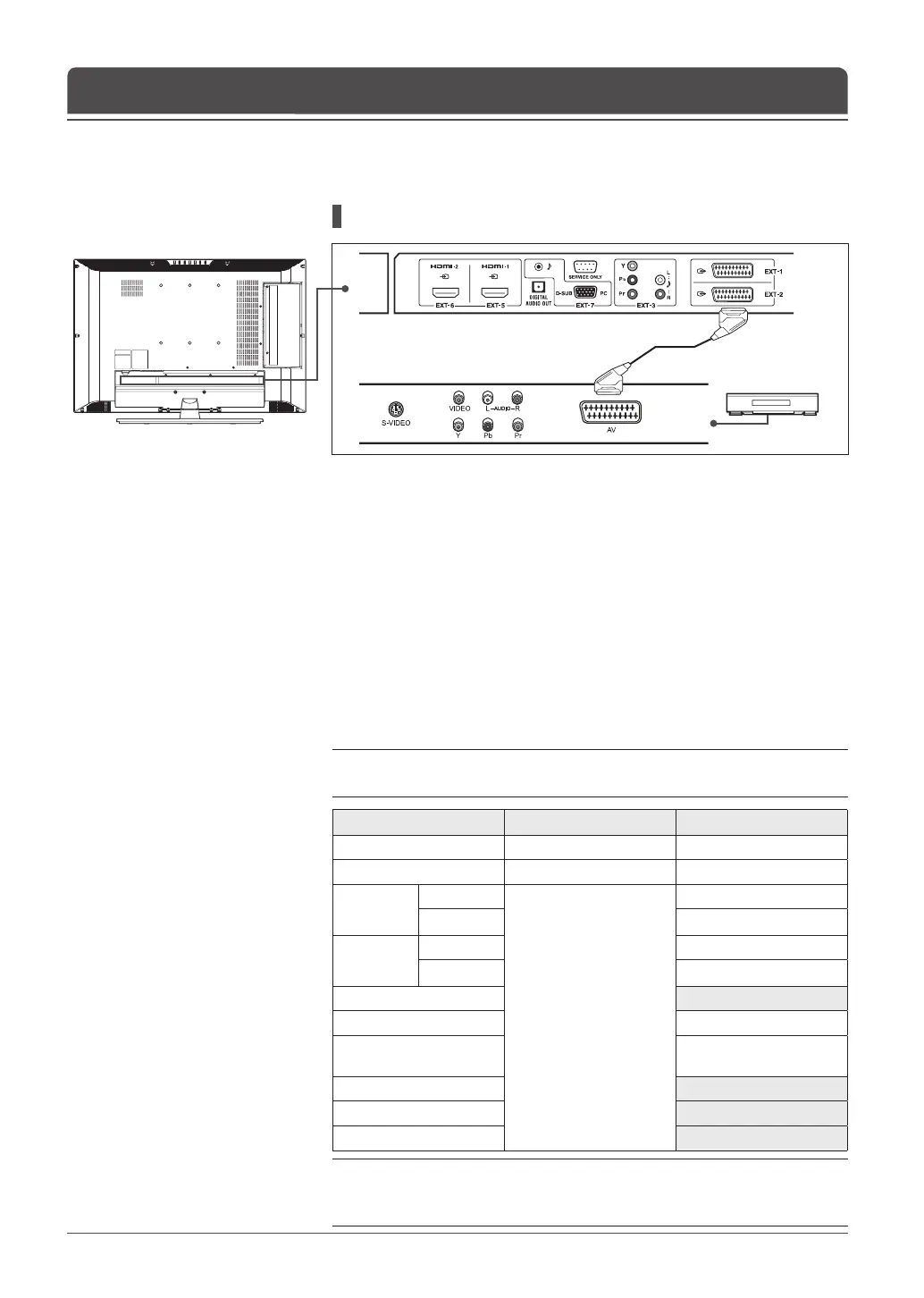
SCART cable
VCR
English-14
Chapter 2 >> Connecting Your TV
Connecting to the VCR
Using the SCART Cable
1 Connect the SCART cable between the EXT-1 (or EXT-2) jack on TV and
the SCART jack on your VCR.
2 Turn on the TV, and then press the AV button to select EXT-1 (or EXT-2).
3 Turn on your VCR, then insert a video cassette into the VCR and press the
PLAY button on your VCR. (Refer to the VCR owner’s manual)
If you want to make a copy from a secondary VCR (or DVD player)
1 Connect your secondary VCR (or DVD player) to the EXT-1 jack and the
target VCR (or DVD player) to the EXT-2 jack so that the signal transfers
from EXT-1 to EXT-2.
2 To record a programme, connect the receiver to the EXT-1 jack and the VCR
(or DVD player) to the EXT-2 jack so that the signal transfers from EXT-1 to
EXT-2.
Note: For more details about how to record, refer to your required Equipment’s
instructions.
Main Input
EXT-1 (SCART1) Output EXT-2 (SCART2) Output
Digital TV Digital TV Digital TV
Analog TV Analog TV Analog TV
EXT-1
(SCART1)
CVBS
Previous RF
(Digital TV/Analog TV)
EXT-1 (CVBS)
RGB EXT-1 (CVBS)
EXT-2
(SCART2)
CVBS EXT-2 (CVBS)
RGB EXT-2 (CVBS)
EXT-3 (Component) A/V MUTE
EXT-4 (CVBS Side) EXT-4 (CVBS Side)
EXT-4S (S-VIDEO Side)
EXT-4S
(S-VIDEO Side/Y+C)
EXT-5 (HDMI1) A/V MUTE
EXT-6 (HDMI2) A/V MUTE
EXT-7 (PC) A/V MUTE
Note: During recording, EXT-1 output is xed to Digital TV only. When changing
the main input from Analog TV to EXT-5 or EXT-6, EXT-1 outputs nothing (A/V
are muted).



 To Next Page
 Loading...









