KaControl for Door Air Curtains
INSTALLATION AND OPERATING INSTRUCTIONS
33
Door air curtains 1.96
11. Parameter Settings
11.1 General
Special system requirements can be configured using parameter
settings in the Service menu. These could include:
- Locking operating functions
- Locking fan stages
The required settings can be made using the KaController.
11.2 Calling up the Service menu
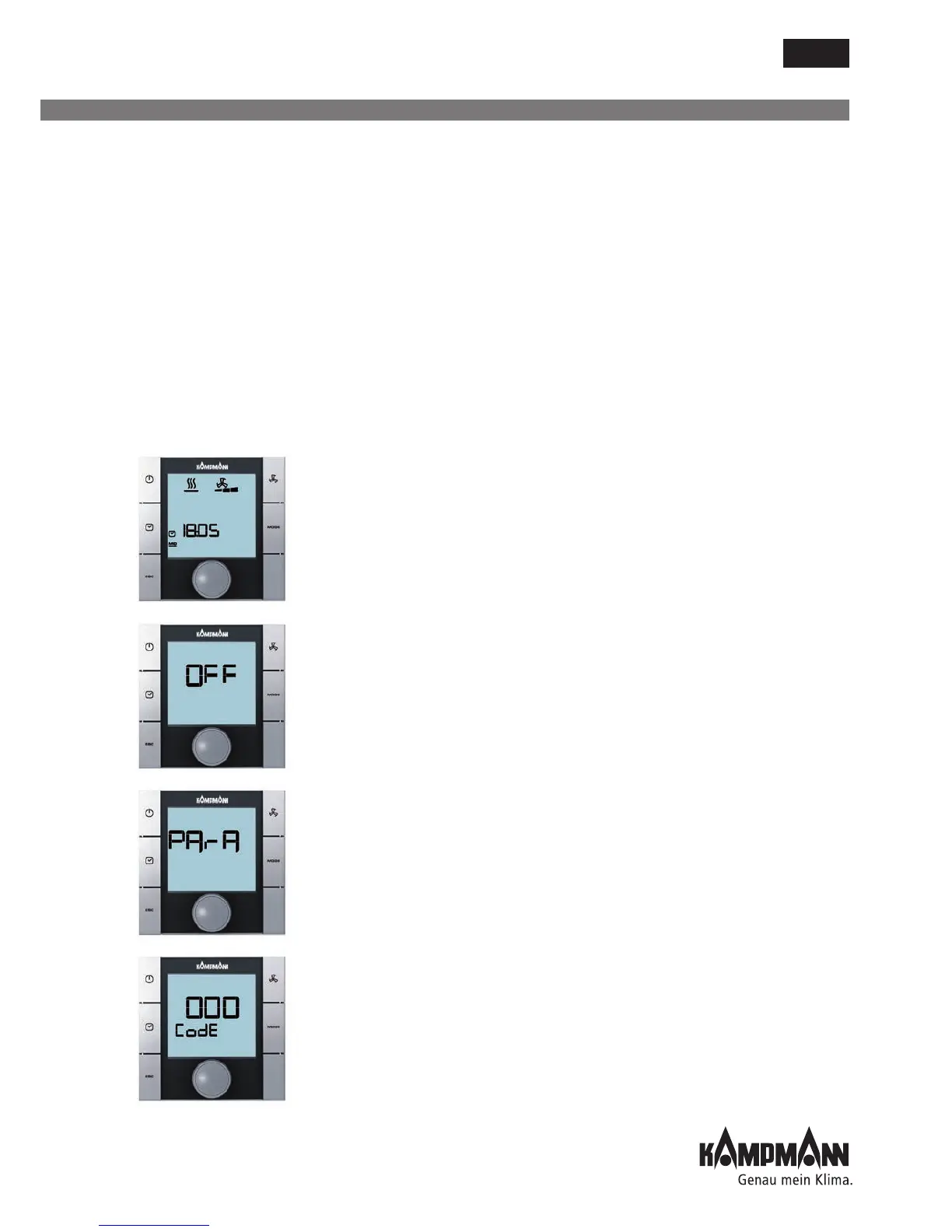
Perform the following steps to set the parameters:
1. Switch off the door air curtain by:
• Pressing the ON/OFF key
or
• Pressing the navigator for a minimum of 5 seconds
or
• Turning the navigator to the left until OFF appears
2. Calling up the Service menu by pressing the navigator for a
minimum of 10 seconds. The message "Para" and the "CODE" with
the value 000 are shown on the display in sequence.
3. Select the password (Code) 22 by turning the navigator and confirm
by pressing the navigator.
You are now in Service level 1 and the display shows the current
software version (P000=...).
4. Parameters can now be set using the navigator dial.
5. Setting parameters:
• Select the parameter by turning navigator
• Call up Edit mode by pressing navigator
• Enter the required value by turning navigator
• Save the new value by pressing navigator
6. There are 3 options to exit the Service menu and call up the
standard view:
• If no action is carried out using the navigator for 2 seconds
• Hold down navigator for 5 seconds
• Turning the navigator, select "ESC" on the display and
confirm the selection by pressing the navigator.



 To Next Page