1716
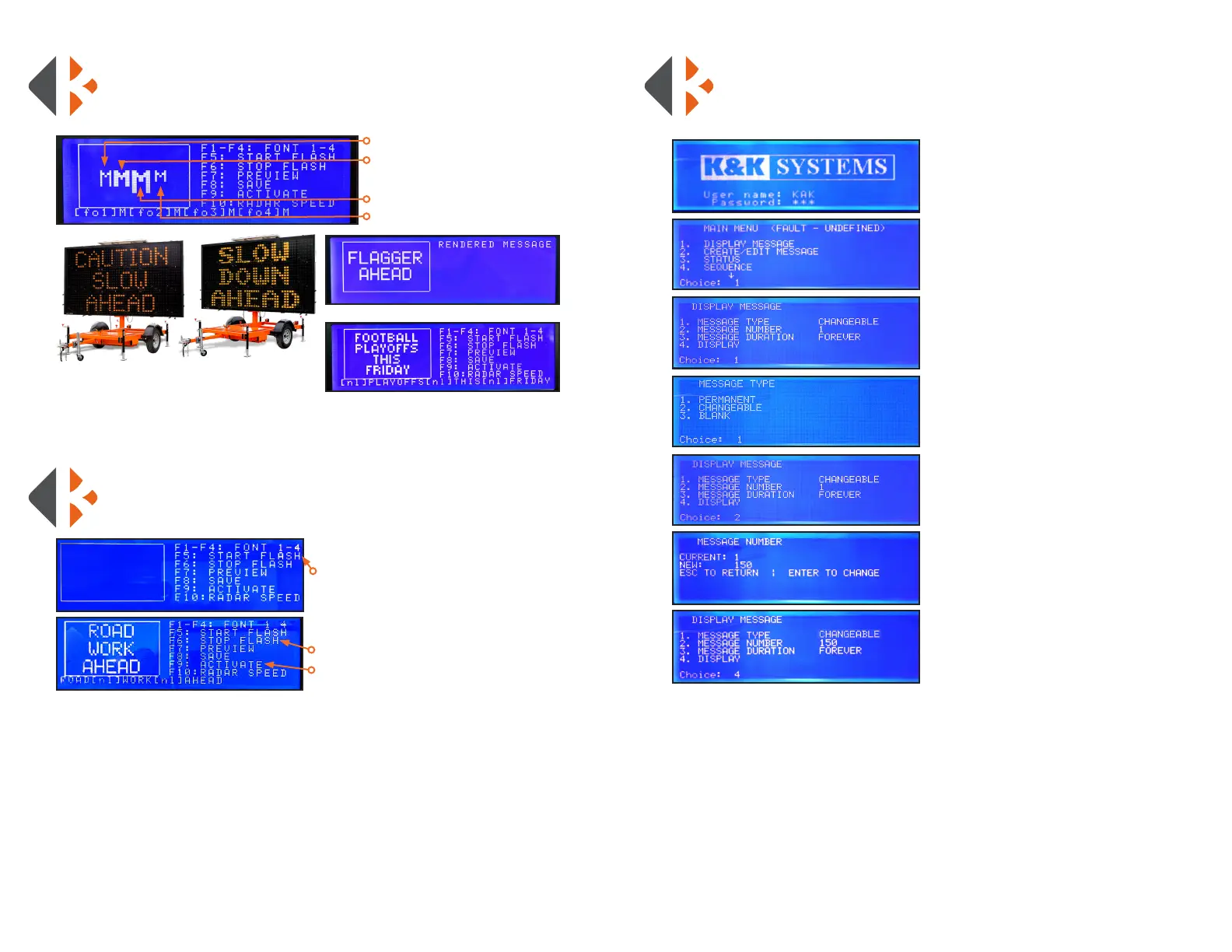
MAKE THE MESSAGE FLASH
To conserve energy and draw drivers’ attention to the message sign.
*NOTE: Only Changeable Messages can ash
SELECTING FONT STYLES
Press the F1 through F4 to select the font to display before inputting your
Changeable Message.
1) Press F5 (START FLASH).
2) Enter your Changeable Message
3) Press F6 (STOP FLASH).
4) Press F9 (ACTIVATE)
F1: Regular (3 Lines of text)
F2: Bold (3 Lines of text)
F3: Tall (2 Lines of text)
F4: Short (4 Lines of text)
Regular Font Style
Bold Font Style
F3: Tall Font Style
F4: Short Font Style
DISPLAY A PERMANENT MESSAGE
Permanent Messages are predened messages already in the system.
Reference the Permanent Message Text and Graphic list on pages 21-27.
1) Login: Enter username: KAK
*NOTE: username is case sensitive - use ALL CAPS
Press Enter
Enter Password: 123
Press Enter
2) Press #1 (DISPLAY MESSAGE)
Press Enter
3) Press #1 (MESSAGE TYPE)
Press Enter
4) Press #1 (PERMANENT)
for messages preloaded on system
Press Enter
5) Press #2 (MESSAGE NUMBER)
Press Enter
6) Enter the MESSAGE NUMBER
from the list on pages 21-27
Press Enter
7) Press #4 (DISPLAY)
Press Enter



 To Next Page