6
Configuring via keypad
Network Settings: Press MENU->Settings->Advanced Settings->Network->WAN Port/PC
Port Option/VLAN Option to enter the internet relating configuration page.
Account Settings: Press MENU->Settings->Advanced Settings->Accounts->Enter to
configure the account settings.
You can refer to the above “Configuring via Web Page” for the parameter details.
OVERVIEW
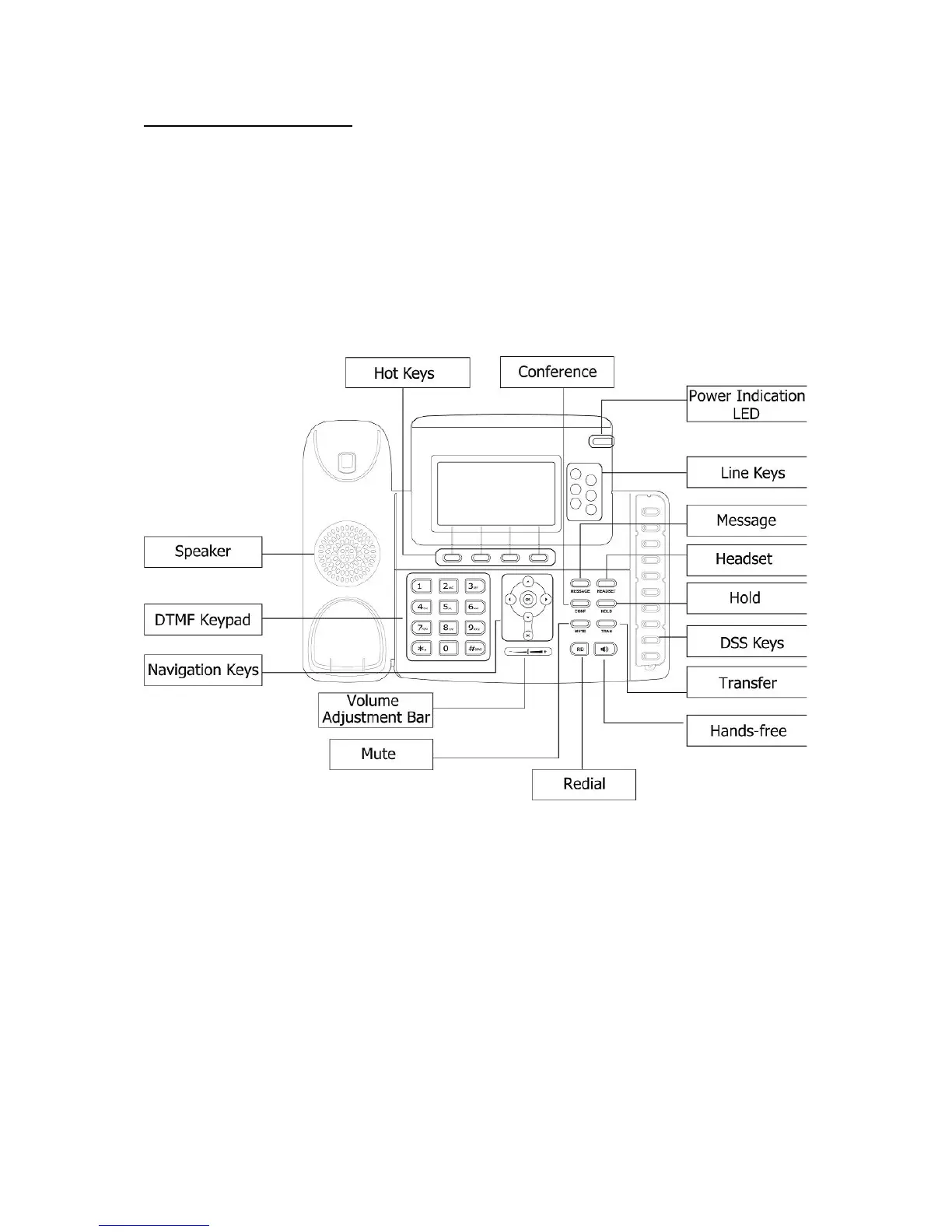
KEYPAD INSTRUCTION
You can check the following list which introduces the IP phone’s keypad in details:
Power Indication LED
It will show the power status, it will be on if the phone is powered, off if the phone is not
powered,and blink when someone calls in or there is a call on mute.
Hot Keys
The screen will display labels for these keys, to identify their context-sensitive functions.
Line Keys
This buttons are used to active up to the six user accounts.



 To Next Page