43
6) Follow the same way to set the PC Port option.
To configure VLAN settings via Web interface:
Choose Network->Advanced to do the relating configuration. You can consult your system
administrator for more information.
HTTPS
This IP phone can support HTTPS (Hypertext Transfer Protocol over Secure Socket Layer).
Adding SSL layer under HTTP, in short, it is a security version of HTTP. Users can set this
transmission mode via web page.
To configure HTTPS settings via Web interface:
Go to Network->Advanced, choose WebServer option, in the pull-down menu of Type field,
choose the transmission mode, then click the Confirm button to save the changes.
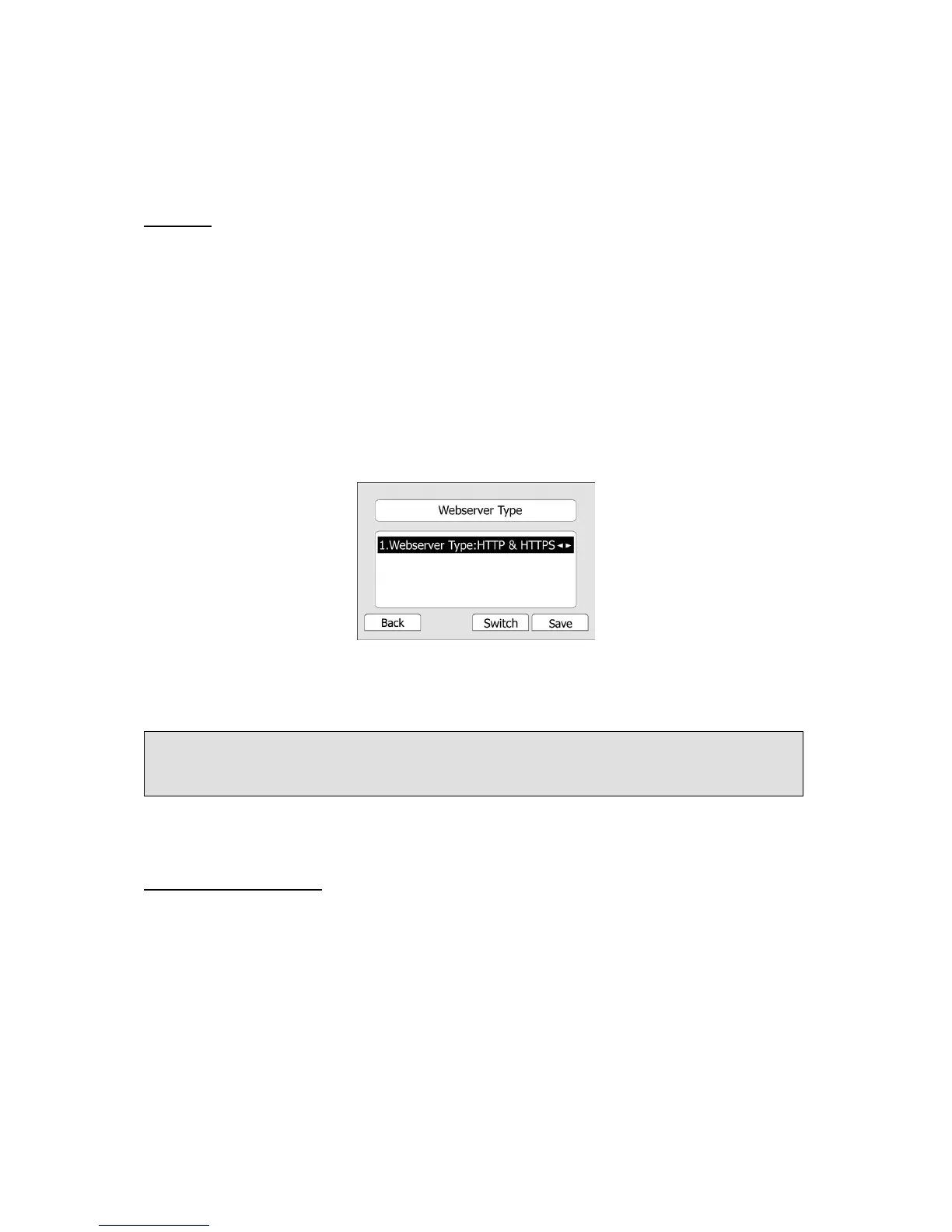
To configure HTTPS settings via Phone interface:
1) Press Menu->Settings->Advanced Settings.
2) Enter the password required, scroll to Network option, press Enter hot key, select
Webserver Type option, then press Enter hot key again.
3) Press the navigation keys or Switch hot key to choose the transmission mode.
4) Press Save hot key to save the settings, or Back hot key to return to Webserver Type
menu.
MAINTENANCE TASKS
Administrator Mode
The phone allows two modes to configure the phone:
- User Mode
- Administrator Mode
Administrator mode grants unlimited access to the phone configuration on both Web and
Phone interface. User Mode can not set the following options: Accounts, Network, Reset to
Factory, other phone settings. The permissions of the two modes can also be set according
to user requirements.
The default mode is User. Users can switch the mode via Phone interface:
1) Press MENU->Level->OK to enter the configuration page.
Note:
For more details of the HTTPS, you can consult with your system administrator.



 To Next Page