35
Call Waiting
This call feature allows your phone to accept other incoming calls to the extension no matter
under which circumstances.
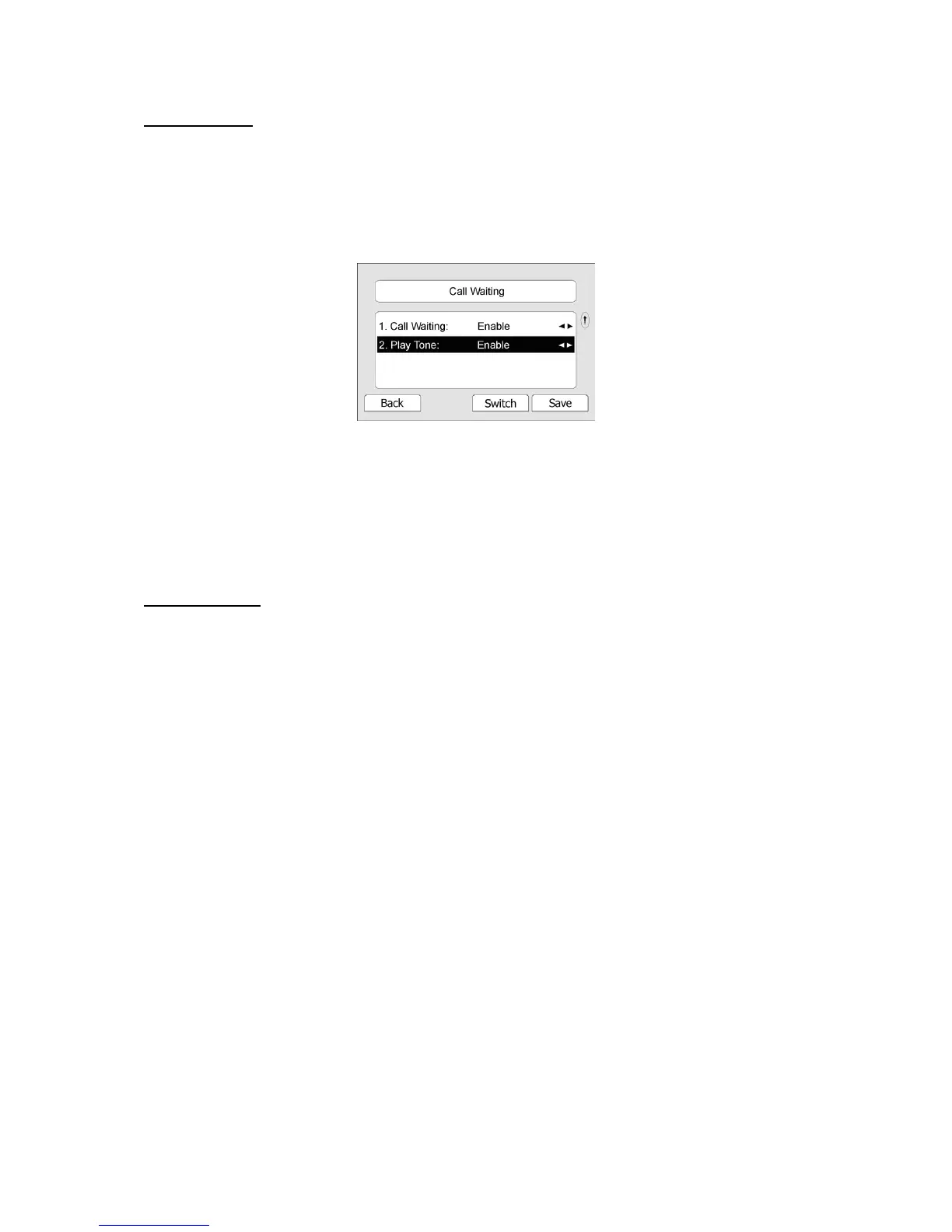
To enable/disable Call Waiting via Phone interface:
1) Press MENU->Features->Call Waiting->
Enter hot keys.
2) Use the navigation keys or Switch hot key to enable/disable the call waiting option.
3) Use the navigation keys or Switch hot key to enable/disable the Play Tone option.
This option used to define whether to play ring tones when there is call incoming during an
active call.
4) Press Save hot key to save the changes, or Back to return to the previous menu.
To enable/disable Call Waiting via Web interface:
Choose Phone->Features->Call Waiting option to do the relating changes.
Call Transfer
You can customize your phone so that incoming calls are transferred directly to the third
party such as another extension, mobile phone number, etc. There are three ways to transfer
the call: Blind Transfer, Attended Transfer and Semi-Attend Transfer.
To Blind Transfer via phone interface:
1) A and B is on an conversation, A press TRAN Button or Transfer hot key to put B on
hold, then A can dial the third telephone number C(or press Directory soft key to enter the
contact list, then choose a record)and press the Transfer hot key to call out. A will turn to
hold status, and the LCD will display as Transferred.
2) After C answered it, or A press the Cancel hot key to complete the transfer.
3) A will be disconnected from the call. B can talk to C.
4) If C refused to answer the call, it will prompt A that the transfer operation is failed.
If the current mode is speaker, it will ring up; if the current mode is handset or headset, it will
play ring tones for every five seconds. Pressing any function keys to exit the prompt
interface. This function should be supported by server.
To Attended Transfer via phone interface:
1) A and B is on an conversation, A press TRAN Button or Transfer hot key to put B on hold,
then A can dial the third telephone number C(or press Directory soft key to enter the
contact list, then choose a record)and press the OK or SEND button to call out.
2) After C answered it, A and C can have a private conversation without B hearing it, then A
press the TRAN button to complete the transfer.
3) A will be disconnected from the call. B can talk to C.



 To Next Page