19
4) Press OK button/Save hot key to save the contrast change or Back hot key to cancel.
When you adjust the ring volume to 0, or press the Silence hot key when there is incoming
call, the icon will be shown on the LCD. Press the Volume Adjustment Bar to adjust the
volume, and the icon will disappear.
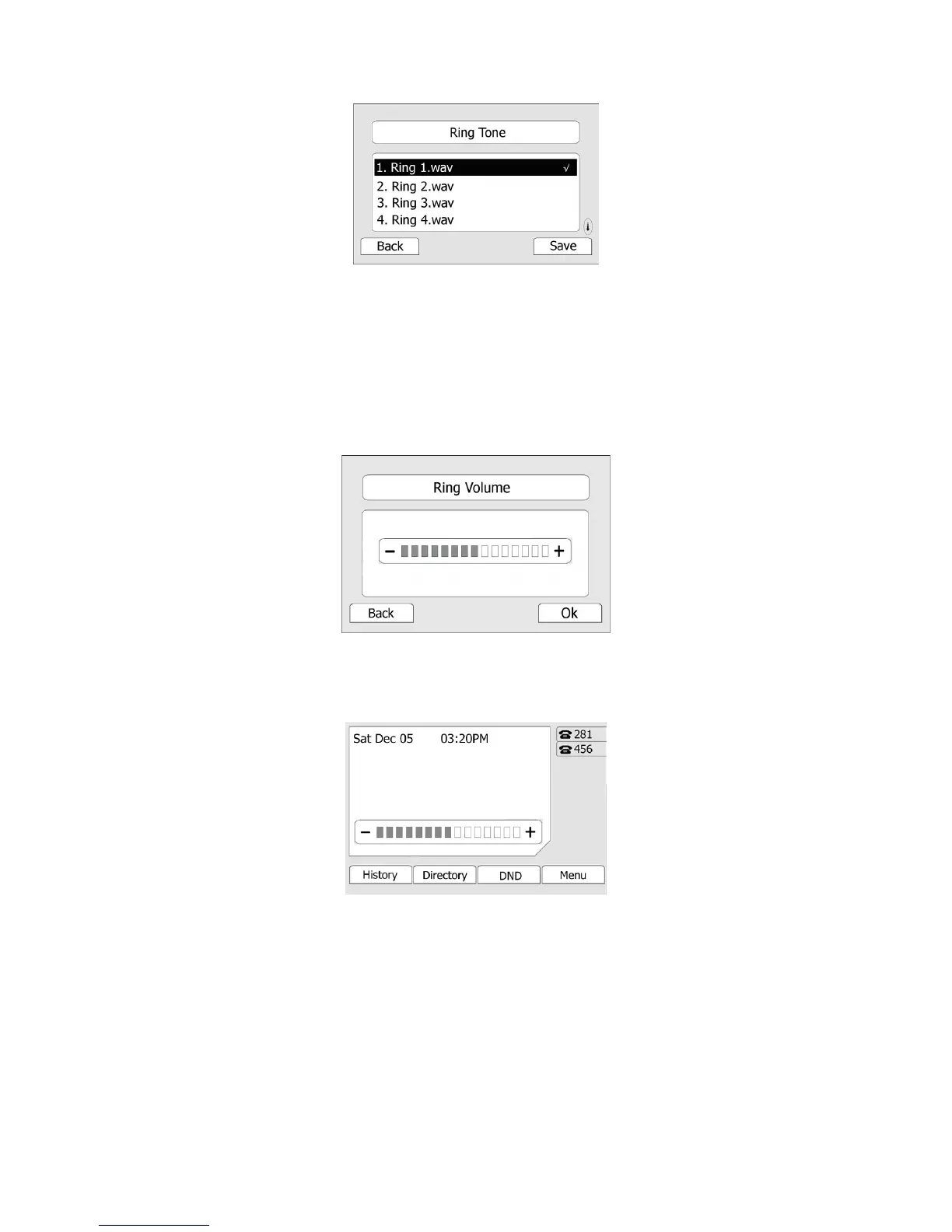
To adjust the volume via Phone interface:
1) Press MENU->Settings->Basic Settings-> Enter.
2) Scroll to Phone Volume->Ring Volume, use the Volume Adjustment Bar or navigation keys
to adjust the volume.
3) Press OK hot key to save the contrast change or Back hot key to cancel.
You can also adjust the ring tone volume by the following way:
When the phone is in idle status, press the volume adjustment bar to a comfortable level.
To specify ring tones for a specific account via Web interface:
Choose Account->Basic->Ring Type option, and highlight the preferred one for the chosen
account in the scroll-down menu, then click confirm button to update the change.
To change the Ring Tone Type via Web interface:
Choose Phone->Preference->Ring Type, highlight the specific one in the scroll-down menu,
click confirm button to update the change. You can also delete the specific one by clicking
the Del button.



 To Next Page