9.4 Utility program "User survey" (2100)
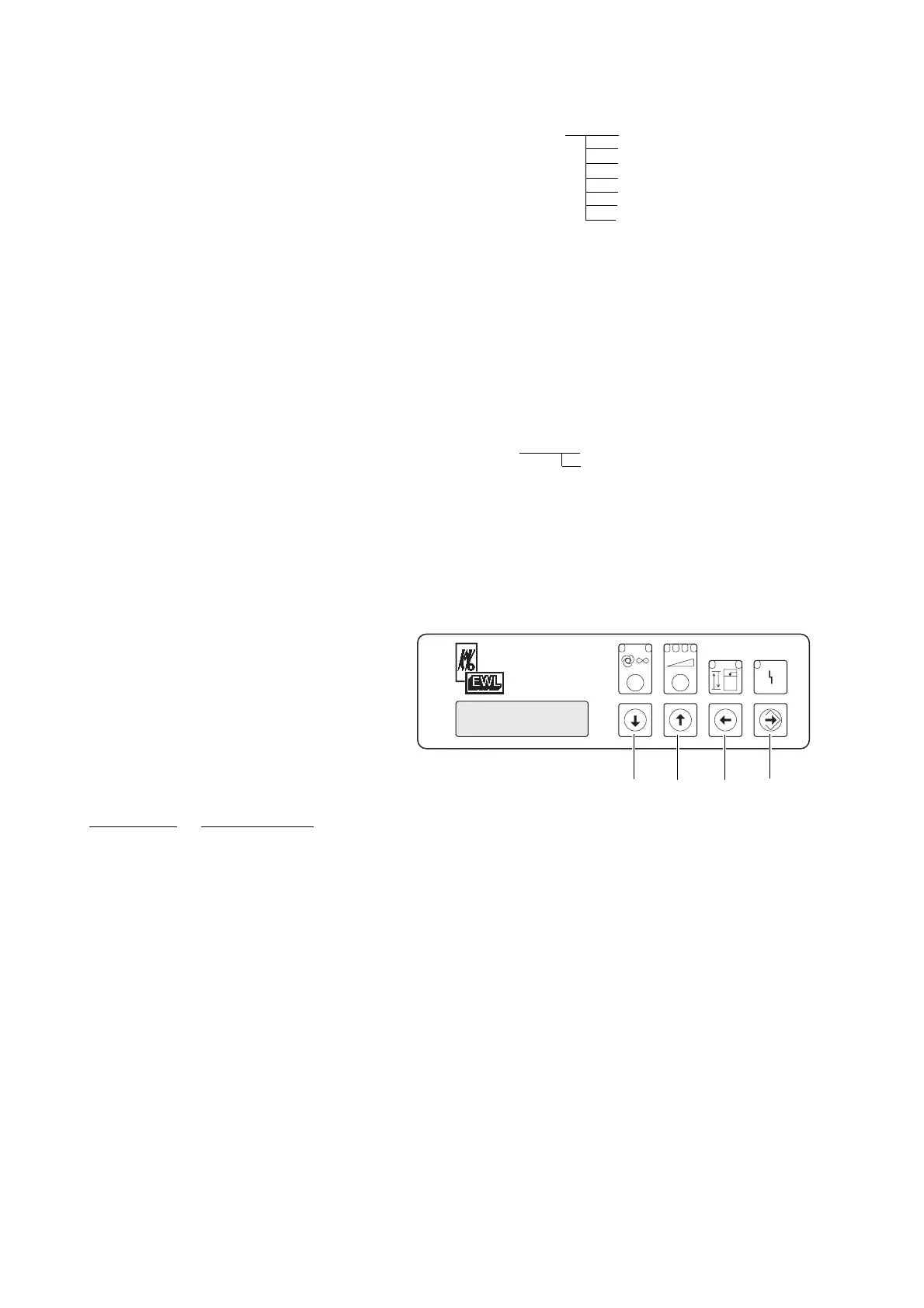
Aktuating pushbutton "up" or "down"
to select utility program "User survey" and
press pushbutton "Enter" .
Select one of the workplaces
(WP1/WP2/WP3) with pushbutton "up"
or "down" and press pushbutton "Enter"
. All under "User System" memorised
adjustments are on display.
Actuating the pushbutton "return" Á You
can leave the utility programs.
9.5 Utility program "Standard
screen"(2800)
Actuating pushbutton "up" or "down"
to select utility program "Standard screen".
Press pushbutton "Enter" .
Actuating pushbutton "up" or "down"
to select Combin. screen or low pressure
screen. The display appear after the suction
has been switched on.
Combination screen: The requested suction
power for the relevant workplace will be
displayed.
Low pressure: The actual low pressure will
be displayed.
With pushbutton "Enter" store the
selected value.
Factory setting: Combination screen
A 9.6 “Expansion“ help program (2170)
Applicable only in combination with
expansion set Mat. No. 0.657.1351.
For further description, see expansion set
user manual (Mat. No. 1.000.3979)
Factory setting no
21
ABSORmatic
®
plus.
Û
Á
ˇ
˝
(2100) 9.4 Overview of total system: 2101 WP1
2102 WP2
2103 WP3
2104 WP21
2105 WP22
2106 WP23
2107 WP24
(2800) 9.5 Normal display: 30 Combination display
31 Reduced pressure
**
(2170) 9.6 Extension: if “no“ set, WP 1, 2, 3 are active
if “yes“ set: WP 1, 21, 22, 23, 24, 3 are active
(with installation of extension set)











 To Next Page