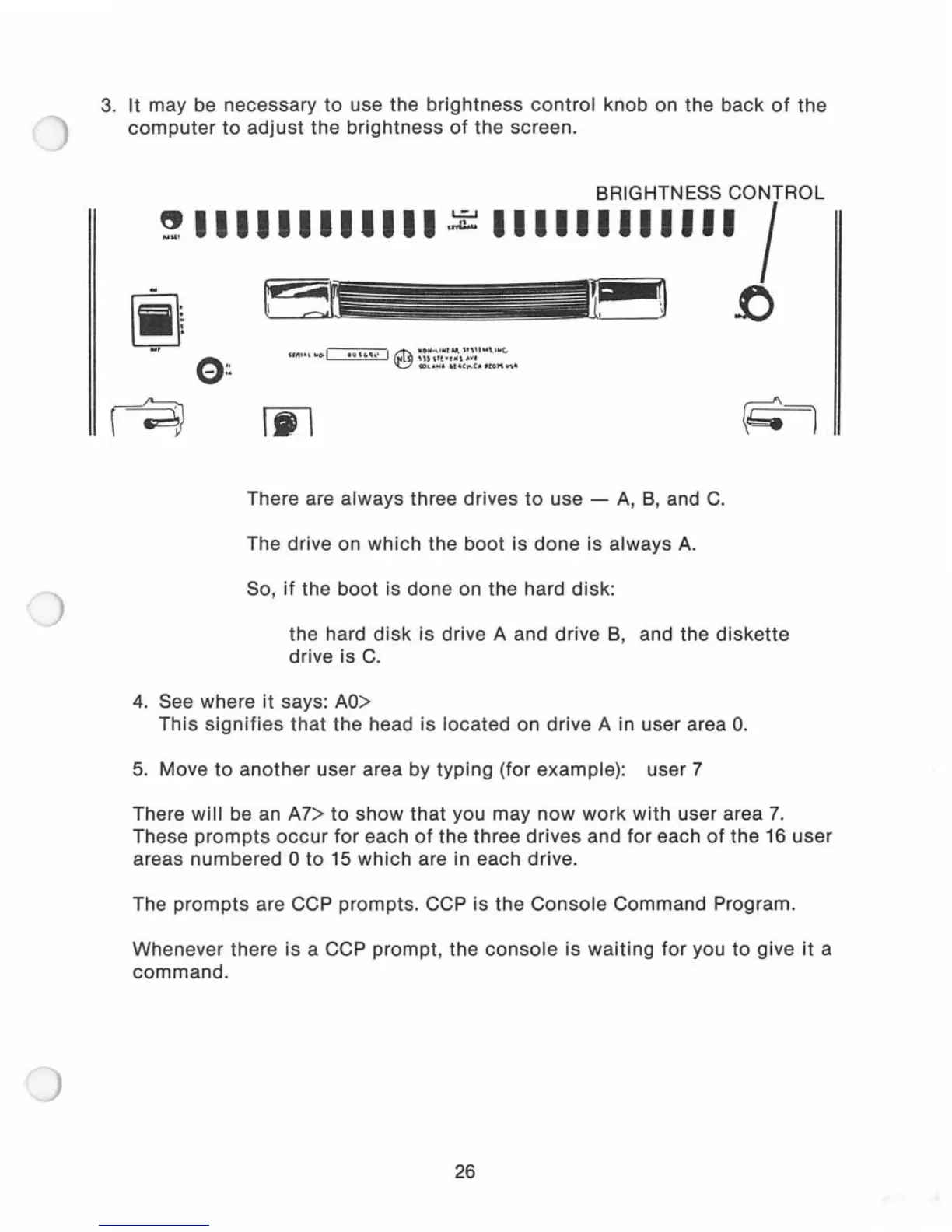
3.
It
may be necessary
to
use the
brightness
control
knob on the back
of
the
computer
to
adjust
the
brightness
of
the screen.
BRIGHTNESS CONTROL
~
III1IIIIIIII
111111111111
I
I~
f)
There are always three drives
to
use -
A,
B,
and
C.
The drive on
which
the
boot
is
done
is always
A.
So,
if
the
boot
is done on the hard disk:
the hard
disk
is drive A and drive
B,
and the
diskette
drive is
C.
4.
See where
it
says:
AO>
This
signifies
that
the
head is located on drive A in user area
O.
5.
Move
to
another
user area by
typing
(for example): user 7
There
will
be an A7>
to
show
that
you may
now
work
with
user area
7.
These
prompts
occur
for each
of
the three drives and for each
of
the
16
user
areas numbered 0
to
15
which
are in each drive.
The
prompts
are CCP prompts. CCP is the
Console
Command Program.
Whenever there is a CCP prompt, the
console
is
waiting
for you
to
give
it
a
command.
26



 To Next Page