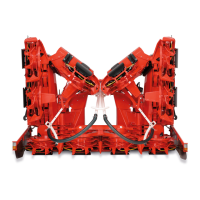
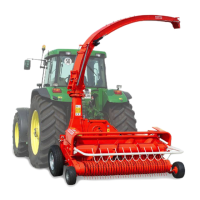
Attaching to a KRONE Forage Harvester
KM00321,0000261 1917FEB102/2
KM00321,0000276 1918FEB101/1
Adjust channel width
The channel width of the rotary harvesting unit can be
adjusted, if required.
Procedure:
Loosen attaching screws (A).
Cover, feed plate and scraper assembly (B) can be turned
round the feed drum (C) to modify channel width.
IMPORTANT: After adjustment, make sure that
clearance between scraper and wall of feed
drum does not exceed 5 mm (0.2 in.). See
Scrapers on Feed Drums in Section Service.
Tighten attaching screws (A).
A—Attaching screws
B—Scraper assembly
C—Feed drum
ZX1040566 —UN—13APR07ZX1040567 —UN—12APR07
Install Front Jackstand
When attaching or detaching, the rotary harvesting unit
stands on three jackstands. Two jackstands (A) are
located at the bottom of the attaching frame. When the
implement is delivered, front jackstand (B) is mounted to
the upper crossmember of the attaching frame.
Before attaching the rotary harvesting unit for the first
time, the front jackstand must be installed:
•
Set the rotary harvesting unit down on a flat level paved
surface.
•
Raise the rotary harvesting unit with a crane or a forklift.
CAUTION: When working underneath the rotary
harvesting unit, it must be supported securely.
CAUTION: Make sure that the crane or forklift
meets the weight requirements of the rotary
harvesting unit (see Section Specifications).
•
Remove dummy plug and install front jackstand (B).
A—Rear jackstand B—Front jackstand
KM1001109 —UN—18FEB10KM1001108 —UN—18FEB10
352
040810
PN=47



 To Next Page