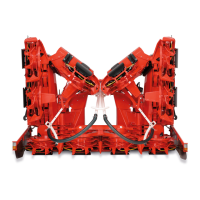
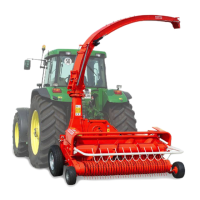
Attaching to a CLAAS Forage Harvester
Continued on next page KM00321,0000259 1910FEB101/2
Attaching to CLAAS Forage Harvesters
Rotary harvesting unit with tilt frame
1. Unlock lever (A).
2. Drive the forage harvester close to the rotary
harvesting unit’s frame until attaching straps (B)
protrude into mounting brackets (E) of the attaching
frame.
3. Remove pins (D) on both sides.
4. Lift front shield (C) up until attaching straps (B) of the
rotary harvesting unit lie in the mounting brackets (E).
5. Lock the rotary harvesting unit:
Secure upper bearing point by installing pin (D).
Lock lower bearing point by engaging lever (A).
6. Lock jackstands (G) in their highest position.
Adjust lever (A) (only for initial use):
•
Loosen screws (F).
•
Adjust lever (A) so that it can be secured.
•
Tighten screws (F).
IMPORTANT: Secure lever (A) and pin (D)
with spring pin.
A—Lever
B—Attaching straps
C—Front shield
D—Pin
E—Mounting bracket
F— Screws
G—Jackstands
KM1001089 —UN—04FEB10KM1001090 —UN—04FEB10KM1001088 —UN—04FEB10KM1001091 —UN—05FEB10
255
040810
PN=30



 To Next Page