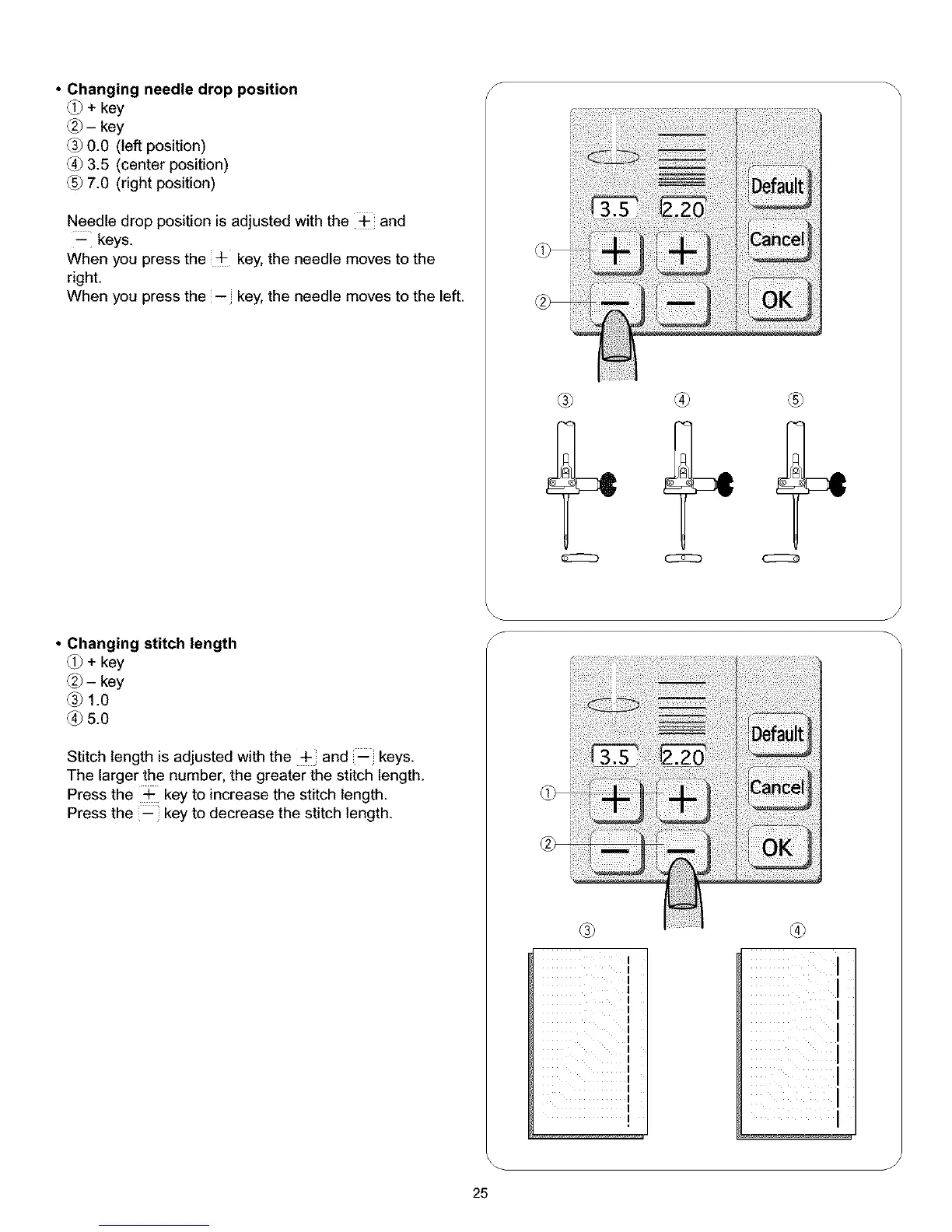
• Changing needle drop position
_j_+ key
®-key
0.0 (left position)
(_ 3.5 (center position)
7.0 (right position)
Needle drop position is adjusted with the _ and
-- keys.
When you press the ÷ key, the needle moves to the
right.
When you press the -- key, the needle moves to the left.
• Changing stitch length
_j_+ key
Q-key
® 1.0
_)5.0
Stitch length is adjusted with the + and--keys.
The larger the number, the greater the stitch length.
Press the ÷ key to increase the stitch length.
Press the _ key to decrease the stitch length.
s
® ® ®
®
I
I
I
I
I
I
I
I
I
I
1
I
I
I
I
®
i
/
J
25



 To Next Page