Pattern Combination (Example 2)
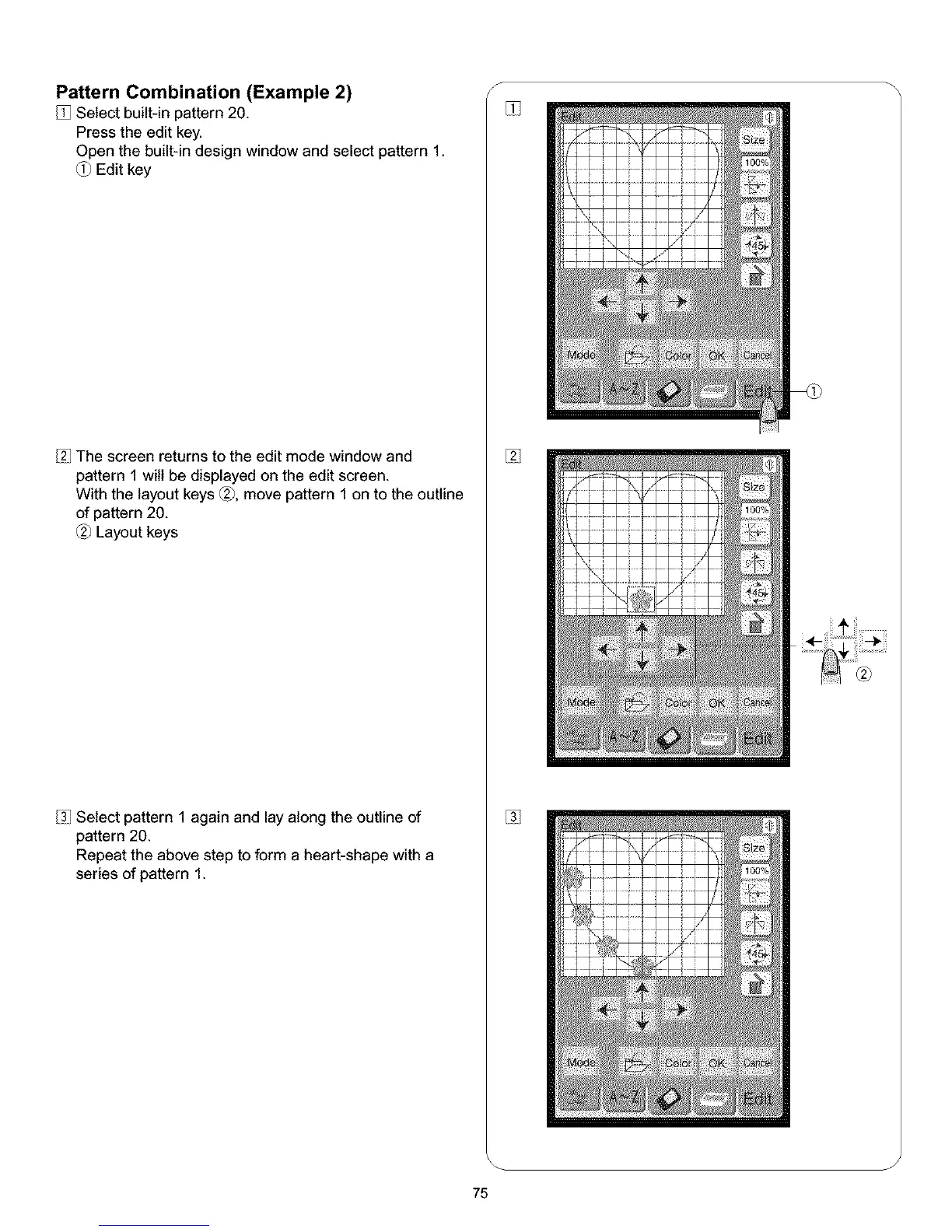
Select built-in pattern 20.
Press the edit key.
Open the built-in design window and select pattern 1.
Edit key
The screen returns to the edit mode window and
pattern 1 will be displayed on the edit screen.
With the layout keys _, move pattern 1 on to the outline
of pattern 20.
Layout keys
Select pattern 1 again and lay along the outline of
pattern 20.
Repeat the above step to form a heart-shape with a
series of pattern 1.
S
%
%
J
75



 To Next Page