Programming Pattern Combination
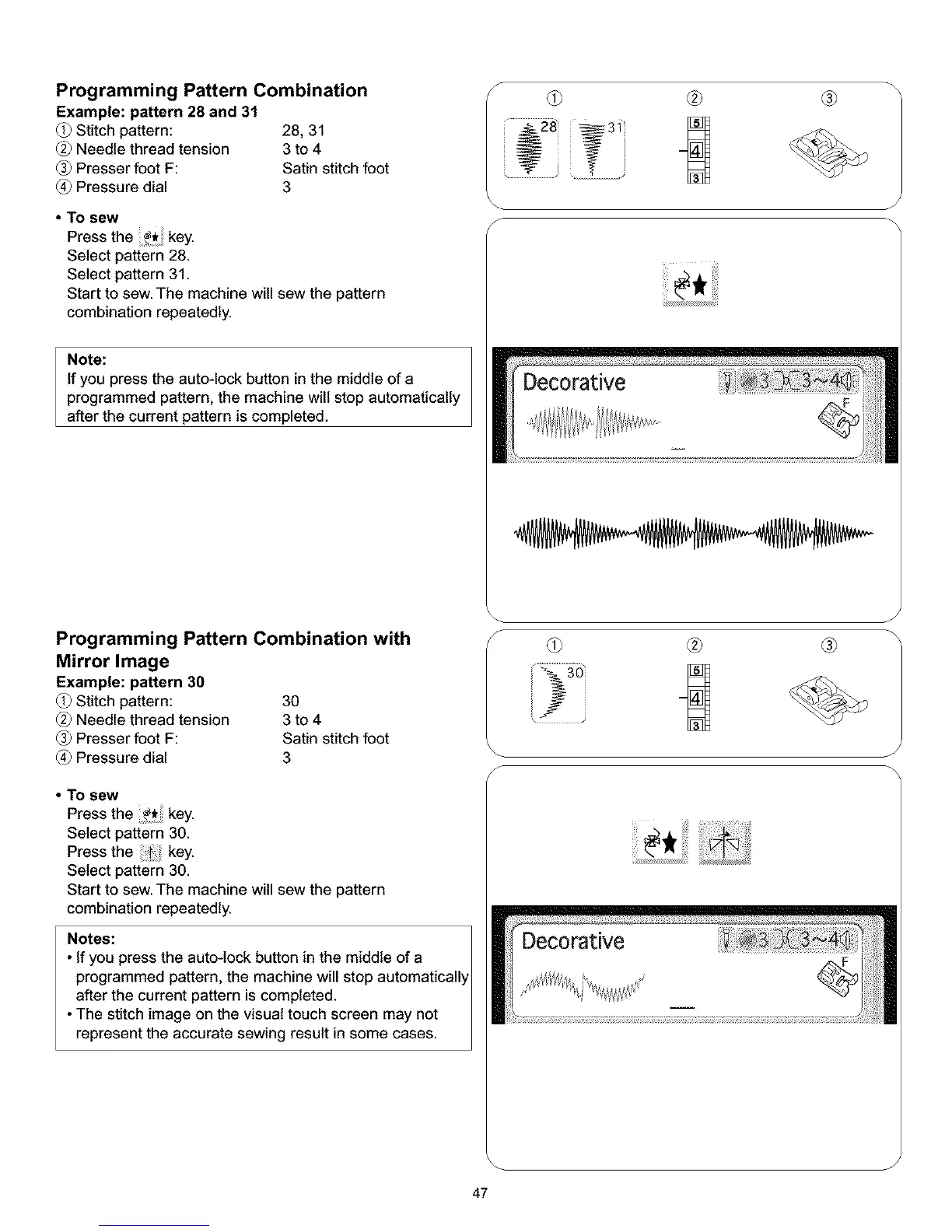
Example: pattern 28 and 31
Stitch pattern: 28, 31
Needle thread tension 3 to 4
Presser foot F: Satin stitch foot
Pressure dial 3
• To sew
Press the key.
Select pattern 28.
Select pattern 31.
Start to sew. The machine will sew the pattern
combination repeatedly.
Note:
If you press the auto-lock button in the middle of a
programmed pattern, the machine will stop automatically
after the current pattern is completed.
f
Programming Pattern Combination with
Mirror Image
Example: pattern 30
Stitch pattern: 30
Needle thread tension 3 to 4
Presser foot F: Satin stitch foot
Pressure dial 3
• To sew
Press the _ key.
Select pattern 30.
Press the ._i. key.
Select pattern 30.
Start to sew. The machine will sew the pattern
combination repeatedly.
Notes:
• If you press the auto-lock button in the middle of a
programmed pattern, the machine will stop automaticall_
after the current pattern is completed.
• The stitch image on the visual touch screen may not
represent the accurate sewing result in some cases.
f
J
J
47



 To Next Page