• Changing stitch width
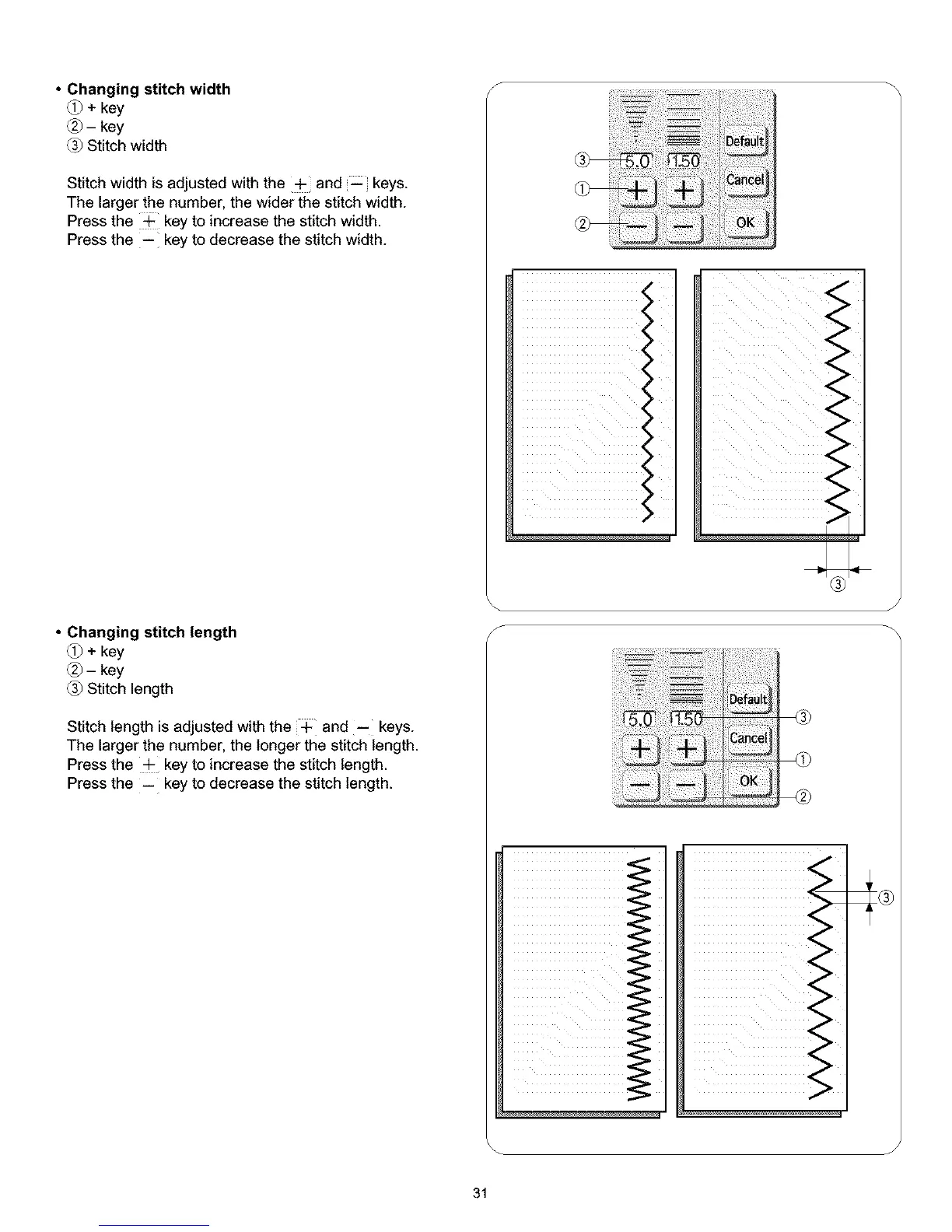
_+key
Q-key
Stitch width
Stitch width is adjusted with the + and keys.
The larger the number, the wider the stitch width.
Press the ÷ key to increase the stitch width.
Press the -- key to decrease the stitch width.
• Changing stitch length
_+key
Q-key
Stitch length
Stitch length is adjusted with the + and -- keys.
The larger the number, the longer the stitch length.
Press the ÷ key to increase the stitch length.
Press the -- key to decrease the stitch length.
S
<
<
ii iiiiiiiiiiiiiiiiiiii
®
J
J
31



 To Next Page