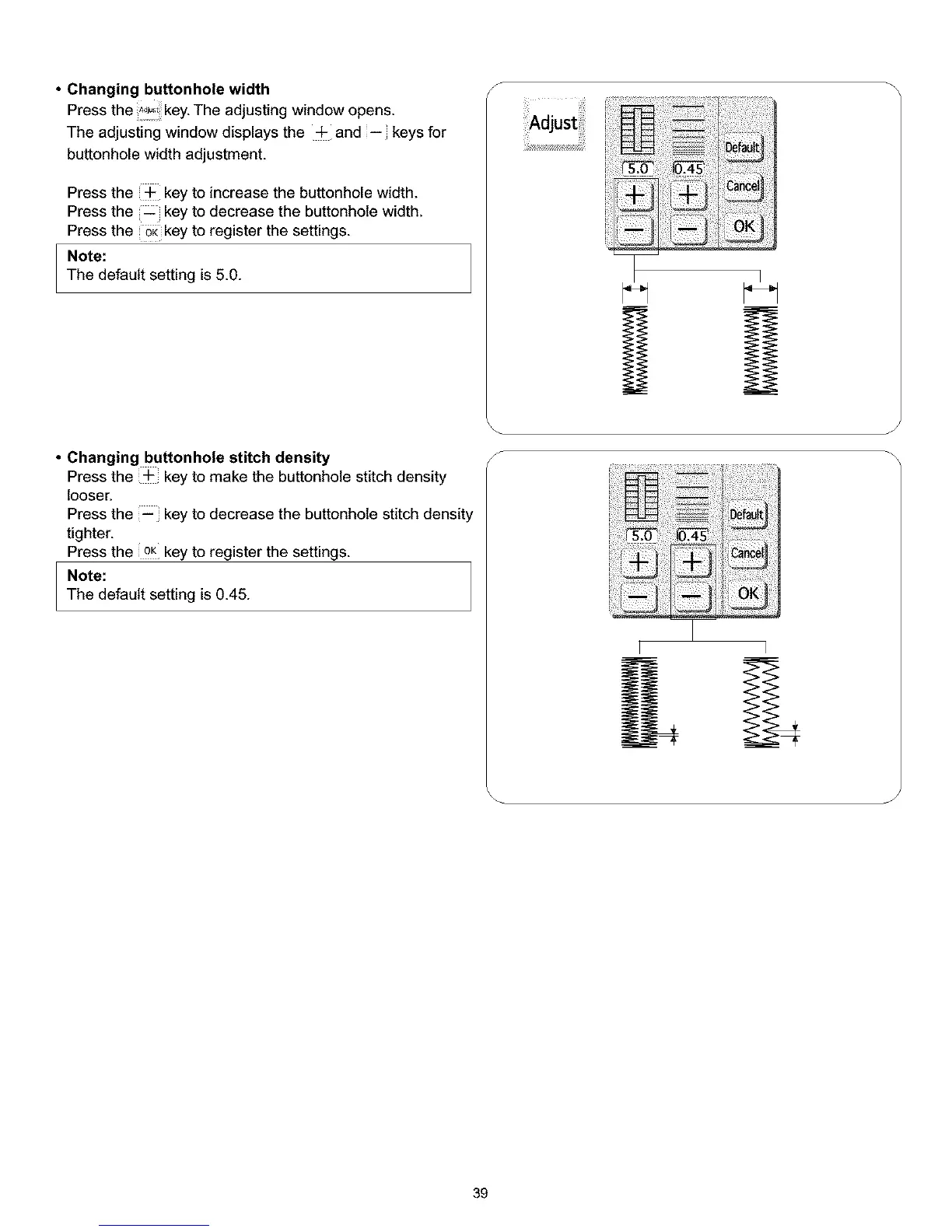
• Changing buttonhole width
Press the _!!!,key. The adjusting window opens.
The adjusting window displays the -F and -- keys for
buttonhole width adjustment.
Press the + key to increase the buttonhole width.
Press the _ key to decrease the buttonhole width.
Press the _key to register the settings.
Note:
The default setting is 5.0.
• Changing buttonhole stitch density
Press the + key to make the buttonhole stitch density
looser.
Press the -- key to decrease the buttonhole stitch density
tighter.
Press the oK key to register the settings.
Note:
The default setting is 0.45.
S
oefau_
Default_
i
l_ancel(
Y
J
39



 To Next Page