Memory Button Clear Button Straight and Zigzag Stitch Buttons
5r_nsarSetu ?0
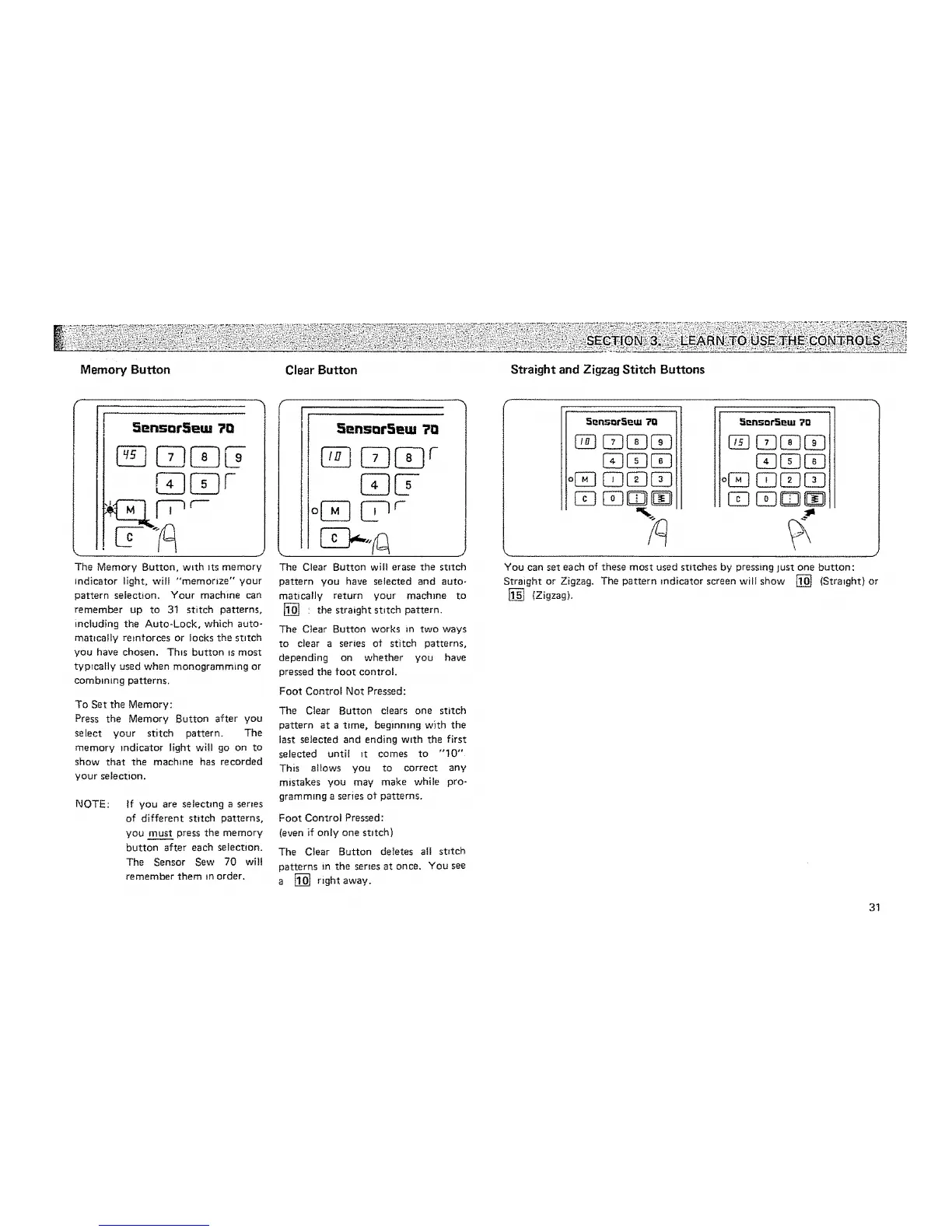
The Memory Button, w_th _ts memory
indicator light, ,wil! "memorize" your
pattern selection. Your machine can
remember up to 31 stitch patterns,
including the Auto-Lock, which auto-
mat_caJfy reinforces or locks the stitch
you have chosen. Th_s button =smost
typrcally used when monogramming or
combining patterns,
To Set the Memory:
Press the Memory Button after you
select your stitch pattern. The
memory indicator light wilt go on to
show that the machine has recorded
your selection.
NOTE:
If you are selecting a series
of different stitch patterns,
you must press the memory
button after each selection.
The Sensor Sew 70 wil!
remember them in order.
f
tlo
The Clear Button will erase the stitch
pattern you have selected and auto-
matically return your machine to
[] ' the straight stitch pattern.
The Clear Button works m two ways
to clear a series ot stitch patterns,
depending on whether you have
pressed the foot control.
Foot Control Not Pressed:
The Clear Button clears one stitch
pattern at a ttme, beginmng with the
last selected and ending w_th the first
selected until it comes to "10"
This allows you to correct any
mistakes you may make while pro-
gramming a series of patterns.
Foot Control Pressed:
(even if only one stitch)
The Clear Button deletes al! st=tch
patterns in the ser_es at once. You see
a [] right away.
5_'nSDfS_tU
o[-q [Z]
._l!nsQf._l_tu ?o
a
You can set each of these most used stitches by pressing just one button:
Straight or Zigzag. The pattern indicator screen will show [] (Strmght) or
[] (Zigzag),
31






 To Next Page