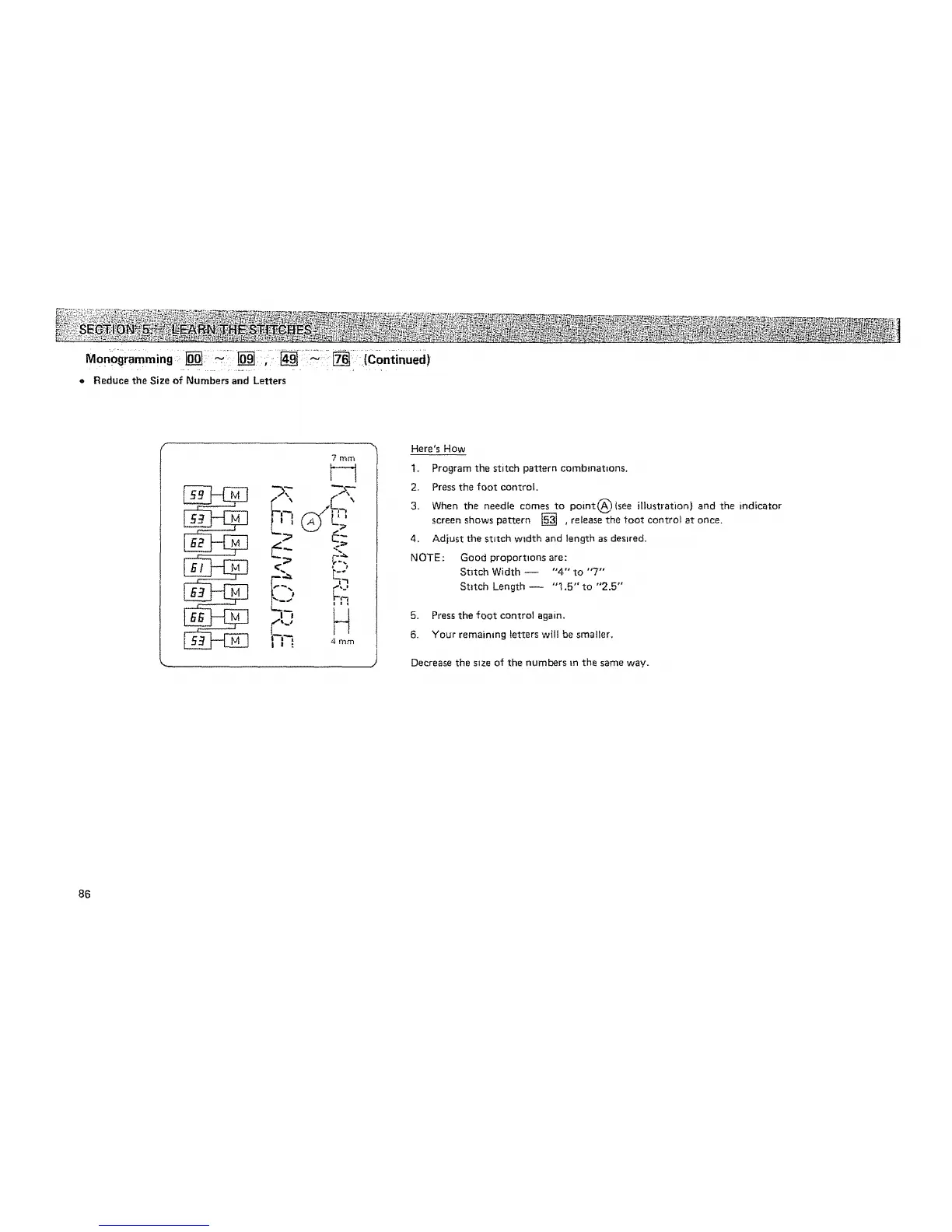
= Reduce the Size of Numbers and Letters
7 mm
_-'¢'i 4 mm
I = **
Here's How
1.
2_
3,
4_
NOTE:
Program the stitch pattern comblnatlons.
Press the foot control,
When the needle comes to po=nt_(see illustration) and the indicator
screen shows pattern [] , release the toot control at once.
Adjust the stitch width and length as desired.
Good proportions are:
Stitch Width -- "4" to "7"
Stitch Length -- "t,5" to "2.5"
5. Press the foot control again.
6. Your remainmg letlEers will be smaller.
Decrease the size of the numbers tn the same way.
86






 To Next Page