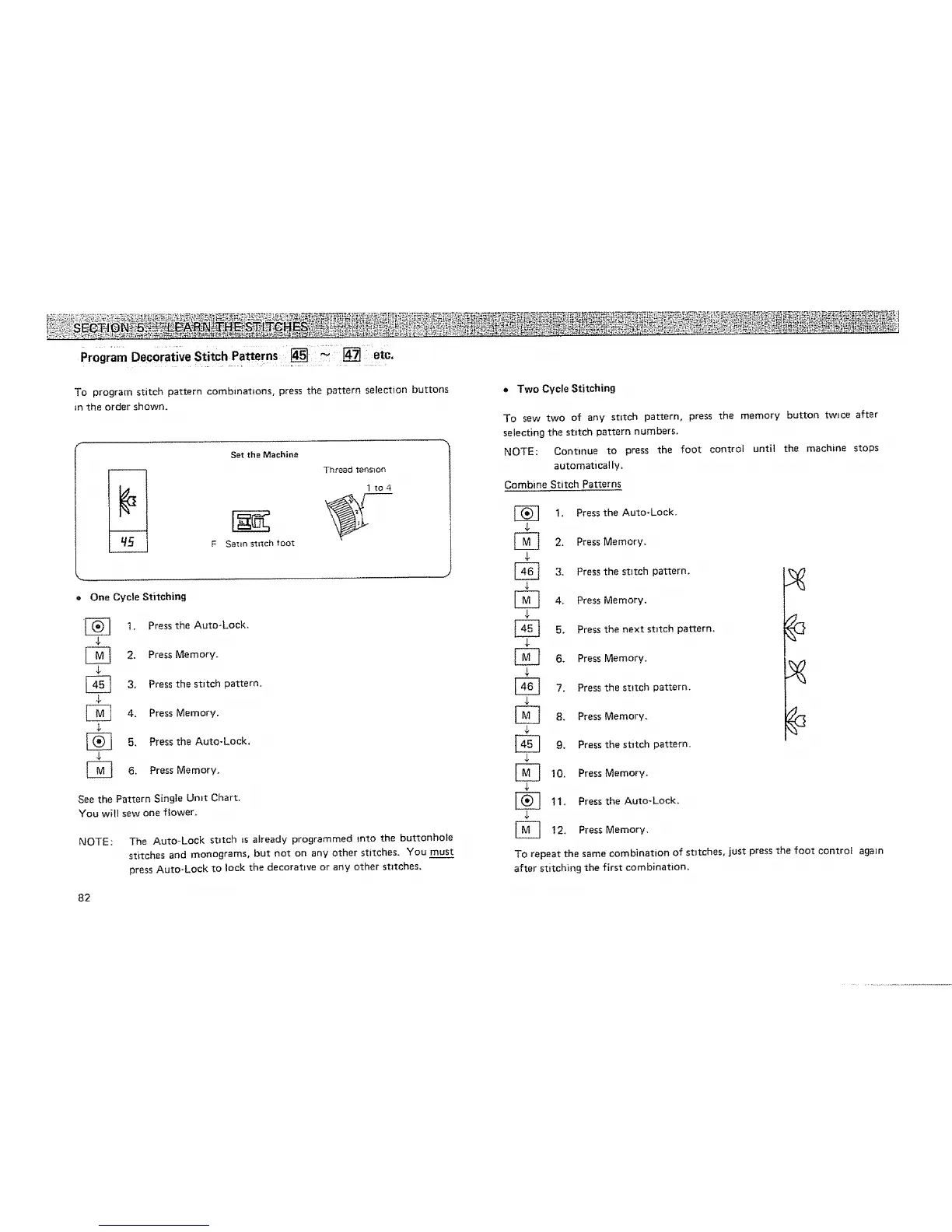
Program Decorative Stitch Patterns i _i [] i etc.
To program stitch pattern combmat=ons, press the pattern selection buttons
in the order shown.
Setthe Machine
1 to4
F Sattn stitch ;_ot
• One Cycle Stitching
[_ 1. Press the Auto-Lock.
[_ 2. Press Memory.
$
3, Press the stitch pattern.
4. Press Memory.
[_ 5. Press the Auto-Lock.
[_ 6. Press Memory.
See the Pattern Single Umt Chart.
You will sew one flower.
NOTE: The Auto-Lock stitch _s already programmed rote the buttonhole
stitches and monograms, but not on any other stitches. You must
press Auto-Lock to lock the decorative or any other stztches.
82
• Two Cycle Stitching
To sew two of any stitch pattern, press the memory button twice after
selecting the stitch pattern numbers.
NOTE: Continue to press the foot control until the machine stops
automatically.
Combine Stitch Patterns
I, Press the Auto-Lock.
[_ 2. Press Memory.
[_ 3. Press the stitch pattern.
4
[_ 4. Press Memory.
[_ 5. Press the next stitch pattern.
[_ 6. Press Memory.
[_ 7. Press the stitch pattern.
$
[_ 8. Press Memory.
$
]_ 9. Press the stitch pattern.
10. Press Memory.
$
[_ 11. Press the Auto-Lock.
[_ 12+ Press Memory.
To repeat the same combination of stitches, just press the foot control again
after stitching the first combination,






 To Next Page