34
Display Description Information
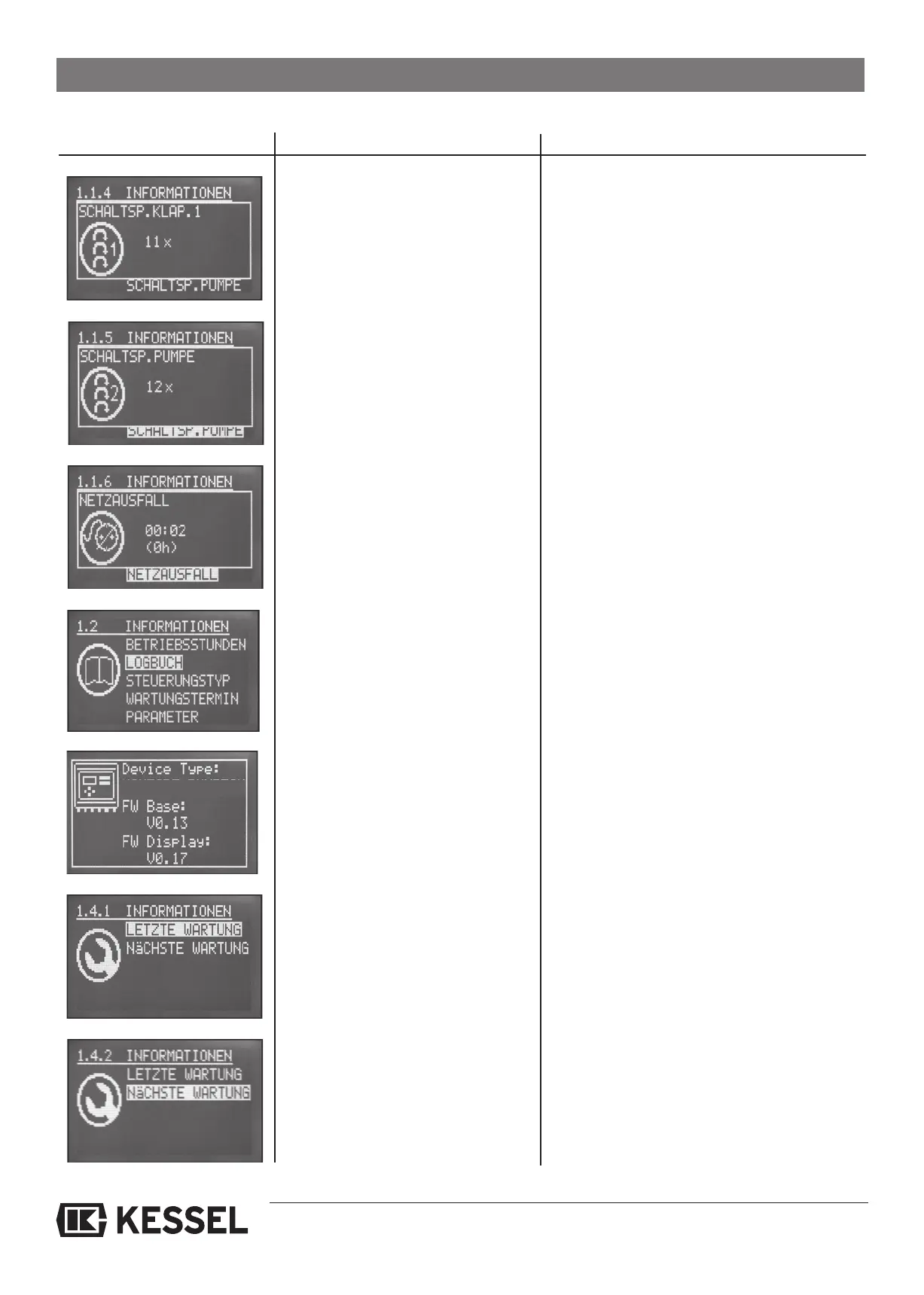
In the log book, previous occurrences
as well as warning messages are log-
ged. Using the up and down buttons
▲▼ on the control unit allows you to
navigate through this setting
The log book saves the last 255 occurrences.
When an additional occurrence is saved, it will
replace the oldest message in the log book.
Ecolift specifications are displayed
Hardware and software information
Pressing the OK button will display
the last date of maintenance
4. Control unit operation
Pressing the OK button will display
the next recommended date of main-
tenance
The Ecolift should be serviced two times per
year.
All backwater flap closures are
displayed
Total of all backwater flap closures
All pump activations are displayed
Total of all pump activations
All power outages are displayed
Total of all power outages
ECOLIFT






 To Next Page