20
7. Specifying Measuring Settings
When moisture content is measured, test settings such as drying temperature and measurement mode need to be
specied in advance.
The specied measuring settings can be stored in the measuring setting storage areas.
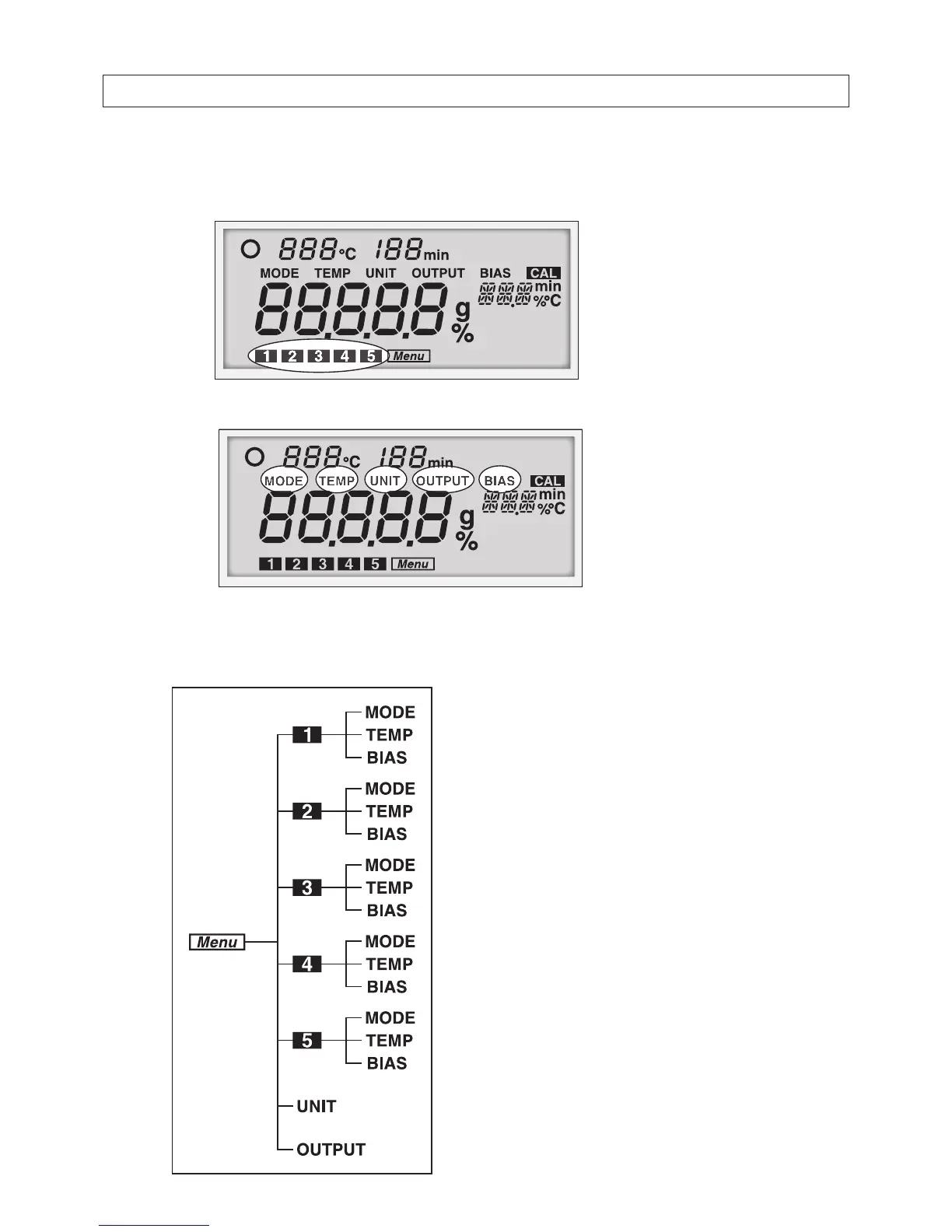
There are 5 measuring setting storage areas as shown in the circle below
1
to
5
.
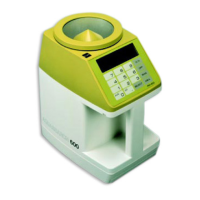
There are 5 menu items that need to be specied in the (see the circles below).
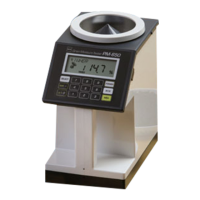
First, select a measuring setting storage area from
1
to
5
.
Next, specify MODE (measuring mode), TEMP (drying temperature), and BIAS (offset value).
UNIT (measurement standard and minimum display digit) and OUTPUT (output format) are common in all areas.
The stored settings can be always recalled, and therefore,
storing settings for each sample type to be measured is
useful.
Refer to the next chapter, "8. Menu Settings (pages 22 or
later)" for details on how to set each menu item.
The following factory settings are stored in the
1
to
5
areas.
• MODE : Automatic mode
(change in moisture content: 0.1%,
monitoring time: 1 minute)
• TEMP : 120 ºC
• BIAS : 0.0 %
The following common menu items are stored.
• UNIT : Wet base
• OUTPUT : Printer Output
MODE : Measuring mode
TEMP : Drying temperature
UNIT : Measurement standard and
Minimum display digit
OUTPUT
: Output format
BIAS : Offset value


 To Next Page