22
8. Menu Settings
8-1 Setting for MODE (measuring mode)
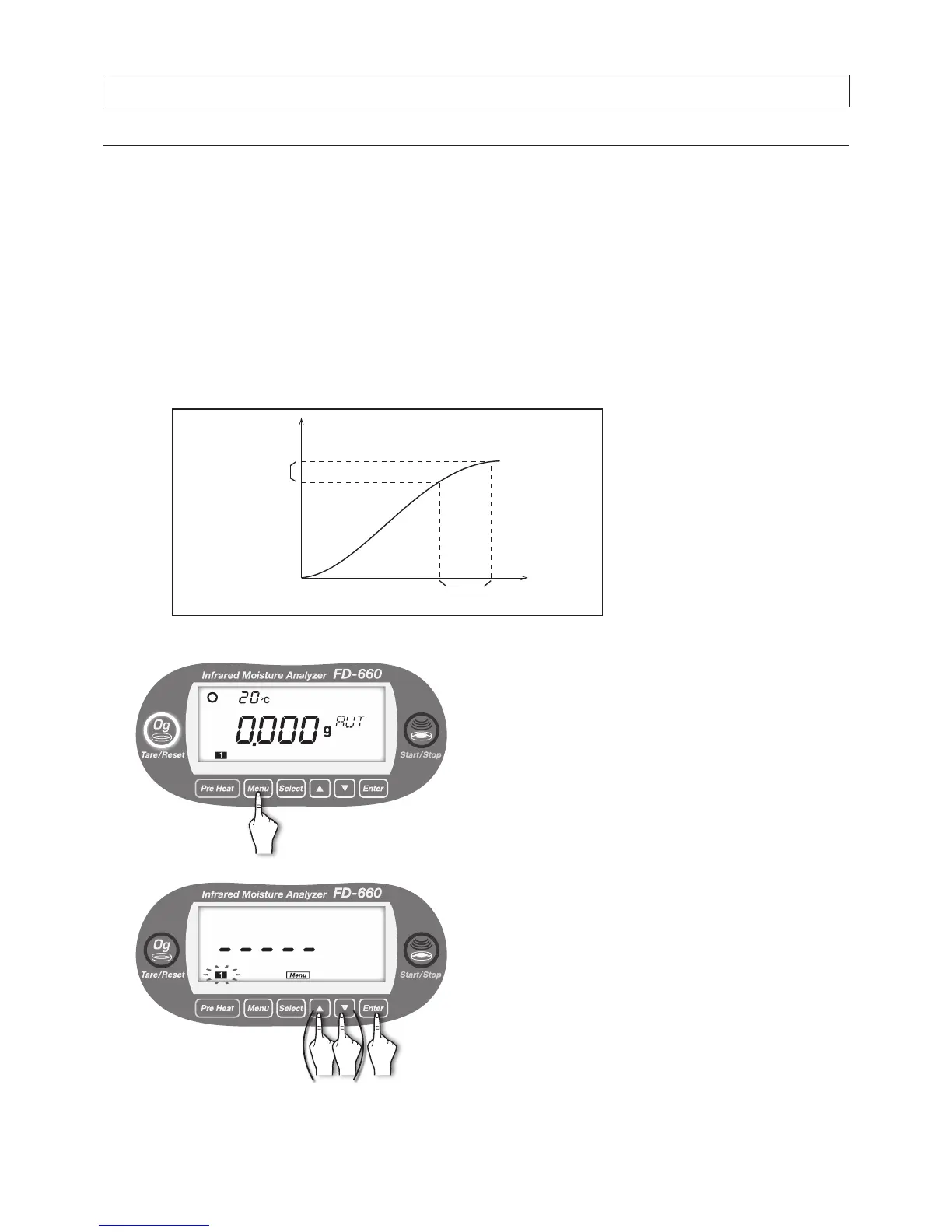
This unit is equipped with 2 measuring modes; one is “AUTO (automatic) mode”, and the other is “TIME (timed)
mode”.
Use those modes depending on test requirements.
● Setting for AUTO (automatic) mode
The test nishes when the amount of change in the moisture content changes by 0.1% or less within the specied
monitoring time.
The monitoring time can be selected from 0.5, 1, 1.5, or 2 minutes.
Specifying a longer monitoring time causes measurement values to approach an equilibrium value, but more time
is then required for the test.
Specifying a shorter monitoring time reduces the amount of time required for measurement, but the test is
completed while there may still be a wide variation in measurements. Determine the automatic settings in
accordance with your objectives and the type of sample to be measured.
● Setting procedure
1
With the display showing the weight in grams, press the
[
Menu
] key.
2
[Menu] lights up, and the number of the current measuring
setting storage area blinks.
To change the number, use the [▲] or [▼] key (see "7.
Specifying Measuring Settings" on page 20).
When the desired measuring settings area number starts
ashing, press the [
Enter
] key.
Change in
moisture content
0.1%
Measured
Value (%)
Monitoring period
Measured Time
*
Because the moisture value and
the amount of moisture change
are calculated with inclusion of
values less than the displayed
decimal places, the unit may
not stop even when the amount
of moisture change reads 0.1%
because of value rounding off.


 To Next Page