35
4
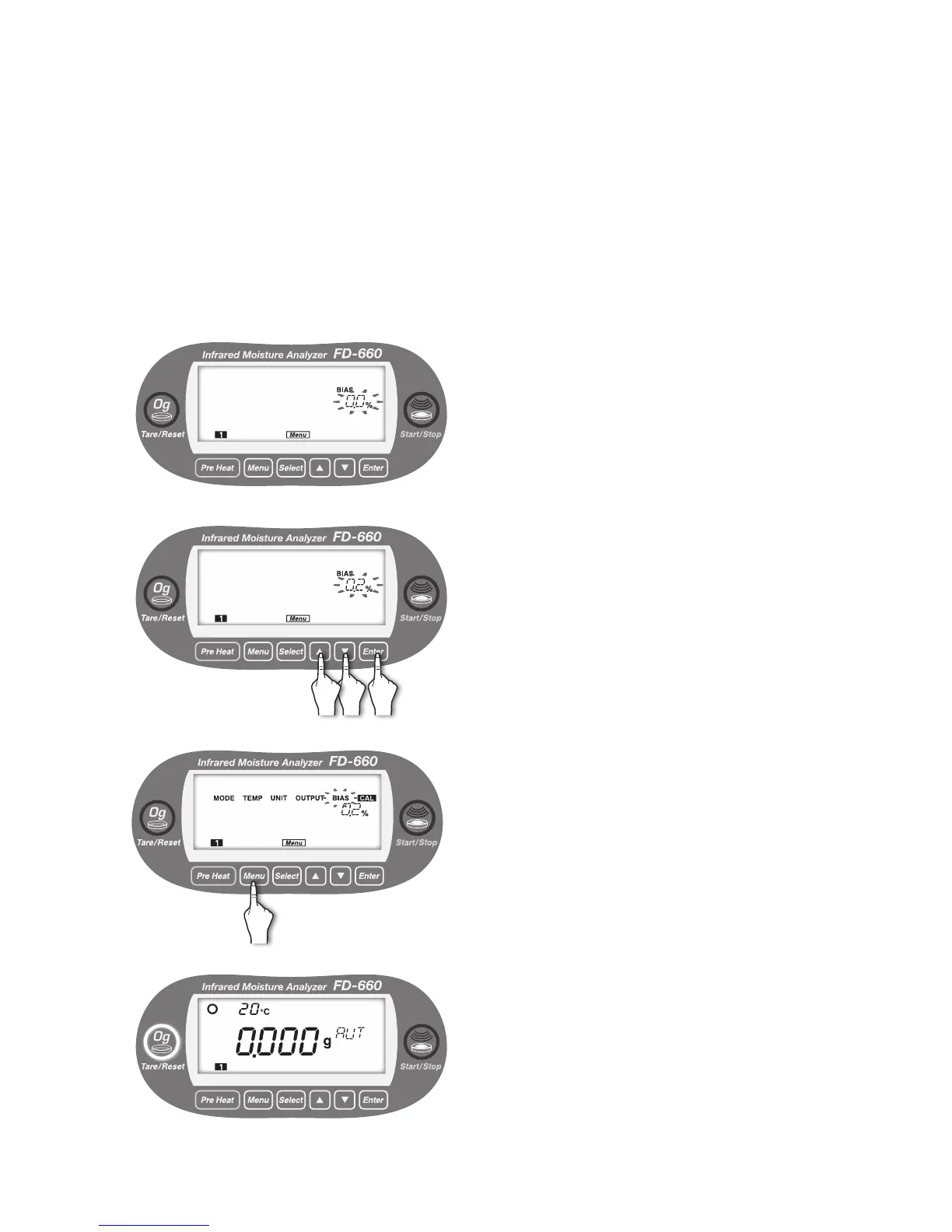
Move to the setting of the offset value.
The currently selected offset value blinks.
5
①
Press the [▲] or [▼] key to specify the desired offset
value (0.2% is specied in the example on the left).
②
Press the [
Enter
] key.
6
The blinking offset value changes from blinking to lit, and
the offset value is specied.
"BIAS" starts blinking.
To exit from "BIAS" menu setting, press the [
Menu
] key.
The screen returns to the weight display screen.
To specify other menu items, press the [
Select
] key.
7
① ②


 To Next Page