ENGLISH
Copyright by Keyline - Italy 994 LASER Man. cod. B409619FG Keyline S.p.A. 7
START UP
4Start up
4.1.0 Notice for machine use
In order for the machine to function under optimum conditions and in
complete safety at all times:
• Keep the power cable away from sources of heat, humidity,
oil, water and sharp objects.
• Keep cutting tools sharpened and clean at all times to en-
sure better and safer performance.
• Do not expose the machine to inclement weather.
• Disconnect the machines power cable before any mainte-
nance, repairs and whenever the machine is not used for a
lengthy period of time.
•Use only original spare parts.
4.1.1 Preliminary controls and setup
Before proceeding with the start up of the machine the operator must:
• Check to make sure the power cable is correctly connected
to the machine.
• Perform a general visual inspection of the machine to en-
sure that no components have been removed or modified.
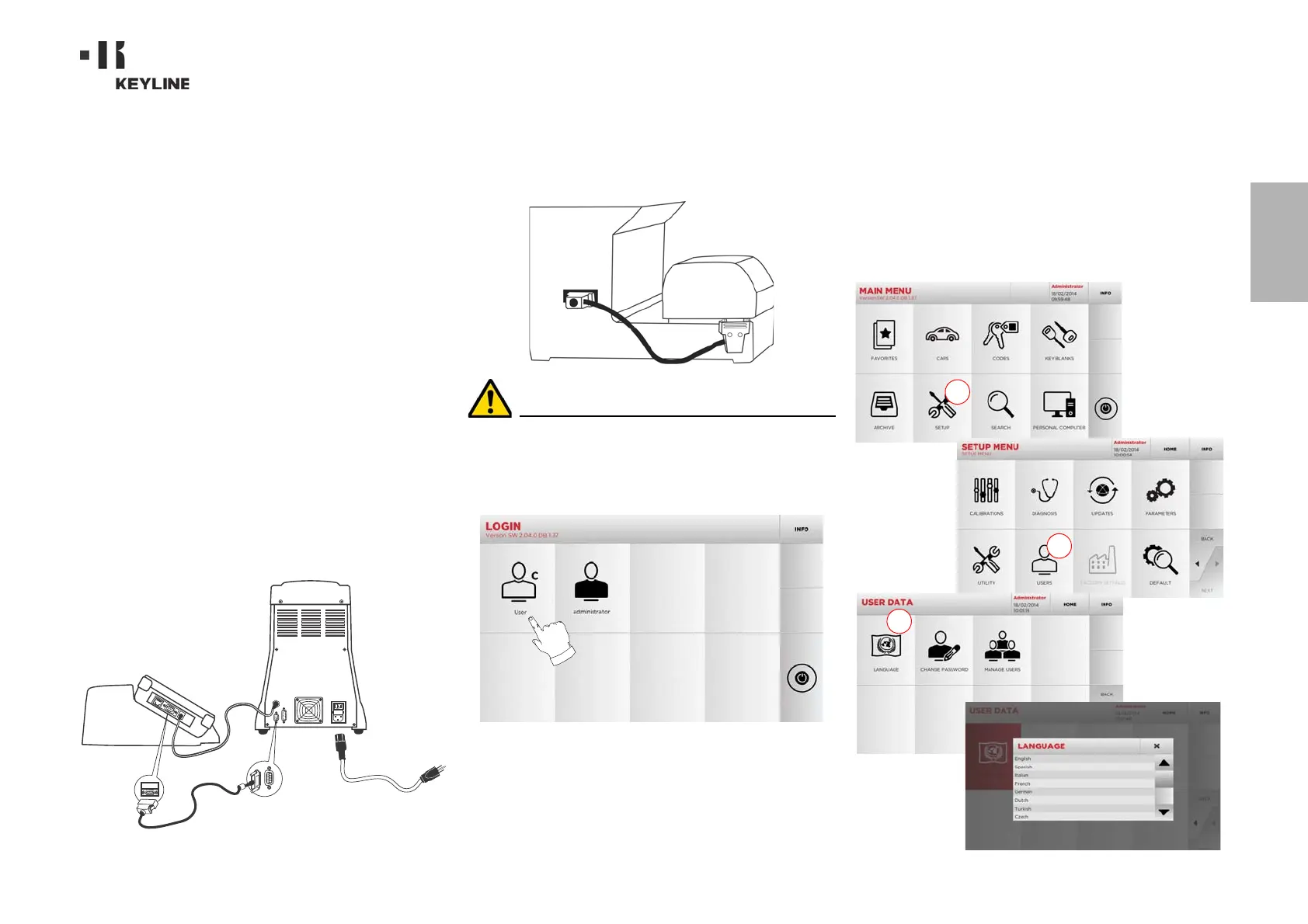
4.2.0 Starting the console
After checking that the emergency button has been pressed, connect the
console serial cable and the power cable to the duplicating machine.
Connect the cable when the machine is turned off.
Within a few minutes of switching on, the Touch-Screen will display
the “LOGIN” page.
• Select the user for operating with the machine (e.g. USER).
• With the admin user is possible to enter the Setup Menu for
managing calibrations and settings .
• In the following page enter the password to access the
MAIN MENU.
Note: No password is required for the first start of the ma-
chine.
4.3.0 Language setting
How to proceed:
•From the MAIN MENU, select: “A”.
• From the SETUP MENU, select: “B”.
• Select “C” and chose the interested language.



 To Next Page