Verification 4
Keysight J7201A/B/C Operating and Service Manual 29
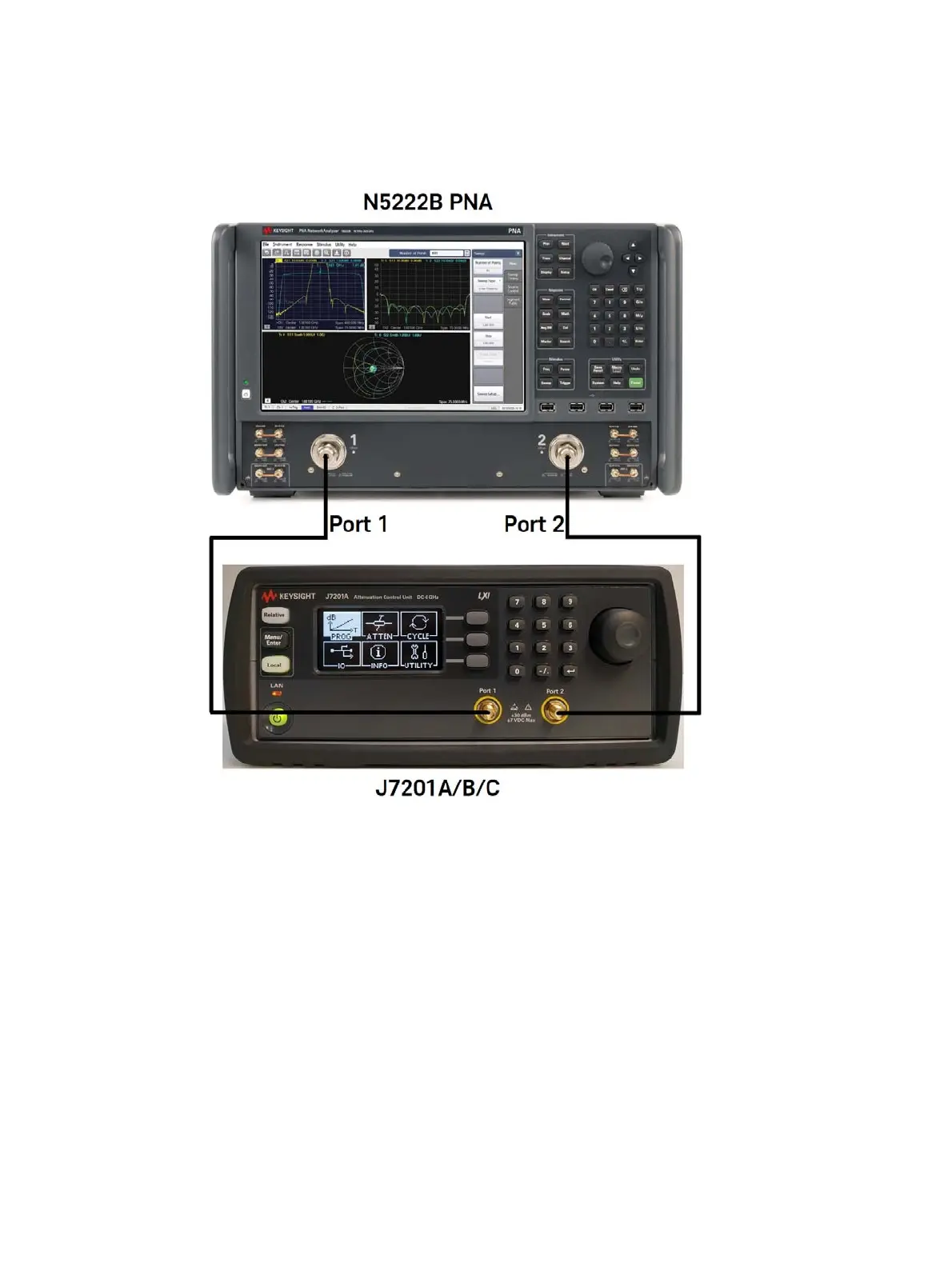
Quick-Check Procedure
Figure 4-1 Quick-check configuration for J7201A/B/C
Procedure
1 Calibrate the network analyzer with full-2 port calibration using the appropriate electronic or
mechanical calibration kit.
2 Turn on J7201A/B/C and select “ATTEN” by using rotary knob. Refer chapter 4 ATTEN menu for
more details on setting attenuation values.
3 Set attenuation value for example 0 to 40 dB and power level to -15 dBm and IF BW is 30 Hz.
For more details on N5222B’s settings, refer Keysight PNA Microwave Network Analyzers
datasheet (N5221-90003).
4 Measure S12, S21, S11 and S22 and compare result against specifications provided in the
J7201A/B/C Data sheet on Keysight website.



 To Next Page