Local Operation 5
Keysight J7201A/B/C Operating and Service Manual 41
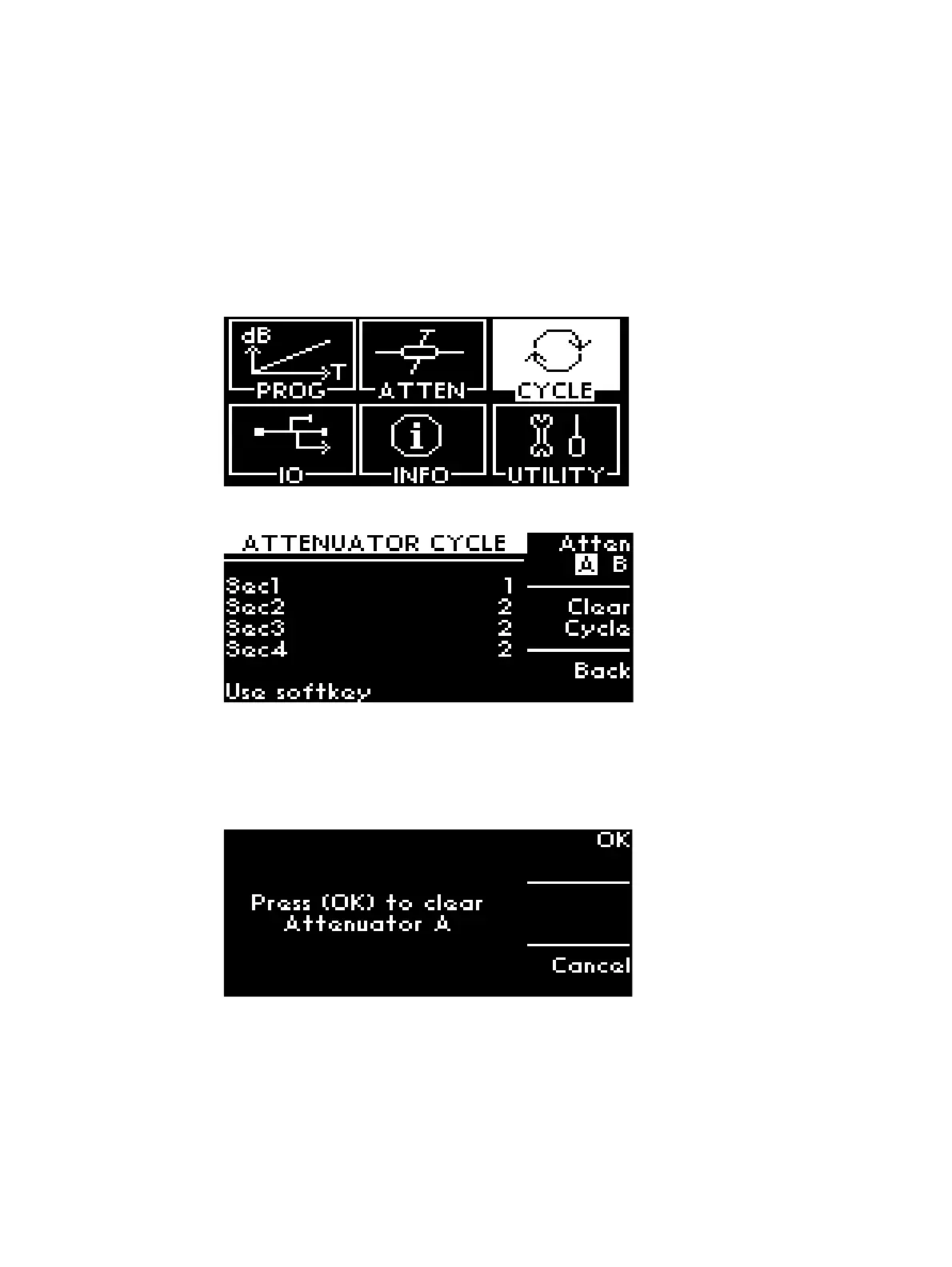
CYCLE menu
This sub menu will show total number of cycles for each section of attenuators incorporated in
J7201A/B/C.
Display or Clear Cycles of Attenuators
To display number of cycles for specific attenuators in J7201A/B/C:
1 Navigate main menu to CYCLE menu and press once on Menu/Enter button.
2 This screen ATTENUATOR CYCLE shows the cycles per section from Sec1 - Sec4.
3 Illustrations display both attenuators such as Atten A and Atten B.
4 To delete all previous cycles count, click once on the Clear Cycle softkey.
5 A pop-up screen reminds you whether Attenuator A cycles needs to be clear.
6 Press OK softkey deletes all cycles count. All cycles noted as “0”.



 To Next Page