Local Operation 5
Keysight J7201A/B/C Operating and Service Manual 33
Main Menu of J7201A/B/C
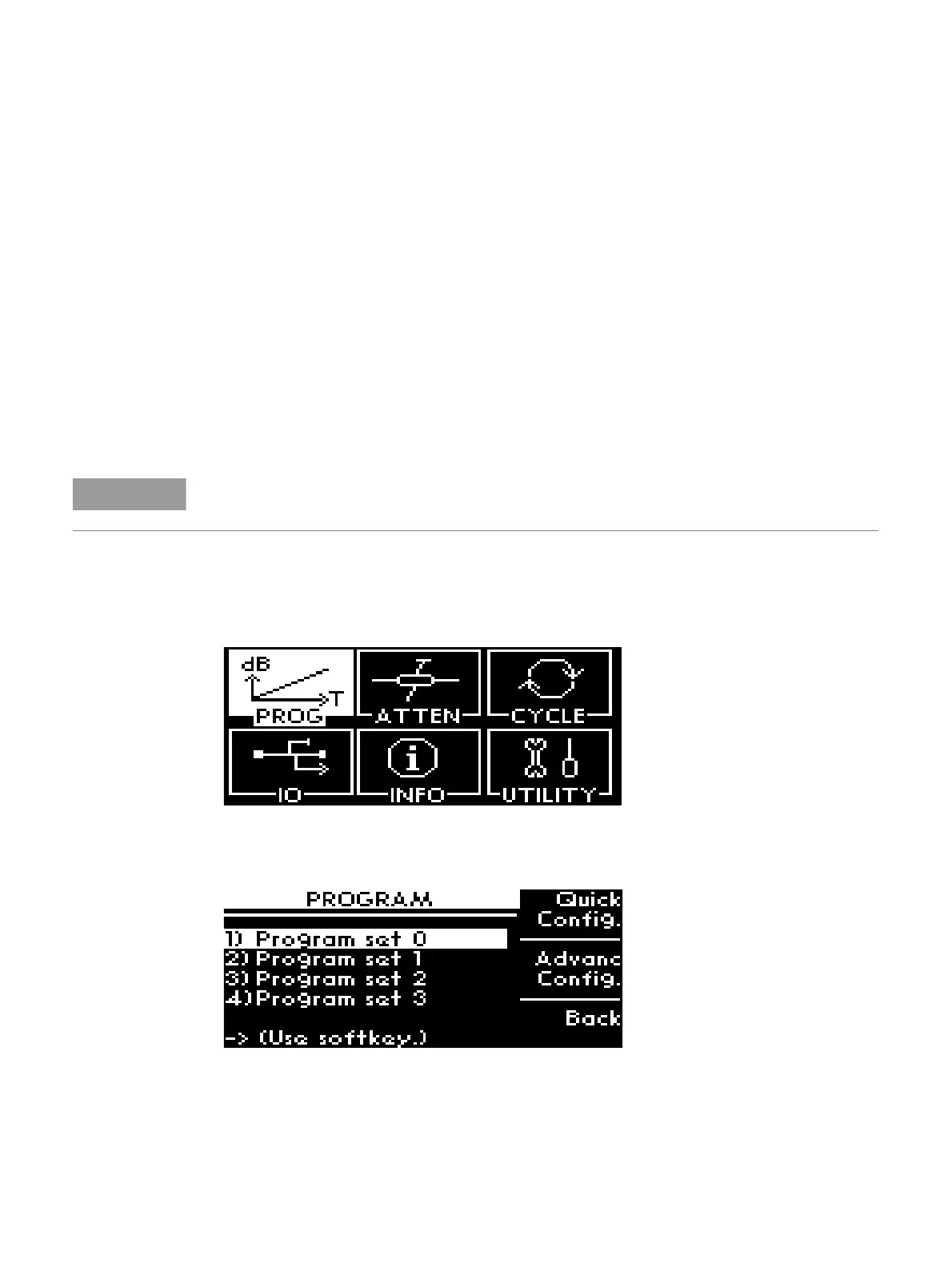
The main menu comprises of six submenus, each with their own functionality and are described in
this section. You can always return to the main menu as in Figure 5-1 by pressing the Menu/Enter
button.
PROG menu
This PROG menu offers a customized and flexible configuration for the user. The user is able to
choose the start and stop values of attenuation including the step size attenuation. The user can
also choose the number of points and dwell time for the attenuator.
The delay start is another feature for this attenuation control units as this feature is suitable when it
is used in a production or testing environment where accurate timing is significantly required.
If the user requires a continuous cycling, J7201A/B/C provides this capability by selecting
continuous sweeping with appropriate dwell’s time.
Quick Configuration
To configure delay start; start/stop attenuation and step size; dwell’s time and sweeping option:
1 Navigate to PROG icon and press Menu/Enter button once.
2 This screen shows 4 Program set (0-3) which enable user to store the specific configuration up
to 4 sets of program. For example, the illustration shows that the configuration is saved to
Program set 0.
3 Press Quick configuration softkey once.
4 This screen shows attenuation value (0 dB); delay start time (0.0s); start (0 dB); stop
attenuation (100 dB) and step size (10 dB).
For continuous cycling, the minimum sweep time is set to 1s.



 To Next Page