22 N5186A MXG and X-Series SA Measurement Guide
Basic Measurements
Making Measurements
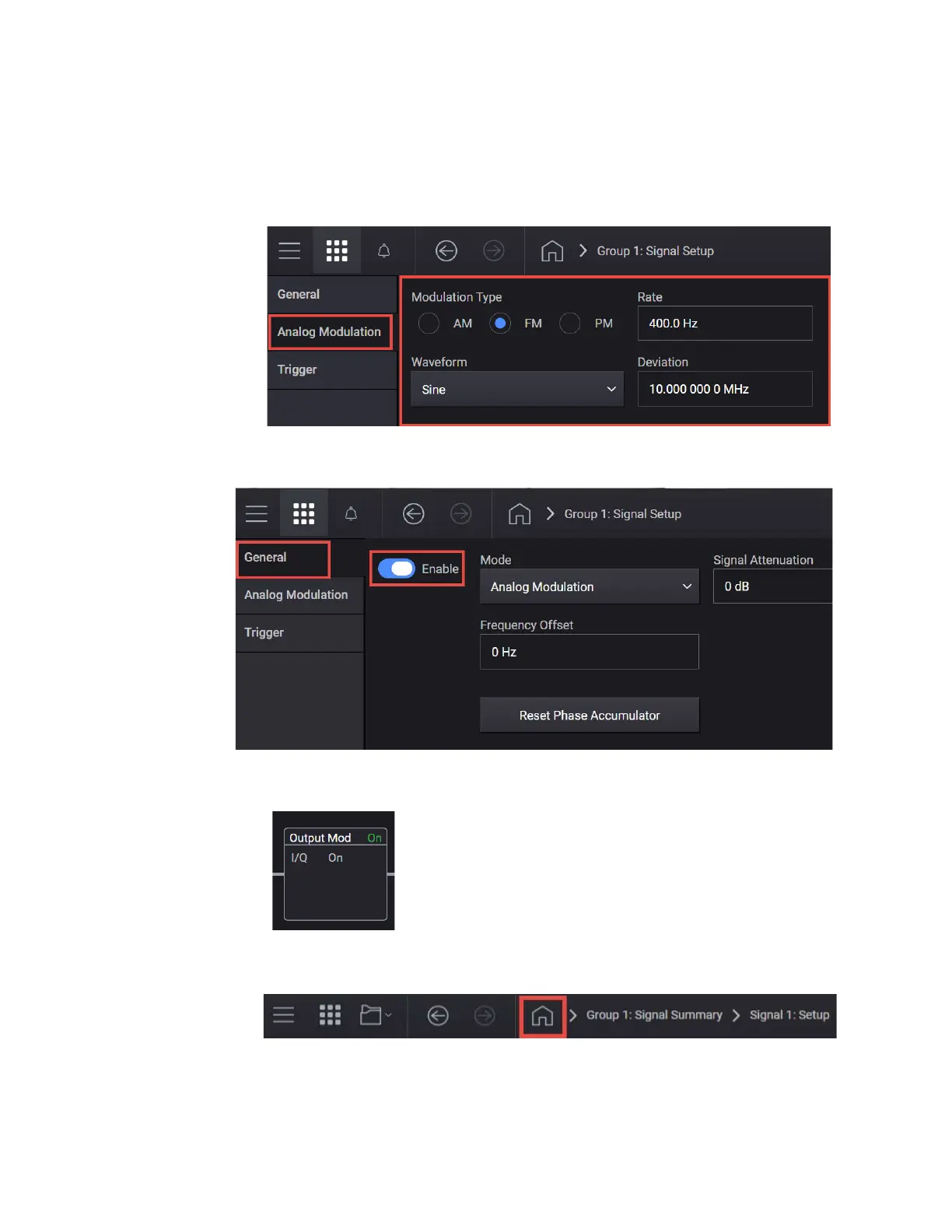
b. Waveform to Sine.
c. Rate to 400 Hz.
d. Deviation to 10 MHz.
6. Select the General tab > Enable.
Selecting Enable automatically turns on both Output Modulation and
Internal I/Q Modulation as displayed in the Output Modulation block.
7. Close the Vector Modulation Signal Setup by selecting the Home icon at
the top of the display.
8. Set RF Out to On by selecting the numbered channel indicator switch.



 To Next Page