N5186A MXG and X-Series SA Measurement Guide 35
Basic Measurements
Making Measurements
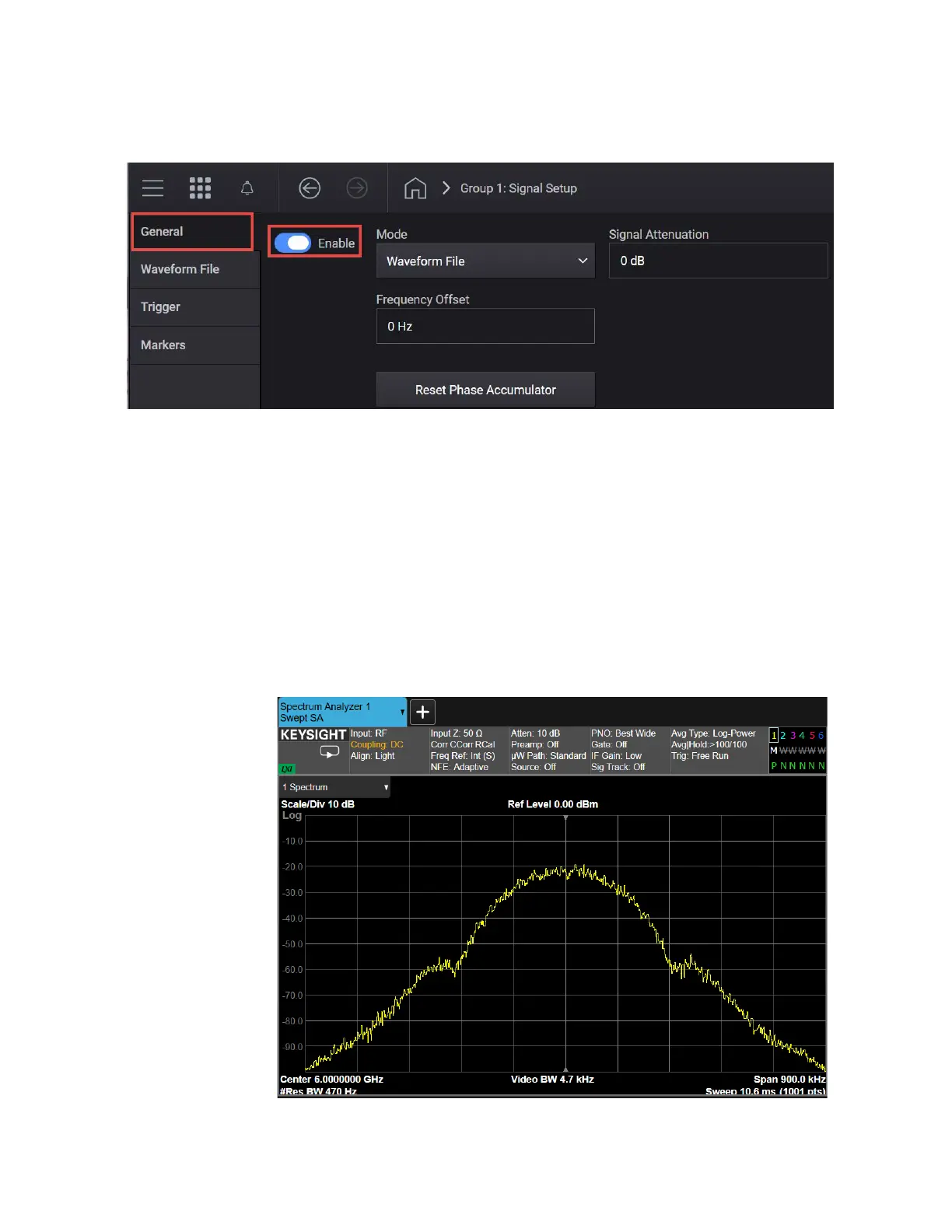
f. Select the General tab > Enable.
5. Select the Home icon and ensure that RF Out is on.
On the Signal Analyzer:
1. Select Mode Preset to set Spectrum Analyzer mode to a known state.
2. Select Frequency and set Center Frequency to 6 GHz and Span to
900 kHz.
3. Select BW and set Res BW to 470 Hz.
4. Select Trace and set Trace Type to Max Hold.
5. Observe the GSM signal.



 To Next Page