KIC 2000 v2.4.0.x
20 KIC 2000 User Manual
Auto Focus tab
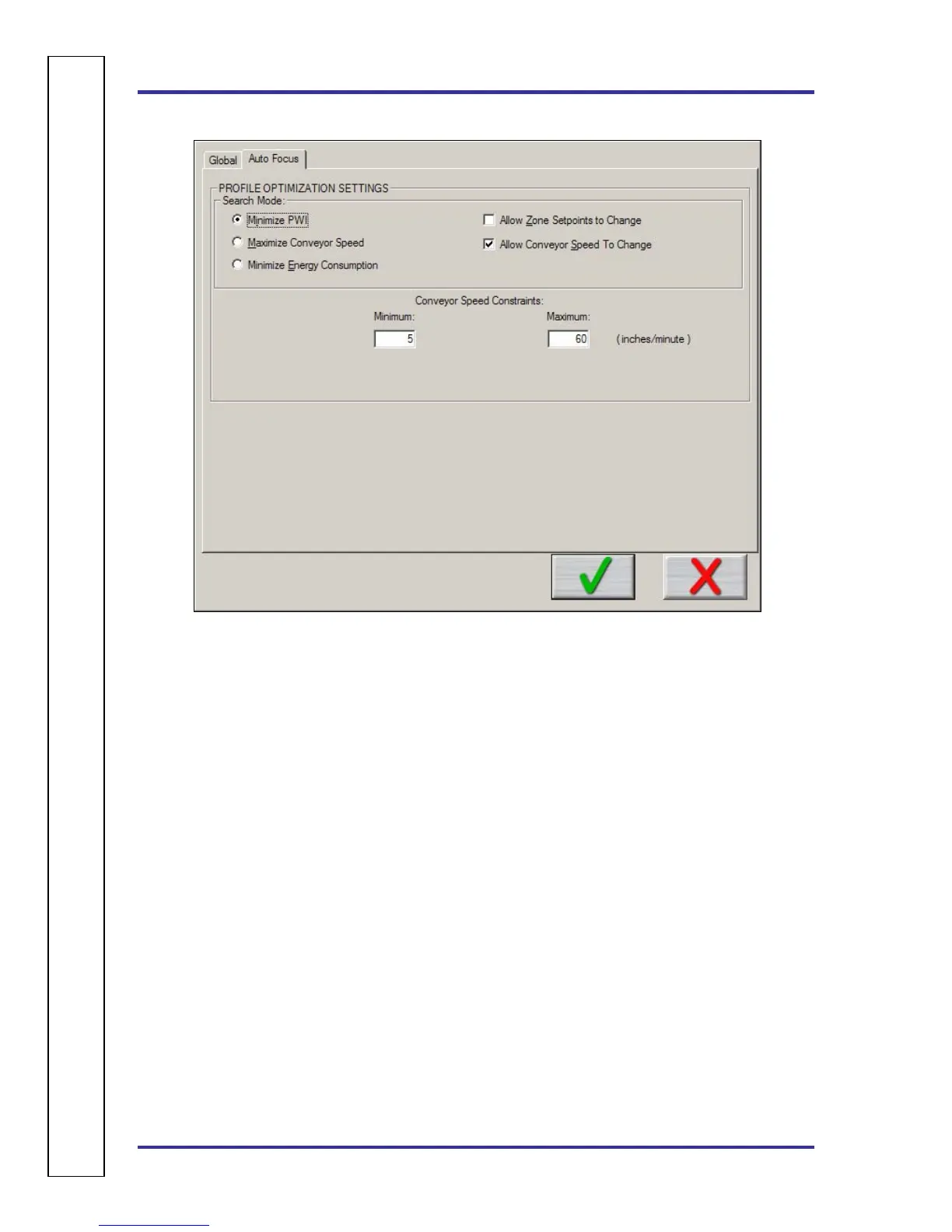
Figure 27: Global Preferences – Auto Focus Tab
Profile Optimization Settings
Search Mode for Auto-Focus
• Minimize PWI – Search for the combination of set point temperatures and conveyor speed that
will minimize the Process Window Index (PWI).
• Allow Zone Set points to Change – This option will determine if Auto-Focus will include zone
set point changes when predicting new solutions.
• Allow Conveyor Speed to Change - Choose whether to allow Auto-Focus to vary the conveyor
speed. If you choose Allow to Vary you can set the minimum and maximum.
• Maximize Conveyor Speed – Search for the set point temperatures that will maximize conveyor
speed.
• Minimize Energy Consumption – Optional Power feature; Search for the oven settings that will
minimize the power consumpotion of the oven by finding set point solucitons with slower
conveyor speeds and lower temperature settings.
Conveyor Speed Constraints
Low – Select the minimum conveyor speed you would like Auto-Focus to recommend for new products.
High - Select the maximum conveyor speed you would like Auto-Focus to recommend for new products.
A
U
T
O
⎪
F
O
C
U
S
S
P
E
C
I
F
I
C



 To Next Page