KIC 2000 v2.4.0.x
KIC 2000 User Manual 21
Process Window Setup
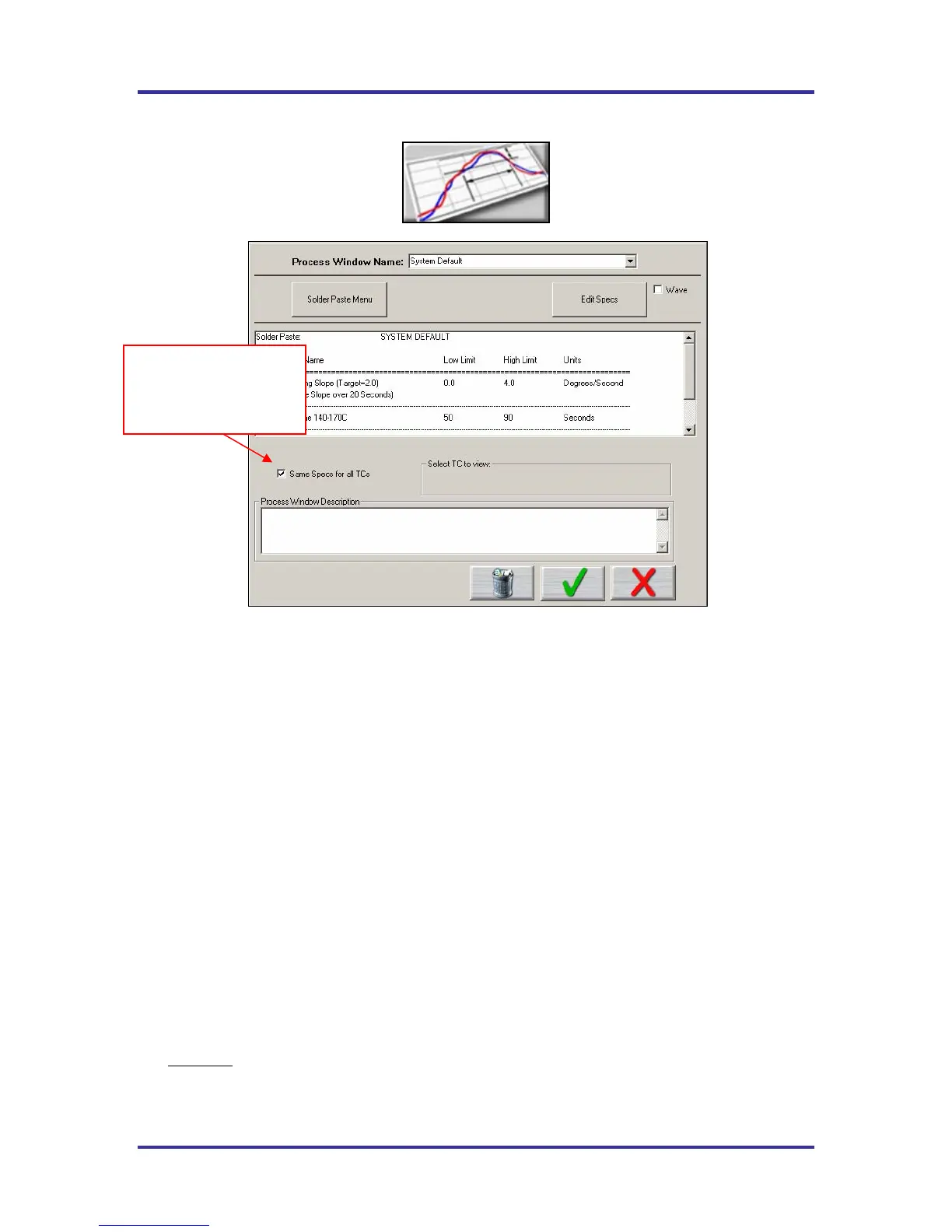
Figure 28: Process Window Setup
Process Window Name – Name of the KIC Process Window file that includes the statistics chosen and
limits for those statistics, along with whatever text is typed in the Description field. See Figure 28.
• Solder Paste Menu - A read only library list of numerous solder pastes along with the statistics and
limits suggested by the paste mfg., also included is a User-Defined option in the list which allows you
to create a spec. of your own. See below for additional details.
• Edit Specs – Screen allowing the user to edit or choose statistics and limits for a chosen solder paste or
define your own specs
• Wave – This radio button switches between the process specs and the Wave process specs for the
selected Process Window. Set up a Process Window specific to Wave TCs for Wave Solder profiling.
• Read only text box – Shows the paste name, statistics name, and limits for a Process Window chosen,
edited, or saved by the user. To edit select the Edit Specs button.
• Same Specs for all TC’s – By deselecting this checkbox, you can assign separate specifications for
each individual thermocouple you are using. After deselecting the checkbox, you’ll need to click on
the Edit Specs button to choose which statistics will be used and what spec limits will be set for each
thermocouple used. This option would be used if you had component specific specifications that differ
from the general solder paste specs. Another use for this would be if you wanted to monitor the actual
board temperature as well as component temps. You would then only select the statistics for that TC
that are relevant. If you wish to use the same specifications for all thermocouples, put a check mark in
the box.
• Select TC to View – This dialog box will appear only if the Same Specs for all TC’s checkbox is
deselected
. By clicking on the dropdown menu, you can view the specifications that have been defined
for that number thermocouple. If a description was included, it will be displayed next to Label.
• Process Window Description – Field allowing for freehand notes for a particular Process Window
Deselect this check box
to assign separate specs
for each thermocouple
used. See details below.



 To Next Page