7-4 TOS5051A/5050A
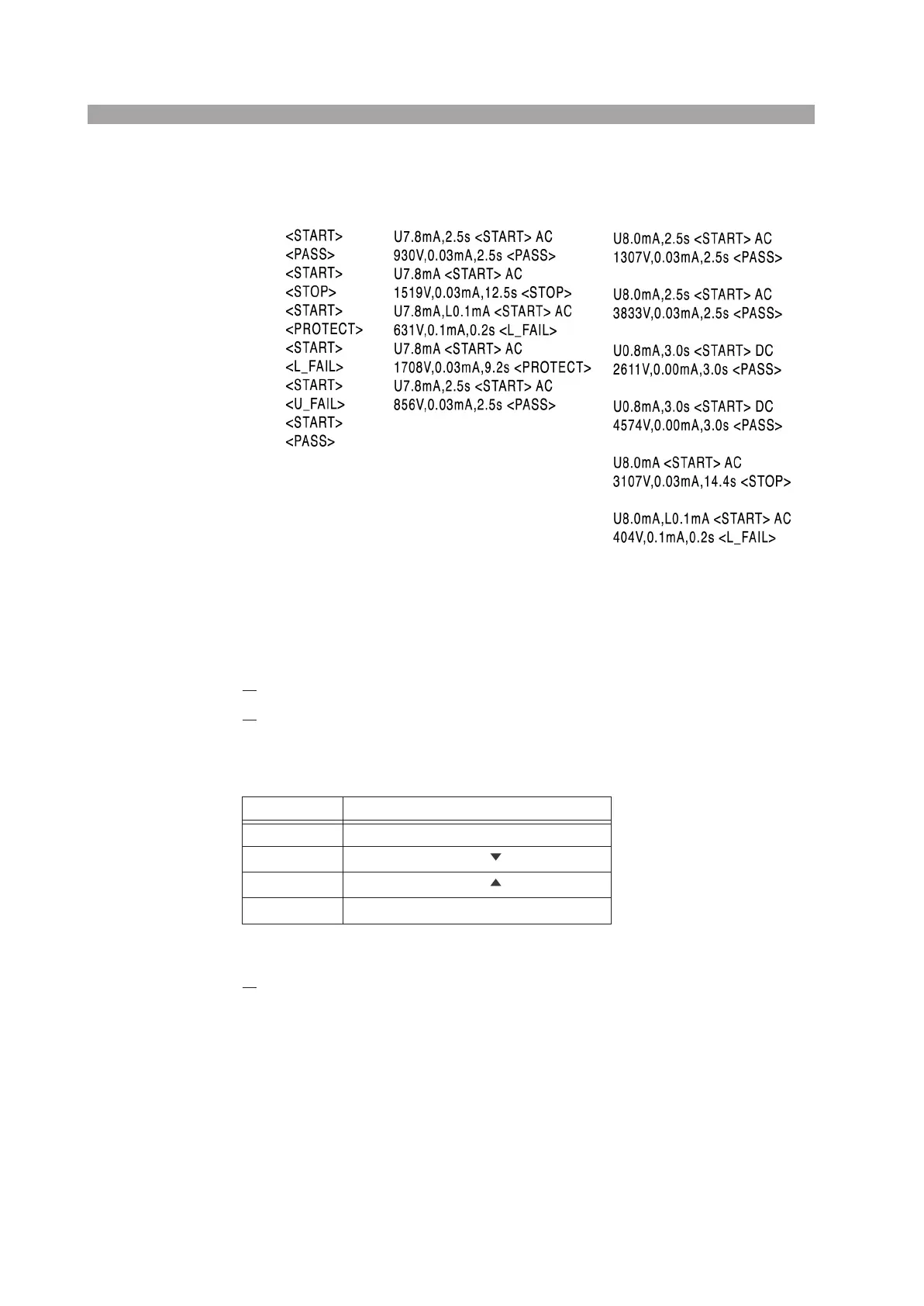
Print samples on the serial printer
Setting the talk mode
Set the talk mode according to the procedure below.
1.
Check that the POWER switch is turned OFF.
2.
Turn ON the POWER switch while holding down the key indicated in
Table 7-3 according to the desired talk mode.
Table 7-3 Talk mode setup key
The Vacuum Fluorescent Display will start illuminating.
3.
Release the key and the POWER switch.
After several tens of seconds, the fluorescent display shows the version num-
ber, model name, and talk mode number.
Talk mode 1 Talk mode 2 Talk mode 3
Talk mode Front panel key
0 TIMER ON/OFF key
1
CUTOFF CURRENT key
2
CUTOFF CURRENT key
3
CUTOFF CURRENT UP/LOW key



 To Next Page